

Alternatives to Open User Map
Build interactive WordPress maps in minutes with frontend submissions, approvals, and no coding or API keys needed.
Explore 16 alternatives to Open User Map. Compare features, pricing, and find the best fit for your needs.
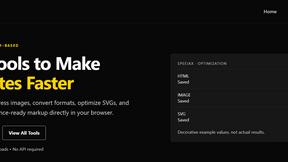

Built2WinWeb AI Strength Scanner
Custom PHP websites, AI Indexing Pack ($599 one‑time), and WebAgentScan SaaS ($9/mo). MCP, A2A, llms.txt, full ownership.
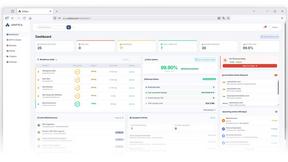
Unifyca
Unifyca gives you lightning-fast centralized control over every client WordPress site's documentation, maintenance, and backups.

The Tool Empire
The Tool Empire offers 82 powerful, free, browser-based tools for developers, designers, writers, and students without any sign-ups or server delays.

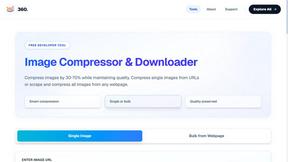
360 Solution
360 Solution delivers instant, privacy-first online tools for developers and creators with zero signup or friction.

Dayter
Dayter is your free online countdown calendar that tracks key dates and sends reminders so you never miss a moment.
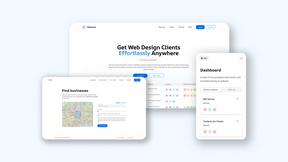
Webleadr
Webleadr instantly finds and contacts web design leads and businesses without websites anywhere in just a few clicks.


FilexHost
Effortlessly host and share files in seconds with FilexHost's simple drag-and-drop interface and secure links.

Crawlkit
CrawlKit lets you extract structured data from any website or platform quickly and efficiently with a single API call.

Best Boilerplates
Launch your SaaS apps faster by comparing top boilerplates with ideal tech stacks and features at Best Boilerplates.

Shadcn UI Kit
Accelerate your web development with Shadcn UI Kit's ready-to-use templates, components, and dashboards for React.

Clio Websites
Clio Websites creates custom, high-converting websites and SEO strategies that drive real business growth online.
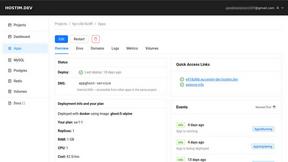
Hostim.dev
Hostim.dev deploys Docker apps instantly with built-in EU databases and simple pricing.

About Open User Map Alternatives
Open User Map is a WordPress plugin that transforms a standard website into an interactive, community-driven mapping tool. It falls squarely within the web development and user-generated content categories, allowing site owners to create a map where visitors can submit locations, add descriptions, and upload images directly from the frontend. While it excels at simplicity—requiring no coding, no Google Maps API key, and offering a seamless setup—users often seek alternatives due to specific needs. Common reasons include a desire for different pricing structures, a need for more advanced geospatial features, or the requirement for integration with other platforms like Shopify or custom PHP frameworks. When evaluating alternatives to Open User Map, speed and efficiency should be your guiding principles. Look for solutions that offer instant deployment and a lightweight footprint, ensuring your site’s performance isn’t bogged down by heavy scripts. Prioritize plugins that provide robust moderation workflows without adding complexity, and always check for transparent pricing models that scale with your traffic. The best alternative will match your workflow’s velocity—offering frontend submissions, approval queues, and customization options—without forcing you to sacrifice site speed or security for functionality.
FAQs about Open User Map Alternatives
What is Open User Map?
Open User Map is an interactive maps plugin for WordPress that allows you to create a map your visitors can contribute to. It specializes in frontend submissions, where users can add markers, descriptions, and images without needing to access the WordPress admin area. The plugin is designed for speed and efficiency, requiring no coding, no Google Maps API key, and no complex setup to get started.
Who is Open User Map for?
Open User Map is ideal for WordPress site owners who want to quickly build a community-driven map without technical overhead. It serves real estate agents listing client properties, local directories collecting user-submitted business locations, event organizers mapping participant meetups, and travel bloggers gathering reader recommendations. Its lightning-fast setup makes it perfect for non-developers who need results in minutes.
Is Open User Map free?
Open User Map offers a free version with core functionality, including basic frontend submissions and map display. However, to access advanced features like approval workflows, powerful customization options, and priority support, users typically need to purchase a premium license. The pricing is designed to be competitive and efficient, ensuring you only pay for the speed and control you require.
What are the main features of Open User Map?
The main features of Open User Map include frontend submissions that let visitors add markers directly from your site, approval workflows that let you moderate content before it goes live, and powerful customization tools for map styling and marker icons. It operates without the need for a Google Maps API key, using lightweight mapping providers to ensure fast page loads and a smooth user experience.