
CyberScore
CyberScore gives small businesses a free outside-in security grade covering email, website settings, known flaws and exposed services.

65 listings
CyberScore gives small businesses a free outside-in security grade covering email, website settings, known flaws and exposed services.

GigUp monitors Upwork searches, matches jobs to your public profile, and sends alerts so freelancers can review opportunities and apply themselves.


ButterShare is a no-signup browser file transfer tool with encrypted device-to-device streaming and optional offline links.


LaunchIntel helps indie developers manage directory launches with tested submission guides, an AI agent, and a local dashboard.


CloneWebsite captures live pages locally in Chrome and exports editable projects for offline browsing, Figma, or frontend work.

Mainspring is a macOS utility that replaces scattered tuning commands with reversible settings, ready-made recipes, and context-aware scenes.

Crumb is a macOS disk cleanup app that identifies reclaimable files and explains them before you approve their removal.

Generate branded OG images from a URL, edit every design detail and export social-ready files or hosted links.



Ecommerce Data API supplies structured ecommerce research data through REST endpoints for Amazon sellers, developers, and teams automating analysis.

JevModel converts text or JSON into typed decisions for applications, with a visual flow builder, batch evaluation, and an HTTP API.



Forms Plugin adds AI-built forms, advanced fields, multi-step flows, and native integrations to Framer without code.

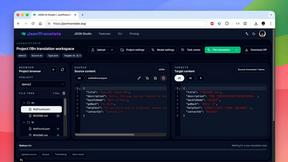
JsonTranslate is a JSON and text localization workspace with incremental translation, project path mapping, and CLI syncing for engineering teams.

ShieldLabs gives developers an API for visitor identification, risk signals, bot detection, and account abuse events.



Happy Horse AI combines video generation with image, music, and agent tools, and supports workflows through its browser studio and CLI.

Video2URL makes shareable video links with private storage, optional passwords, and view summaries for support replies and customer walkthroughs.
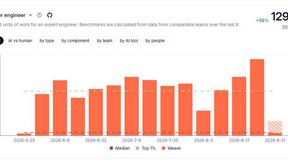


ContextBolt gives AI-assisted work access to live SEO data, a shared agent workspace, and saved bookmarks searchable in Claude and Codex.

Free Gemini Omni creates AI video from text, photos, and reference media, alongside image, audio, and editing tools in a single browser workspace.

Light Cloud pairs app hosting with managed Postgres, templates and AI building tools for developers launching web apps and APIs.

Firma.dev provides developers with an electronic signature API priced at €0.049 per envelope and integration described in hours.

Best MCP Tools helps teams find Model Context Protocol servers by capability and client, spanning developer tools, databases, search, and APIs.

AIQualityHQ checks prompt quality and injection risks while helping teams analyze tokens, costs, and context-window headroom.

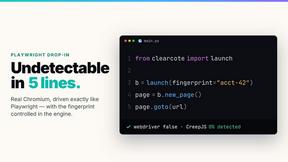

JustLaunched is a searchable SaaS launch directory with startup pages, a daily feed, broad categories, and upvote signals.


Streamline mobile store releases with editable AI listing copy, screenshot tools, rejection scans, translations, and direct submission.

Dev Tools provide developers with the software, platforms, and utilities needed to write, test, debug, deploy, and monitor code more efficiently. This category includes code editors, development environments, debugging tools, CI/CD platforms, API testing tools, version control interfaces, and developer productivity enhancers.
Whether you are writing code, managing deployments, testing APIs, monitoring application performance, or automating development workflows, these tools provide the infrastructure that modern software development demands.
Compare dev tools by their language support, integration ecosystem, performance, collaboration features, and pricing to find the right development tools for your stack and team.
This category includes code editors and IDEs, terminal and CLI tools, API testing platforms, CI/CD solutions, debugging tools, performance monitoring, version control interfaces, code review platforms, and developer productivity extensions.
Yes. Some tools specialize in specific languages or ecosystems like JavaScript, Python, Go, or Rust, while others provide multi-language support. Check individual listings for language-specific features and compatibility.
Dev tools improve productivity through code completion, automated testing, streamlined deployments, collaborative debugging, shared development environments, code review workflows, and integration with project management systems.
Yes. Many modern dev tools offer cloud-based development environments, remote container support, cloud debugging, and browser-based IDEs that allow developers to work from any device without local setup.
Yes. Many essential dev tools are open source or offer generous free tiers for individual developers and small teams. Paid plans typically add team management, enterprise security, and advanced scaling features.
Consider your tech stack, team size, deployment targets, collaboration needs, and budget. Prioritize tools that integrate well with your existing workflow and offer the specific features your development process requires.