

Alternatives to EditTextImage
Edit text in your images online in 30 seconds, keeping font, color, and perspective perfectly intact without Photoshop.
Explore 20 alternatives to EditTextImage. Compare features, pricing, and find the best fit for your needs.
Ideogram Studio
Create readable text, logos, posters, ads, packaging, and ecommerce visuals with Ideogram 4 AI workflows.

GPT Image 2 API
Generate and edit production-ready images with GPT Image 2 API, detailed prompts, reference images, readable text, and developer-friendly workflows.

Flux Lora
Explore Flux LoRA online workflows and a roadmap for models, generation, and guided training.
Vynzo
AI image and video studio. Generate from a prompt, animate stills, swap faces, restyle clips and edit — one credit pool, no subscription.
Nano Editor
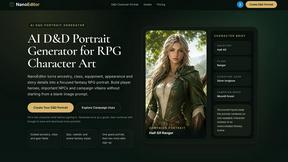
NanoEditor is an AI-powered D&D portrait generator that turns character details like ancestry, class and gear into focused fantasy RPG art.
Vismuse
Create polished AI images and videos from prompts or references for social posts, ads, flyers, album covers, and campaigns.

Magic Eraser
AI-powered photo editor for removing objects and backgrounds, enhancing images, and creating visuals across web and mobile.
Trushot AI
TruShot creates ultra-realistic AI dating photos from just 4 selfies. Generate natural-looking, verification-friendly profile pictures for Tinder, Hin
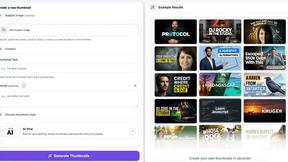
StopScroll
StopScroll helps YouTube creators generate AI thumbnails and improve images for higher-click videos.

HubVanta
HubVanta is an AI image toolkit for creating, editing, enhancing, and transforming visual assets in the browser.

Headshot.ltd AI Headshot Generator
Turn a few phone selfies into professional headshots in ~5 minutes. 200+ backgrounds, one-time payment starting from $8.

VideoAny
VideoAny lets you generate uncensored videos, images, and audio from text or photos in one fast platform.

Modellix
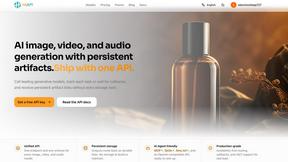
Modellix gives you one API key to instantly access every leading AI model for image, video, and audio with transparent pay-as-you-go pricing.
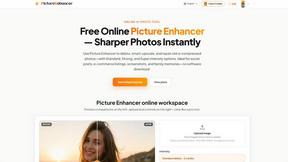
Picture Enhancer
Deblur, upscale, and restore photos instantly in your browser with AI, no install needed and 3 free guest tries.
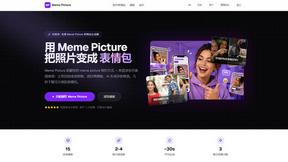
Meme Picture
Upload a selfie or pet photo, pick a classic template, and get share-ready AI memes in seconds with 3 free daily generations and no login required.
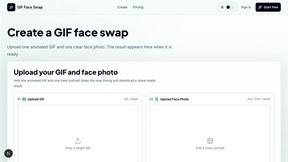
GIF Face Swap
Swap faces into any GIF in seconds with just one photo and no editing skills needed.
About EditTextImage Alternatives
EditTextImage is a specialized AI-powered tool in the image generation category that lets you edit text inside an existing image without needing the original design file or any software like Photoshop. Instead of manually recreating fonts or layouts, you simply upload your image, type the old text and the new text, and the AI samples the typeface directly from the pixels, preserving the exact font, color, drop shadow, and even perspective. Users commonly look for alternatives due to the tool's pricing model—a one-time fee for a limited edit pack—or because they need a different platform, higher volume of edits, or specific features like batch processing or integration into a larger workflow. When evaluating an alternative, you should prioritize speed (sub-30 second edits), output resolution (at least 2K), and the ability to handle complex typography like hand-lettering or paid fonts without requiring font installation. Also consider whether the tool offers a free trial with no credit card required, as this lets you test the AI's accuracy on your specific images before committing. The best alternative will match the core promise of EditTextImage: seamless, pixel-perfect text replacement in under a minute, but may offer a subscription model for unlimited edits, a desktop app for offline use, or additional features like background removal or text style matching. Look for a solution that emphasizes speed and efficiency, as the value here is eliminating the hours of manual Photoshop work typically required to fix a typo, swap a date, or A/B test a headline on a finished image. The ideal tool should not require you to hunt down fonts, install software, or recreate the original design from scratch—it should just work on the image as it is, delivering a clean result that matches the original layout perfectly.
FAQs about EditTextImage Alternatives
What is EditTextImage?
EditTextImage is an AI-powered online tool that lets you edit text in any image without needing the original design file, Photoshop, or the specific font installed on your computer. You upload the image, type the existing text and the replacement text, and the AI samples the typeface directly from the pixels to match the font, color, drop shadow, and perspective. The entire process takes about 10 seconds and outputs the edited image at 2K resolution.
Who is EditTextImage for?
EditTextImage is designed for anyone who needs to quickly fix a typo, swap a date, or A/B test a headline on a finished image—marketers, designers, social media managers, and small business owners. It is especially useful for users who have lost the original design file for a poster, screenshot, or product photo and need to make a text change without recreating the entire layout. The tool is built for speed and simplicity, requiring no prior design skills or software installation.
Is EditTextImage free?
Yes, EditTextImage offers a free trial for your first edit with no credit card required. After that, the tool operates on a one-time payment model of $9.90 for 30 edits, with no recurring subscription fees. This makes it a cost-effective solution for users who only need occasional text edits rather than a monthly Canva or Adobe subscription.
What are the main features of EditTextImage?
The main features of EditTextImage include AI-powered text replacement that samples fonts directly from the image pixels, preserving the original font, color, drop shadow, and perspective even for paid fonts or hand-lettering. The tool works online in about 10 seconds, requires no font installation or design software, and outputs edited images at 2K resolution. It is designed for one-off fixes like correcting a typo, changing a date, or swapping a headline without needing the source design file.