
AssetCenter
Effortlessly manage your asset lifecycle with complete visibility from acquisition to retirement, all in one powerful platform.
Visit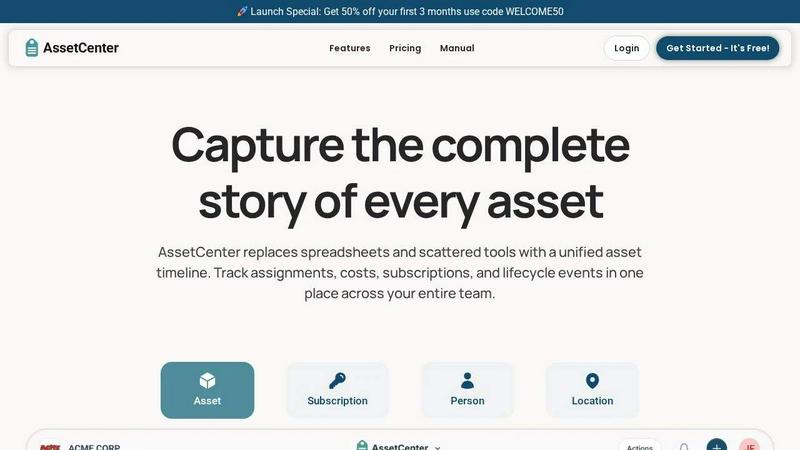
About AssetCenter
AssetCenter is a cutting-edge asset management platform designed to provide organizations with unparalleled visibility and control over their assets throughout their entire lifecycle. From acquisition to end-of-life, AssetCenter captures every critical event, including purchases, assignments, maintenance, transfers, and retirements, presenting them in a unified timeline. This comprehensive approach eliminates the confusion of scattered data across multiple systems, creating a single source of truth that is both accessible and actionable. Tailored for flexibility, AssetCenter is adaptable across various industries, allowing users to create customizable categories and fields that reflect their unique workflows. By assigning assets to individuals, locations, or departments, organizations can ensure full accountability and traceability. With features like built-in lifecycle tracking and depreciation insights, AssetCenter empowers teams to make informed decisions, minimize inefficiencies, and maintain organizational order.
Features of AssetCenter
Unified Timeline
Experience clarity like never before with AssetCenter's unified timeline. Every asset, subscription, person, and location has a dedicated timeline that displays all relevant events at a glance. This feature allows teams to quickly assess the status of their assets without sifting through multiple interfaces.
Customizable Categories
AssetCenter offers the flexibility to create unlimited, industry-specific categories tailored to your organization’s needs. Whether you need to track vehicles, machinery, software licenses, or office equipment, you can easily organize and manage your assets and subscriptions as your business evolves.
Lifecycle Tracking
Take control of your asset management with built-in lifecycle tracking. This feature helps organizations monitor each asset's journey from acquisition through to decommissioning, ensuring that all lifecycle events such as maintenance, repairs, and updates are recorded and easily accessible.
Bulk Import Templates
Getting started with AssetCenter is a breeze thanks to bulk import templates. Users can download easy-to-use Excel templates, fill them with their asset information, and quickly upload them into AssetCenter, streamlining the onboarding process and saving valuable time.
Use Cases of AssetCenter
Healthcare Asset Management
In the healthcare sector, AssetCenter can be used to track medical equipment and devices efficiently. By monitoring usage, maintenance schedules, and compliance requirements, healthcare organizations can ensure that their resources are optimized for patient care.
Educational Institutions
Schools and universities can leverage AssetCenter to manage classroom technology, library resources, and athletic equipment effectively. This allows educators to ensure that all assets are accounted for and in working condition, enhancing the learning environment.
Construction Project Oversight
Construction firms can use AssetCenter to keep tabs on machinery, tools, and materials across multiple job sites. By tracking asset assignments and maintenance, teams can reduce downtime and improve project efficiency, ultimately leading to cost savings.
IT Asset Management
For IT departments, AssetCenter provides a robust solution for managing hardware and software assets. By tracking licenses, subscriptions, and maintenance schedules, IT teams can maximize resource utilization and ensure compliance with vendor agreements.
Frequently Asked Questions
How does AssetCenter improve asset visibility?
AssetCenter consolidates all asset-related information into a single, chronological timeline, making it easy to track every event. This centralized view enhances visibility, allowing teams to make informed decisions quickly.
Can I customize the asset categories in AssetCenter?
Absolutely! AssetCenter allows users to create unlimited, customizable categories that reflect their unique business needs, making it adaptable to any industry or workflow.
What kind of support is available during the free trial?
During the 14-day free trial, users have access to the full platform and can reach out to customer support for assistance. No credit card is required, and users can cancel at any time.
Is there a limit to the number of assets I can track?
During the free trial, you can manage up to 25 assets without any time restrictions, allowing you to explore the full capabilities of AssetCenter before deciding on a subscription.
Explore more in this category:
Similar to AssetCenter

Panzoe is an all-in-one AI platform for personal productivity, business automation, AI assistants, content creation, and custom AI solutions.

A notepad calculator that reads plain text and gives instant answers as you type, free on Mac, iOS, Windows, Linux, Android and Web.

AI Email Filter sorts incoming mail into folders using plain-language prompts you write. Works with any IMAP mailbox; bring your own LLM if you want.

Free collection of online developer utilities, code formatters, and digital converters designed to streamline your daily workflow.

Visual financial timelines for couples and young professionals: model cash flow, life events, and shared goals.

Online tally counter for tracking attendance, workouts, inventory, sports scores, visitors, habits, and everyday counting tasks.

The #1 Native Form Builder Plugin for Framer - No Code, No Embeds, No External Platforms.

A free launch checklist for SaaS, apps, AI tools and more. Every step says why it matters and when you can skip it.