

Alternatives to Gemini Omni AI Video Generator
Generate cinematic 4K videos from text, images, or clips and edit them instantly with Gemini Omni's unified AI model.
Explore 20 alternatives to Gemini Omni AI Video Generator. Compare features, pricing, and find the best fit for your needs.

The Kiss
Turn two photos into a cinematic AI kissing video. Pick one of 13 kiss video templates; 30 free credits on sign-up.
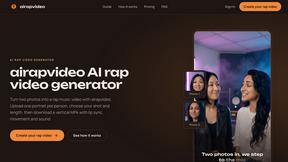
airapvideo
airapvideo turns two portraits into a lip-synced vertical rap video with movement and sound — a 9:16 MP4 for TikTok, Reels and Shorts.
GenX
All-in-one AI workspace to generate images, videos, and audio with multiple leading AI models.
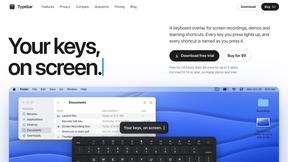
Typebar
Every key you press lights up on an on-screen keyboard, and each shortcut is named. For screen recordings, demos and learning shortcuts.
FreeCreate
Create AI images from text or reference photos and turn prompts or still images into short videos with FreeCreate. Start free—no account needed.

Nano AI
Create and edit AI images, generate videos, and compare models in one creative workbench.


Bulin AI
Upload one portrait. Bulin AI puts you in the official Bulin 47 freestyle. The source video guides the moves and camera. No prompt.
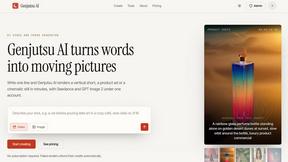
Genjutsu AI
Genjutsu AI turns your ideas into cinematic videos, product ads, social shorts, and high-quality images in minutes.

Hotel Lobby AI
Two photos become one hotel lobby video. One person stands on each side of the hanging microphone. No prompt.


hotel-lobby
Two-person AI video concept in a warm orange recording booth, with two performers sharing one microphone in natural call-and-response.
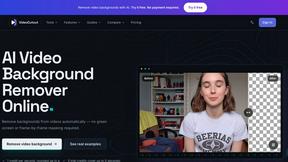

TryKlingAI
Create Kling AI videos from text, images, audio, and motion references with Kling 3.0 workflows.
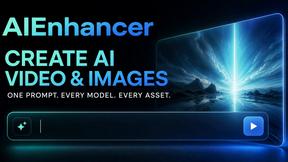


Happy Horse AI
Create videos from text, images, or references with HappyHorse 1.1, flexible 720P/1080P output, optional audio, and API workflows.

AudioVideo
Create videos from podcasts, narration, voice recordings, or music with audio-aware AI, prompts, reference images, and flexible output settings.

Hailuo AI
Create Hailuo AI videos from text or images with prompt guidance, motion and camera controls, task tracking, and downloads.

About Gemini Omni AI Video Generator Alternatives
Gemini Omni AI Video Generator is a cutting-edge unified omni-model from Google that redefines video creation by merging text, image, and video generation into a single conversational system. It allows creators to generate, edit, and remix cinematic clips in native 4K resolution at up to 120fps, complete with built-in audio and Director controls. Users often seek alternatives due to specific needs like pricing constraints, platform compatibility, or a desire for specialized features that a single monolithic tool may not offer, such as unique animation styles or integration with non-Google ecosystems. When evaluating an alternative, focus on speed and workflow efficiency, as time is critical in video production. Look for tools that minimize tool-switching and offer seamless editing, high resolution output, and audio synthesis capabilities. Also consider the learning curve, community support, and whether the platform provides a hands-on workspace with early access to features. The goal is to find a solution that matches your specific creative velocity without sacrificing quality or requiring constant context switching.
FAQs about Gemini Omni AI Video Generator Alternatives
What is Gemini Omni AI Video Generator?
Gemini Omni is Google's first unified omni-model that generates, edits, and remixes video natively within a conversational chat interface. Unlike standalone generators, it handles text, image, and video modalities without requiring tool-switching, delivering native 4K output at up to 120fps. It includes persistent world-state memory for character consistency and integrated Foley and dialogue synthesis in a single diffusion pass.
Who is Gemini Omni AI Video Generator for?
It is designed for content creators, filmmakers, and video editors who need to rapidly prototype or produce cinematic AI videos without jumping between different software. It suits professionals seeking a unified workflow where they can generate, remix, edit, and rewrite scenes directly in chat. Early access tools and prompt guides make it accessible to both beginners and advanced users working with models like Veo 3.1 and Seedance 2.0.
Is Gemini Omni AI Video Generator free?
Pricing details are not explicitly provided in the product description, but it is noted as offering early access tools and a hands-on workspace for creators. As a Google product, it may have tiered pricing or free trial options depending on usage limits and resolution output. Users should check Google's official site for the most current cost structure and availability.
What are the main features of Gemini Omni AI Video Generator?
Key features include native 4K video generation at up to 120fps, in-chat video editing via natural language, and persistent world-state memory for character consistency. It also provides integrated Foley and dialogue synthesis in a single diffusion pass, eliminating separate audio tools. The platform offers a studio with early access tools, prompt guides, and compatibility with other models like Veo 3.1 and Seedance 2.0 for expanded creative control.