

Alternatives to Cece AI
Cece AI automates emails, scheduling, invoices, and follow-ups for small businesses in minutes at a fraction of hiring cost.
Explore 20 alternatives to Cece AI. Compare features, pricing, and find the best fit for your needs.

Kody Tools
Free collection of online developer utilities, code formatters, and digital converters designed to streamline your daily workflow.
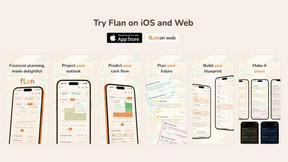
Flan
Visual financial timelines for couples and young professionals: model cash flow, life events, and shared goals.

tallycounterweb.com
Online tally counter for tracking attendance, workouts, inventory, sports scores, visitors, habits, and everyday counting tasks.

Forms Plugin
The #1 Native Form Builder Plugin for Framer - No Code, No Embeds, No External Platforms.

Product Launch Checklist
A free launch checklist for SaaS, apps, AI tools and more. Every step says why it matters and when you can skip it.

HomeAnswerBook
Practical, independent guides to home repairs, maintenance, costs, troubleshooting, and everyday fixes.
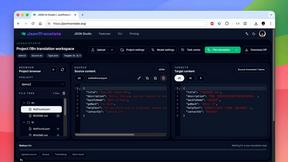
JsonTranslate
Translate JSON, Markdown, and TXT files while preserving keys, nested paths, and project structure.

BlazePDF
Highlight faster. Study in flow with custom shortcuts and a workflow built around you. Print smarter, or turn any page into a tiled poster.


Video2URL
Turn videos, images, and files into secure direct links for sharing, embedding, and automated workflows.

Build Mode for Mac
Build Mode is a Mac app that turns focused sessions into visible progress, so you can see the work adding up before the results arrive.



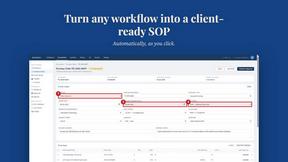
MySOP.guru
Capture any workflow in your browser and export a branded, step-by-step SOP with screenshots. €5 per document, no subscription.

PerPageFax
PerPageFax lets you send a fax online from any browser for a flat $0.50 per page — no account, no subscription, no fax machine.

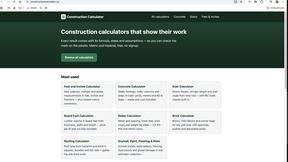
Construction Calculator
Free construction calculators with transparent formulas, steps, assumptions, and metric or imperial units.

ContextBolt
Tools that give your AI real context. Live SEO data and your saved bookmarks, plugged straight into Claude, Cursor and Codex.

About Cece AI Alternatives
Cece AI is an AI executive assistant that operates directly inside your email, helping business owners handle scheduling, customer responses, quoting, invoicing, and follow-ups without leaving their inbox. It falls under the productivity and management category, designed specifically for small businesses that want to reduce admin drag and speed up client communication. Users often look for alternatives when they need different pricing structures, more advanced integrations, or platform-specific features like mobile app support or multi-user access. Some may also seek tools that offer deeper project management capabilities or a different approach to task automation outside of email-only workflows. When evaluating alternatives, focus on how quickly the tool can integrate into your existing daily workflow and whether it matches your business size and complexity. Look for solutions that minimize setup time, offer clear pricing with no hidden fees, and provide the specific features you rely on most, such as calendar sync, invoice generation, or reminder automation. Speed and efficiency should be your guiding criteria, since the whole point of an AI assistant is to save you time, not add more steps to your process.
FAQs about Cece AI Alternatives
What is Cece AI?
Cece AI is an AI executive assistant that works directly through email to help business owners manage administrative tasks. It can schedule meetings, respond to customers, create quotes, send invoices, track follow-ups, and manage reminders. The tool turns messy email threads into completed tasks without requiring users to switch platforms or hire additional staff.
Who is Cece AI for?
Cece AI is built specifically for small business owners and entrepreneurs who are overwhelmed by email, admin work, and incomplete follow-ups. It is designed for professionals who want a practical AI assistant that handles daily execution inside their existing inbox. The tool is ideal for those who need faster customer communication and fewer dropped balls without adding another full-time hire.
Is Cece AI free?
The provided content does not specify whether Cece AI offers a free tier or trial. Users should visit the official Cece AI website or contact their sales team for the most current pricing information. Typically, AI assistant tools like this offer subscription-based plans with different feature levels.
What are the main features of Cece AI?
Cece AI’s main features include scheduling meetings, responding to customer emails, creating and sending quotes, generating invoices, tracking follow-ups, and managing reminders. Users set up their calendar, business profile, price book, and preferences in the Cece dashboard first. Once configured, they simply CC Cece on an email to trigger task execution directly from their inbox.