

Alternatives to Browser Notes
Skip signups and save instantly with Browser Notes, a lightning-fast local extension for notes, sticky boards, and mind maps.
Explore 20 alternatives to Browser Notes. Compare features, pricing, and find the best fit for your needs.

Panzoe
Panzoe is an all-in-one AI platform for personal productivity, business automation, AI assistants, content creation, and custom AI solutions.

Kody Tools
Free collection of online developer utilities, code formatters, and digital converters designed to streamline your daily workflow.
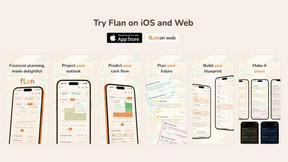
Flan
Visual financial timelines for couples and young professionals: model cash flow, life events, and shared goals.
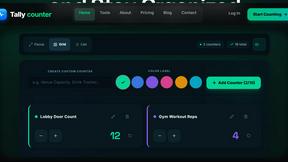
tallycounterweb.com
Online tally counter for tracking attendance, workouts, inventory, sports scores, visitors, habits, and everyday counting tasks.
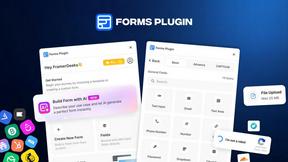
Forms Plugin
The #1 Native Form Builder Plugin for Framer - No Code, No Embeds, No External Platforms.

Product Launch Checklist
A free launch checklist for SaaS, apps, AI tools and more. Every step says why it matters and when you can skip it.

HomeAnswerBook
Practical, independent guides to home repairs, maintenance, costs, troubleshooting, and everyday fixes.
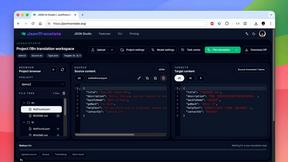
JsonTranslate
Translate JSON, Markdown, and TXT files while preserving keys, nested paths, and project structure.
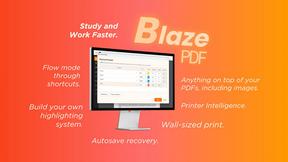
BlazePDF
Highlight faster. Study in flow with custom shortcuts and a workflow built around you. Print smarter, or turn any page into a tiled poster.


Video2URL
Turn videos, images, and files into secure direct links for sharing, embedding, and automated workflows.

Build Mode for Mac
Build Mode is a Mac app that turns focused sessions into visible progress, so you can see the work adding up before the results arrive.



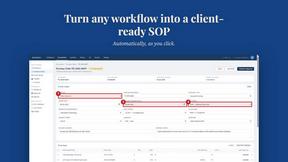
MySOP.guru
Capture any workflow in your browser and export a branded, step-by-step SOP with screenshots. €5 per document, no subscription.

PerPageFax
PerPageFax lets you send a fax online from any browser for a flat $0.50 per page — no account, no subscription, no fax machine.


Construction Calculator
Free construction calculators with transparent formulas, steps, assumptions, and metric or imperial units.

ContextBolt
Tools that give your AI real context. Live SEO data and your saved bookmarks, plugged straight into Claude, Cursor and Codex.
About Browser Notes Alternatives
Browser Notes is a local-first productivity tool that combines notes, sticky notes, and mind maps into a single workspace, operating entirely within your browser. It falls under the Productivity & Management category, offering a streamlined way to capture and organize ideas without the overhead of cloud storage or user accounts. Users typically seek alternatives due to specific needs like cross-device synchronization, advanced collaboration features, or platform-specific requirements that Browser Notes does not support, as it focuses on offline, single-browser functionality. When evaluating alternatives, prioritize tools that match your workflow speed, offer seamless data portability, and align with your privacy preferences, whether that means local storage, encrypted cloud sync, or multi-platform access. Choosing the right alternative hinges on balancing speed and efficiency with your must-have features. If you need real-time team collaboration or access from multiple devices simultaneously, look for tools that provide robust sync without compromising security. For those who value simplicity and lightning-quick setup, ensure the alternative maintains a local-first approach to avoid latency and data lock-in. Ultimately, the best choice will eliminate friction in your note-taking process while preserving your ability to back up and export data freely, just as Browser Notes allows with its local-only storage model.
FAQs about Browser Notes Alternatives
What is Browser Notes?
Browser Notes is a local-first productivity tool that merges notes, sticky notes, and mind maps into one unified workspace. It operates entirely within your browser without requiring any signup, cloud storage, or tracking, making it a fast and private solution for organizing ideas. All data is stored locally on your device, ensuring you retain full control over your information at all times.
Who is Browser Notes for?
Browser Notes is designed for individuals who value speed, privacy, and simplicity in their note-taking and brainstorming workflows. It is ideal for students, professionals, and creatives who want to capture ideas quickly without dealing with account creation, cloud sync, or data tracking. Anyone who needs a lightweight, offline-capable tool for personal notes, task boards, or mind mapping will find it highly efficient.
Is Browser Notes free?
Yes, Browser Notes is completely free to use with no hidden costs or premium tiers. There are no subscription fees, no in-app purchases, and no requirement to create an account to access any features. This makes it an extremely fast and accessible option for anyone looking to improve their productivity without financial commitment.
What are the main features of Browser Notes?
Browser Notes combines notes, sticky notes, and mind maps into a single local-first workspace that works offline. It requires no account, no tracking, and no forced sync, allowing you to work at lightning speed without interruptions. You can back up your data anytime, ensuring your information remains secure and portable across different browsers or devices.