
Seedream 5.0 AI
Generate stunning 2K images and cinematic videos from text prompts with Seedream 5.0 AI's advanced capabilities.
Visit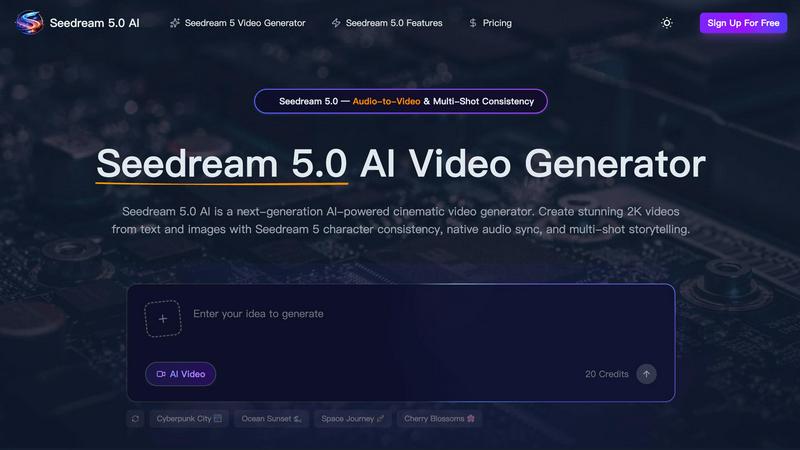
About Seedream 5.0 AI
Seedream 5.0 AI is an innovative fifth-generation diffusion transformer model that transforms the landscape of image generation. This groundbreaking tool is engineered for creators, designers, and teams who aspire to produce high-quality, professional-grade images in mere seconds. With its advanced capabilities, Seedream 5.0 AI unlocks a world of creative potential, making it the perfect companion for various applications, from marketing to artistic expression. Currently featuring a limited-time New Year sale with a 50% discount, this AI generator provides an exceptional opportunity to elevate your visual content. At its core, Seedream 5.0 AI employs sophisticated AI technology to interpret text prompts, resulting in stunningly realistic images that are rich in detail. With the ability to generate high-resolution 2K images, this model boasts photorealistic skin textures and intricate reflections, rivaling the quality of traditional photography. It excels in understanding complex prompts, ensuring that the generated visuals align perfectly with the user's creative vision.
Features of Seedream 5.0 AI
Text-to-Image Generation at 2K Resolution
Seedream 5.0 AI enables users to describe any visual concept and instantly generate images, including portraits, product shots, or landscapes, all at 2K resolution. This feature ensures that users receive high-quality outputs that are visually stunning and ready for professional use.
Image-to-Image Editing with Natural Language
This innovative feature allows users to upload existing images and describe desired edits using simple language. Whether it is style transfer, object removal, or background changes, Seedream 5.0 AI interprets these requests accurately, ensuring seamless image enhancements.
Multi-Subject Composition with Individual Control
With the ability to compose scenes featuring three or more distinct subjects, Seedream 5.0 AI maintains individual attributes and spatial relationships. This feature is essential for creating complex visuals that require harmony among multiple elements while preserving their unique characteristics.
Native Style Control Across Visual Aesthetics
Users can effortlessly switch between various artistic styles, including photorealism, anime, watercolor, oil painting, and cyberpunk. This versatile style control can be configured through text or reference, empowering creators to achieve their desired aesthetic with ease.
Use Cases of Seedream 5.0 AI
Marketing and Advertising
Seedream 5.0 AI is a game-changer for marketing professionals who need high-quality visuals for campaigns. By generating stunning images quickly, marketers can create captivating content that resonates with their target audience and enhances brand visibility.
Product Design and Visualization
Designers can leverage Seedream 5.0 AI to visualize products before they are manufactured. By generating detailed images from text descriptions, teams can explore different design iterations and present concepts to stakeholders effectively.
Creative Content Creation
Content creators, including bloggers and social media influencers, can use Seedream 5.0 AI to generate eye-catching visuals that complement their storytelling. The tool allows for the rapid production of imagery that elevates content quality, engaging audiences more effectively.
Game Development and Concept Art
Game developers can utilize Seedream 5.0 AI to produce concept art and in-game assets swiftly. The ability to generate multi-subject scenes with individual control enables artists to craft rich environments and character designs, facilitating a more efficient development process.
Frequently Asked Questions
How does Seedream 5.0 AI generate images?
Seedream 5.0 AI interprets user-supplied text prompts and utilizes advanced AI algorithms to create realistic images based on the descriptions provided, ensuring high fidelity and detail.
Can I edit images after generating them?
Yes, Seedream 5.0 AI includes an image-to-image editing feature that allows users to upload images and request specific modifications in natural language, making it easy to achieve the desired results.
What types of styles can I choose from?
Users can select from a wide range of artistic styles, including photorealism, anime, watercolor, oil painting, and cyberpunk. This flexibility allows creators to match their visuals with their intended message or theme.
Is there a limit to the number of subjects I can include in a scene?
Seedream 5.0 AI allows for the composition of scenes with three or more distinct subjects while maintaining their individual traits and interactions, providing extensive creative freedom in scene creation.
Explore more in this category:
Similar to Seedream 5.0 AI

Create readable text, logos, posters, ads, packaging, and ecommerce visuals with Ideogram 4 AI workflows.

Create Kling AI videos from text, images, audio, and motion references with Kling 3.0 workflows.

Enhance photos, create images, and generate videos with an all-in-one AI enhancer.


Explore LTX 2.3 prompts, workflows, demos, and browser-based AI video tools.

Create videos from text, images, or references with HappyHorse 1.1, flexible 720P/1080P output, optional audio, and API workflows.

Generate and edit production-ready images with GPT Image 2 API, detailed prompts, reference images, readable text, and developer-friendly workflows.

Explore Flux LoRA online workflows and a roadmap for models, generation, and guided training.