
Picture Enhancer
Deblur, upscale, and restore photos instantly in your browser with AI, no install needed and 3 free guest tries.
Visit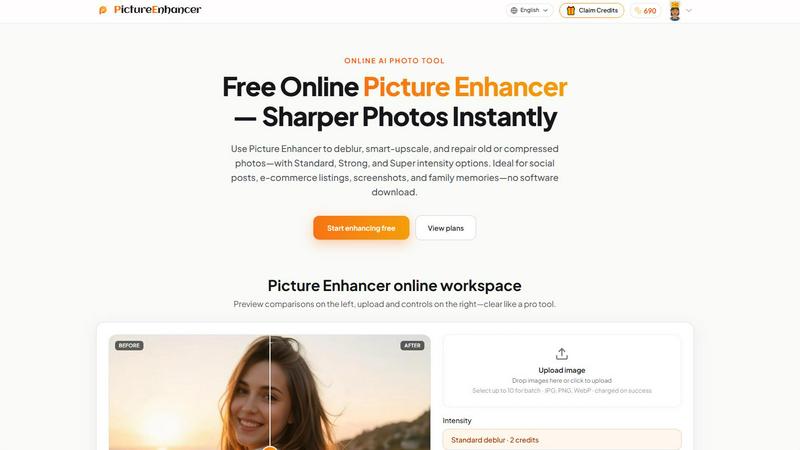
About Picture Enhancer
Picture Enhancer is a lightning-fast, free online AI photo enhancer built for creators, sellers, and everyday users who need sharper images in seconds. No downloads. No signup required to start. Just upload a JPG, PNG, or WebP photo, pick a mode, and get results instantly. The tool offers three core enhancement modes: Deblur, Upscale, and Restore. Each mode comes with three intensity tiers: Standard, Strong, and Super. You can preview the before and after result with a simple slider, then download a watermark-free image when the job succeeds. Picture Enhancer is ideal for social media posts, e-commerce product listings, screenshots, and treasured family photos. Guests get three free lifetime tries per IP with zero signup. Once you sign in, you receive starter credits to keep going. Credits are only charged on successful results, so you never waste a credit on a failed enhancement. Paid users unlock the Super intensity tier and batch processing for up to 10 images at once. Monthly subscription plans grant fresh credits each cycle, while permanent credit packs never expire. The entire workflow is designed for speed. Upload, enhance, download. That is it. Private processing ensures your photos are used only to complete your request and nothing else. Picture Enhancer turns blurry, compressed, or damaged photos into crisp, clear, professional-grade images fast.
Features of Picture Enhancer
AI Deblur Mode
Rebuilds lost edges and fine texture from camera shake, soft focus, and mild motion blur. Choose Standard, Strong, or Super deblur intensity to make faces, text, and product details read clearly again. The AI analyzes the image and reconstructs sharp details that were lost, delivering results that look like they were shot with a steady hand and a high-end lens. This mode works quickly, processing most images in seconds.
Smart Upscale Mode
Enlarges your image by 2x or 4x while adding realistic detail instead of just stretching pixels. Perfect for turning small screenshots, low-res product photos, or thumbnail images into crisp, usable assets for social media covers, hero shots, or print previews. The AI fills in missing information intelligently, so upscaled images maintain natural edges and textures without the blocky artifacts typical of traditional resizing.
Old Photo and Damage Restore Mode
Reduces scratches, fading, and compression artifacts from scanned family photos or old digital images. Strong and Super restore intensity tiers handle heavier damage, such as deep scratches, large faded areas, and significant color shifts. The AI analyzes the damage patterns and reconstructs the original image appearance, breathing new life into cherished memories without requiring manual editing skills.
Batch Enhance for Paid Users
Subscribers and permanent credit pack buyers can upload and enhance up to 10 images in a single batch. This feature is a massive time saver for e-commerce sellers, content creators, and anyone managing multiple photos. You set the mode and intensity once, and the AI processes all images simultaneously. Each image is charged credits only on success, so you pay only for what works.
Use Cases of Picture Enhancer
Portraits and Everyday Photos
Reduce mild blur from quick phone snaps so faces, clothing, and backgrounds look cleaner and more professional for social feeds, dating profiles, or personal portfolios. The deblur mode restores sharpness to eyes and hair, while the restore mode can fix lighting issues and minor imperfections. Even a quick snapshot can look like a carefully staged portrait in seconds.
E-commerce and Product Shots
Upscale product detail images and tame compression noise so your listings stand out on marketplaces like Amazon, Etsy, or Shopify. Sharp, clear product photos increase buyer confidence and reduce return rates. The smart upscale mode makes small product thumbnails large enough for hero images, and the deblur mode fixes soft focus from quick product photography sessions.
Screenshots and UI Captures
Sharpen text edges in screenshots for tutorials, support threads, documentation archives, or social media posts. Blurry text in screenshots looks unprofessional and reduces readability. Picture Enhancer cleans up jagged edges and soft text, making your UI captures look crisp and clear even when zoomed in. Perfect for developers, technical writers, and customer support teams.
Old Photo Memories
Repair fading, scratches, and compression artifacts from scanned family prints so they are ready to share digitally or print again. The restore mode handles everything from minor age-related yellowing to heavy damage on decades-old photos. Strong and Super restore tiers can reconstruct missing details in damaged areas. Share restored family memories on social media or create photo books without visible flaws.
Frequently Asked Questions
What is Picture Enhancer?
Picture Enhancer is a free online AI photo enhancement tool that lets you deblur, upscale, and restore photos instantly. It is designed for creators, sellers, and everyday users who need sharper images fast without downloading software. The tool supports JPG, PNG, and WebP formats and offers three intensity levels per mode. Credits are charged only on successful results, so you never pay for failed enhancements.
Can I try Picture Enhancer without signing in?
Yes. Guests get three free lifetime tries per IP address with no signup required. You can upload an image, choose a mode and intensity, preview the before and after result, and download a watermark-free image. After using your three tries, you will need to sign in to continue using credits. New accounts receive starter credits to keep enhancing.
How does credit billing work after sign-in?
Credits are charged only when an enhancement succeeds. Standard intensity costs 2 credits, Strong costs 4 credits, and Super costs 6 credits. If the enhancement fails for any reason, you are not charged. Signed-in users can check their balance and enhancement history in the My Assets section. Monthly subscription plans grant fresh credits each billing cycle, while permanent credit packs never expire.
What is the difference between subscription and permanent credit packs?
Monthly subscription plans give you a set amount of credits each billing cycle that refresh every month. Permanent credit packs are a one-time purchase that never expire, so you can use them at your own pace without worrying about losing unused credits. Both options unlock the Super intensity tier and batch enhancement for up to 10 images at once. Choose the option that best fits your usage frequency.
Are my photos safe?
Yes. Picture Enhancer uses private processing. Your uploaded photos are used only to complete your enhancement request and are not stored or shared for any other purpose. The tool is secure and processes images in real time. Once you download your result, the original upload is not retained. Your privacy is fully protected.
Where do I check my balance and history?
Signed-in users can visit the My Assets section in the Picture Enhancer interface. Here you can view your current credit balance, see your enhancement history, and download previously enhanced images. This section gives you full visibility into your usage and remaining credits so you never run out unexpectedly.
Explore more in this category:
Similar to Picture Enhancer

Create and edit AI images online with multiple models, text-to-image, image-to-image, background removal, and upscaling.

AI image generation and editing with precise typography, native 2K output, and localized edits.

A fast image studio for creating and editing high-quality images with accurate details, readable text, and consistent characters.

Genjutsu AI turns your ideas into cinematic videos, product ads, social shorts, and high-quality images in minutes.

ImageGPT is an all-in-one AI creative platform for generating, editing and transforming images and videos using AI.

Create release-ready album covers from a prompt or photo. Generate, refine, and export art for singles, EPs, mixtapes, and playlists.

Create readable text, logos, posters, ads, packaging, and ecommerce visuals with Ideogram 4 AI workflows.

Enhance photos, create images, and generate videos with an all-in-one AI enhancer.