
ImgEnhancer vs Veo 3 - Cinematic AI Video Generator with Realistic Physics
Side-by-side comparison to help you choose the right product.

ImgEnhancer
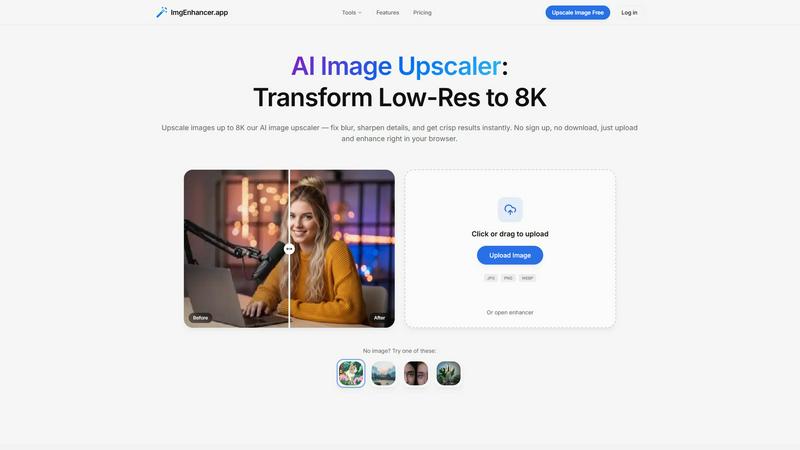
Browser-based AI image upscaler that enhances photos up to 8K in seconds.
Last updated: February 28, 2026

Veo 3 - Cinematic AI Video Generator with Realistic Physics
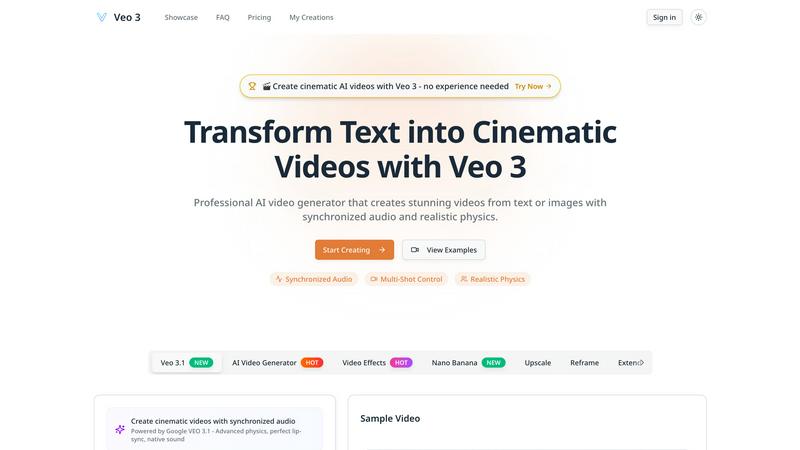
Create cinematic AI videos with realistic physics and audio from text instantly.
Last updated: February 28, 2026
Visual Comparison
ImgEnhancer
Veo 3 - Cinematic AI Video Generator with Realistic Physics
Overview
About ImgEnhancer
ImgEnhancer is an online AI tool for upscaling and enhancing low-resolution images. It supports JPG, PNG, and WEBP files and lets users choose an output size (1K, 2K, 4K, or 8K) before processing. The upscaler improves clarity, reduces blur, and keeps edges and textures looking natural. It runs directly in the browser on desktop and mobile, so no software installation is needed. Optional tools include background removal and old photo restoration for common cleanup tasks. Typical use cases include e-commerce product photos, social media images and thumbnails, marketing creatives, real-estate listings, and print-ready assets.
About Veo 3 - Cinematic AI Video Generator with Realistic Physics
Veo 3 is the revolutionary AI video generator that transforms your simple text prompts into stunning, cinematic videos in minutes. Forget complex filming, expensive equipment, or years of editing experience. This Google DeepMind breakthrough, announced in 2025, is engineered for speed and professional results, making it the ultimate tool for creators of all levels. Describe your vision in words, and Veo 3's advanced AI brings it to life with breathtaking 1080p quality, extended 60-second narratives, and a deep understanding of real-world physics. It automatically generates perfectly synchronized audio, including dialogue, sound effects, and scores, from that same single prompt. Whether you're a marketer, educator, filmmaker, or social media creator, Veo 3 delivers an intuitive, lightning-fast pipeline from imagination to engaging video content. Its multi-shot control and camera precision allow for complex storytelling, ensuring your final product isn't just a clip, but a coherent, visually captivating story ready to captivate any audience instantly.
Alternatives
ImgEnhancer Alternatives
ImgEnhancer is a browser-based AI image upscaler, designed to instantly transform low-resolution photos into crisp, high-definition visuals up to 8K. It operates in the fast-paced category of online image enhancement tools, where speed and accessibility are paramount. Users get professional-grade clarity and detail without any software downloads. People often seek alternatives for various reasons. Some need a different pricing model or a specific feature not offered, while others may require desktop software instead of a web app. Platform compatibility, processing speed for bulk images, and the need for more specialized editing tools are all common drivers for exploring other options. When evaluating other tools, key factors include output quality and speed, supported file formats, and maximum resolution. Consider your budget, whether you need batch processing, and if additional AI features like background removal are essential. The goal is to find a solution that matches your workflow's velocity without compromising on the enhanced results you expect.
Veo 3 - Cinematic AI Video Generator with Realistic Physics Alternatives
Veo 3 is a top-tier AI video generator in the cinematic content category. It transforms text or images into high-quality videos with realistic physics and synchronized audio in minutes. Its focus on cinematic quality and natural object behavior sets a high bar for AI video creation. Users often seek alternatives for various reasons. Budget constraints, specific feature needs, or platform compatibility can drive the search. Some may require different video lengths, more control over outputs, or a different pricing model to fit their workflow. When evaluating other options, prioritize your core needs. Look for key factors like output quality, generation speed, and ease of use. Consider the tool's ability to handle your desired video length, the realism of its physics, and whether it includes audio generation. The right fit balances power with efficiency for your projects.