
Veo 3 - Cinematic AI Video Generator with Realistic Physics
Create cinematic AI videos with realistic physics and audio from text instantly.
Visit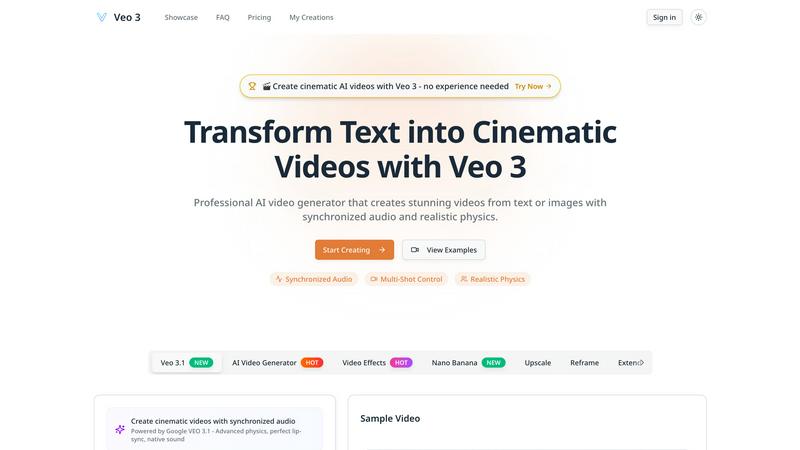
About Veo 3 - Cinematic AI Video Generator with Realistic Physics
Veo 3 is the revolutionary AI video generator that transforms your simple text prompts into stunning, cinematic videos in minutes. Forget complex filming, expensive equipment, or years of editing experience. This Google DeepMind breakthrough, announced in 2025, is engineered for speed and professional results, making it the ultimate tool for creators of all levels. Describe your vision in words, and Veo 3's advanced AI brings it to life with breathtaking 1080p quality, extended 60-second narratives, and a deep understanding of real-world physics. It automatically generates perfectly synchronized audio, including dialogue, sound effects, and scores, from that same single prompt. Whether you're a marketer, educator, filmmaker, or social media creator, Veo 3 delivers an intuitive, lightning-fast pipeline from imagination to engaging video content. Its multi-shot control and camera precision allow for complex storytelling, ensuring your final product isn't just a clip, but a coherent, visually captivating story ready to captivate any audience instantly.
Features of Veo 3 - Cinematic AI Video Generator with Realistic Physics
Realistic Physics Simulation Engine
Veo 3's core AI accurately models real-world physics, ensuring every element in your video behaves naturally. Objects have proper weight and momentum, liquids flow realistically, and movements adhere to gravity. This eliminates the unnatural, "glitchy" motion common in other AI video tools, resulting in professional, believable scenes where a basketball bounces correctly and a feather floats on the wind with authentic grace.
Synchronized Audio & Video Generation
Go beyond silent clips. From a single text prompt, Veo 3 automatically generates complete, synchronized audio to match the visuals. This includes character dialogue, precise sound effects, ambient background noise, and even musical scores. It listens to your descriptive prompt and creates a rich auditory layer that enhances storytelling, making your videos immersive and production-ready in one swift step.
Extended 60-Second 1080p Video Creation
Break free from short, fragmented clips. Veo 3 enables the generation of extended, high-definition videos up to 60 seconds long at 1080p resolution. This extended duration supports coherent narrative arcs, complex scene progression, and detailed storytelling while maintaining consistent visual quality and character continuity from the first frame to the last, all generated rapidly.
Professional Multi-Shot & Camera Control
Direct your cinematic vision with precision. Veo 3 provides advanced controls for camera movements, angles, and transitions. You can craft complex sequences involving multiple shots-like follow shots, close-ups, and wide angles-while the AI maintains consistency in characters, lighting, and environments. This feature puts professional-grade cinematography tools at your fingertips for dynamic, engaging video sequences.
Use Cases of Veo 3 - Cinematic AI Video Generator with Realistic Physics
Marketing & Advertising Content Creation
Generate high-impact promotional videos, product demos, and social media ads in minutes, not weeks. Quickly produce cinematic visuals that capture brand essence, demonstrate products with realistic physics, and pair them with compelling audio narratives. This slashes production time and cost while delivering professional-quality content that engages and converts audiences at lightning speed.
Educational & Explainer Video Production
Transform complex concepts into clear, engaging visual stories. Educators and trainers can create detailed explainer videos with accurate physical simulations-like scientific processes or historical reenactments-complete with descriptive narration and sound effects. This makes learning materials more accessible, memorable, and efficient to produce for any subject.
Entertainment & Short-Form Storytelling
Idea to screen in record time. Writers, filmmakers, and content creators can prototype scenes, visualize scripts, or produce complete short films and narrative sequences. Craft stories with multiple characters, dynamic camera work, and rich audio landscapes, enabling rapid storytelling for YouTube, TikTok, or other platforms without a film crew.
Prototyping & Creative Concept Visualization
Rapidly visualize ideas for pitches, storyboards, or creative projects. Designers, agencies, and artists can use Veo 3 to generate realistic mock-ups of scenes, test visual concepts, and create dynamic mood videos. This accelerates the feedback loop and decision-making process, allowing teams to iterate and present compelling visual concepts with incredible efficiency.
Frequently Asked Questions
What is Veo 3 and who created it?
Veo 3 is a state-of-the-art AI video generation platform developed by Google DeepMind. It transforms text descriptions (prompts) into high-quality, cinematic videos complete with synchronized audio and realistic physics. It's designed for fast, efficient video creation for professionals and beginners across marketing, education, and entertainment.
How long and high-quality are the videos Veo 3 can generate?
Veo 3 can generate videos up to 60 seconds in length at a full 1080p high-definition resolution. The AI maintains consistent visual quality and coherent storytelling throughout the entire duration, representing a significant leap in length and fidelity for AI-generated video.
Does Veo 3 create sound and music for the videos?
Yes, absolutely. One of Veo 3's breakthrough features is its ability to generate synchronized audio directly from your text prompt. This includes character dialogue, ambient sound effects, Foley sounds, and musical scores that match the on-screen action, creating a fully-produced video from a single input.
Can I control camera angles and shot sequences?
Yes. Veo 3 includes professional multi-shot scene control. You can direct specific camera movements, angles, and transitions within your prompt. The AI will generate complex sequences with multiple shots while ensuring consistency in characters, lighting, and the environment for a polished, cinematic result.
Similar to Veo 3 - Cinematic AI Video Generator with Realistic Physics

AI image generation and editing with precise typography, native 2K output, and localized edits.

Upload one portrait. Bulin AI puts you in the official Bulin 47 freestyle. The source video guides the moves and camera. No prompt.

A fast image studio for creating and editing high-quality images with accurate details, readable text, and consistent characters.

Genjutsu AI turns your ideas into cinematic videos, product ads, social shorts, and high-quality images in minutes.

Two photos become one hotel lobby video. One person stands on each side of the hanging microphone. No prompt.

Two-person AI video concept in a warm orange recording booth, with two performers sharing one microphone in natural call-and-response.

