
Nano Banana Pro Image vs RemoveTexts
Side-by-side comparison to help you choose the right product.

Nano Banana Pro Image
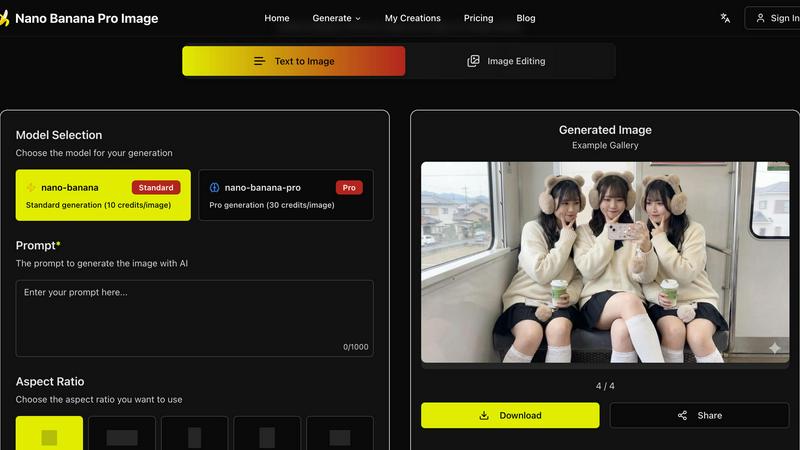
Effortlessly transform images with AI editing that understands context, enhancing visuals without manual masks.
Last updated: February 28, 2026

RemoveTexts
RemoveTexts is an AI tool that instantly erases text from images, delivering professional results without any design skills needed.
Last updated: March 11, 2026
Visual Comparison
Nano Banana Pro Image
RemoveTexts

Feature Comparison
Nano Banana Pro Image
Semantic Editing Without Masks
Nano Banana Pro Image excels in semantic editing by understanding the relationships between objects, lighting, and composition. This feature allows users to perform edits without the need for traditional masking, significantly speeding up the editing process while maintaining the overall coherence of the image.
Natural Language Precision
With natural language precision, users can describe complex edits without having to make manual selections. The AI interprets instructions, ensuring that the edits are contextually accurate, which means you can trust that your image remains true to its original intent while achieving the desired changes.
Composition-Aware Transforms
The platform automatically respects depth, perspective, and lighting during edits. This feature eliminates the hassle of manual adjustments for shadows and reflections, allowing users to focus on creativity rather than technical details, making the editing process efficient and intuitive.
Batch Processing
Nano Banana Pro Image supports batch processing, enabling users to generate up to four variations of an image simultaneously. This feature is particularly useful for exploring different creative directions quickly, saving valuable time during the editing phase.
RemoveTexts
Paint to Remove
This feature allows users to manually brush over specific areas of text they wish to erase. It provides precise control, ensuring that only the intended text is removed while preserving the surrounding image quality.
Auto Remove All
With this powerful one-click option, the AI automatically detects and removes every text element in the image. This feature is perfect for those who want a quick clean-up without having to manually select each text area.
Edit & Replace Text
This innovative feature enables users to change existing text in images while matching the original style. Whether you need to update a product label or correct a subtitle, it offers a seamless editing experience.
Remove Objects
In addition to text, this feature allows users to erase unwanted objects, logos, or other visual elements from their images. It combines the power of AI to ensure the background is reconstructed flawlessly, giving a clean result without any traces of the removed items.
Use Cases
Nano Banana Pro Image
Creative Asset Refinement
Creative professionals can leverage Nano Banana Pro Image to refine visual assets rapidly. By utilizing its natural language editing capabilities, designers can make precise adjustments to images, enhancing their appeal without extensive manual work.
Product Iteration Workflows
Marketers can use this tool for product photography, iterating on images based on feedback or testing different designs. The ability to make quick, context-aware edits allows teams to streamline their workflow and produce high-quality visuals in less time.
Context-Aware Photo Editing
Photographers can benefit from context-aware editing, which allows them to enhance images while preserving their original mood and atmosphere. This is especially useful for outdoor scenes, portraits, and product shots where lighting plays a crucial role in the overall aesthetic.
Multi-Image Composition
Nano Banana Pro Image supports multi-image composition, enabling users to provide multiple reference images for style guidance. This feature is ideal for projects requiring a cohesive visual theme, allowing users to create harmonious compositions effortlessly.
RemoveTexts
E-commerce Product Cleaning
Online sellers can use RemoveTexts to quickly eliminate watermarks and text overlays from product images, ensuring that their listings look professional and polished, ultimately boosting sales.
Social Media Content Creation
Content creators can efficiently remove unwanted captions, logos, or memes from images before posting them on their social media platforms. This helps maintain a clean aesthetic and enhances viewer engagement.
Document Redaction
Legal professionals and businesses can utilize RemoveTexts to redact sensitive information from documents and images, ensuring compliance with privacy laws while maintaining the integrity of the original content.
Creative Projects and Design
Artists and graphic designers can leverage RemoveTexts to edit images for various creative projects, allowing for the removal of distracting elements that could detract from the overall visual impact of their work.
Overview
About Nano Banana Pro Image
Nano Banana Pro Image is a cutting-edge AI-driven image editing tool that utilizes Google's Gemini 3 Pro Image architecture. This innovative platform is tailored for creative professionals, marketers, and anyone seeking to elevate their visual content with ease. Users can transform images through simple natural language instructions, eliminating the need for cumbersome masks or complex selections. The primary value proposition of Nano Banana Pro Image lies in its sophisticated understanding of context and relationships within images, allowing for pixel-level edits that respect the integrity of the original scene. With features such as batch processing and reference image support, users can quickly explore various creative directions. The platform is designed to streamline workflows in product iteration, creative asset refinement, and context-aware photo editing. Say goodbye to tedious manual masking and enjoy a seamless editing experience that prioritizes quality and semantic understanding.
About RemoveTexts
RemoveTexts is a groundbreaking AI-powered online image editing tool designed to remove unwanted text, watermarks, and other visual distractions from images with just a single click. Ideal for creators, marketers, and designers alike, it streamlines the process of enhancing visuals by eliminating text elements such as captions, memes, and date stamps. With RemoveTexts, users can achieve professional-grade results in less than 30 seconds without needing any design skills or Photoshop expertise. The platform leverages advanced deep learning technology to reconstruct the original background seamlessly, ensuring that the final image looks clean and polished. Whether you are an e-commerce seller needing clean product photos or a content creator looking to remove unwanted overlays, RemoveTexts is your go-to solution for quick and effective image editing.
Frequently Asked Questions
Nano Banana Pro Image FAQ
How does Nano Banana Pro Image understand natural language instructions?
The tool is built on Google's Gemini 3 Pro Image architecture, which enables it to interpret complex editing commands in natural language. It understands context and relationships within images, allowing for precise edits without manual selections.
What types of images can I upload for editing?
Nano Banana Pro Image supports various image formats, including JPG, PNG, and WebP. This flexibility allows users to work with a wide range of visuals for their editing needs.
Can I generate multiple images at once?
Yes, Nano Banana Pro Image allows batch processing, enabling users to generate up to four variations of an image simultaneously. This feature helps in exploring creative options quickly and efficiently.
Is there a limit on the complexity of edits I can make?
While there is no strict limit on edit complexity, the AI is designed to understand and execute nuanced instructions effectively. Users can make detailed requests, and the model will strive to maintain the integrity and coherence of the image while implementing changes.
RemoveTexts FAQ
How does RemoveTexts work?
RemoveTexts uses advanced AI technology to analyze and reconstruct the background of an image after removing text or objects. It employs deep learning inpainting techniques, ensuring that the final result is seamless and professional.
What image formats does RemoveTexts support?
The tool supports popular image formats including JPG, PNG, and WebP, allowing users to upload a wide range of images for text removal without hassle.
Is there a limit to the image size I can upload?
Yes, users can upload images up to 10 MB in size. This ensures that images maintain their quality while being processed for text removal.
Can I use RemoveTexts for commercial purposes?
Absolutely! Many users, including e-commerce sellers and marketers, use RemoveTexts to prepare images for commercial use, ensuring that their visuals are clean and appealing without any unwanted text.
Alternatives
Nano Banana Pro Image Alternatives
Nano Banana Pro Image is an advanced AI-driven image editing tool designed for creative professionals, marketers, and anyone seeking efficient visual enhancement. It leverages Google’s Gemini 3 Pro Image architecture, allowing users to transform images using natural language instructions rather than complex manual edits. As users explore this innovative platform, they often seek alternatives due to reasons such as pricing concerns, specific feature requirements, or compatibility with their existing workflows. When considering alternatives, users should focus on key aspects such as editing capabilities, user interface simplicity, integration with other tools, and overall performance. It’s essential to identify a solution that not only meets budget constraints but also aligns with individual editing styles and project needs, ensuring a seamless creative process.
RemoveTexts Alternatives
RemoveTexts is an AI-powered tool designed to effortlessly remove text from images in seconds, making it a valuable asset for anyone needing quick and clean image edits. As a part of the image and photo editing category, it simplifies tasks like eliminating watermarks, subtitles, or unwanted text without the need for complex software like Photoshop. Users often seek alternatives to RemoveTexts for various reasons, such as pricing, specific feature sets, or compatibility with different platforms and devices. When choosing an alternative, consider factors like ease of use, output quality, language support, and the ability to perform batch processing. A good alternative should offer reliable performance and meet your specific editing needs efficiently.