
Nano Banana Pro Image
Effortlessly transform images with AI editing that understands context, enhancing visuals without manual masks.
VisitPublished on:
December 3, 2025
Pricing:
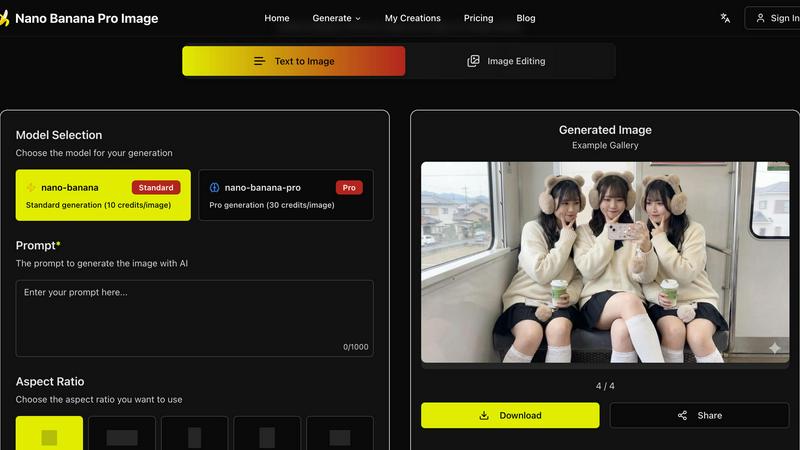
About Nano Banana Pro Image
Nano Banana Pro Image is a cutting-edge AI-driven image editing tool that utilizes Google's Gemini 3 Pro Image architecture. This innovative platform is tailored for creative professionals, marketers, and anyone seeking to elevate their visual content with ease. Users can transform images through simple natural language instructions, eliminating the need for cumbersome masks or complex selections. The primary value proposition of Nano Banana Pro Image lies in its sophisticated understanding of context and relationships within images, allowing for pixel-level edits that respect the integrity of the original scene. With features such as batch processing and reference image support, users can quickly explore various creative directions. The platform is designed to streamline workflows in product iteration, creative asset refinement, and context-aware photo editing. Say goodbye to tedious manual masking and enjoy a seamless editing experience that prioritizes quality and semantic understanding.
Features of Nano Banana Pro Image
Semantic Editing Without Masks
Nano Banana Pro Image excels in semantic editing by understanding the relationships between objects, lighting, and composition. This feature allows users to perform edits without the need for traditional masking, significantly speeding up the editing process while maintaining the overall coherence of the image.
Natural Language Precision
With natural language precision, users can describe complex edits without having to make manual selections. The AI interprets instructions, ensuring that the edits are contextually accurate, which means you can trust that your image remains true to its original intent while achieving the desired changes.
Composition-Aware Transforms
The platform automatically respects depth, perspective, and lighting during edits. This feature eliminates the hassle of manual adjustments for shadows and reflections, allowing users to focus on creativity rather than technical details, making the editing process efficient and intuitive.
Batch Processing
Nano Banana Pro Image supports batch processing, enabling users to generate up to four variations of an image simultaneously. This feature is particularly useful for exploring different creative directions quickly, saving valuable time during the editing phase.
Use Cases of Nano Banana Pro Image
Creative Asset Refinement
Creative professionals can leverage Nano Banana Pro Image to refine visual assets rapidly. By utilizing its natural language editing capabilities, designers can make precise adjustments to images, enhancing their appeal without extensive manual work.
Product Iteration Workflows
Marketers can use this tool for product photography, iterating on images based on feedback or testing different designs. The ability to make quick, context-aware edits allows teams to streamline their workflow and produce high-quality visuals in less time.
Context-Aware Photo Editing
Photographers can benefit from context-aware editing, which allows them to enhance images while preserving their original mood and atmosphere. This is especially useful for outdoor scenes, portraits, and product shots where lighting plays a crucial role in the overall aesthetic.
Multi-Image Composition
Nano Banana Pro Image supports multi-image composition, enabling users to provide multiple reference images for style guidance. This feature is ideal for projects requiring a cohesive visual theme, allowing users to create harmonious compositions effortlessly.
Frequently Asked Questions
How does Nano Banana Pro Image understand natural language instructions?
The tool is built on Google's Gemini 3 Pro Image architecture, which enables it to interpret complex editing commands in natural language. It understands context and relationships within images, allowing for precise edits without manual selections.
What types of images can I upload for editing?
Nano Banana Pro Image supports various image formats, including JPG, PNG, and WebP. This flexibility allows users to work with a wide range of visuals for their editing needs.
Can I generate multiple images at once?
Yes, Nano Banana Pro Image allows batch processing, enabling users to generate up to four variations of an image simultaneously. This feature helps in exploring creative options quickly and efficiently.
Is there a limit on the complexity of edits I can make?
While there is no strict limit on edit complexity, the AI is designed to understand and execute nuanced instructions effectively. Users can make detailed requests, and the model will strive to maintain the integrity and coherence of the image while implementing changes.
Similar to Nano Banana Pro Image

Turn a photo of your pet into new pictures or short animations with AI. Sign in for a free 1K image daily.

AI image generation and editing with precise typography, native 2K output, and localized edits.

A fast image studio for creating and editing high-quality images with accurate details, readable text, and consistent characters.

Genjutsu AI turns your ideas into cinematic videos, product ads, social shorts, and high-quality images in minutes.

ImageGPT is an all-in-one AI creative platform for generating, editing and transforming images and videos using AI.


