
Nano Banana Pro Image vs PhotoWeather
Side-by-side comparison to help you choose the right product.

Nano Banana Pro Image
Effortlessly transform images with AI editing that understands context, enhancing visuals without manual masks.
Last updated: February 28, 2026

PhotoWeather
Get real-time alerts for ideal photography conditions tailored to your favorite locations and preferences.
Last updated: February 27, 2026
Visual Comparison
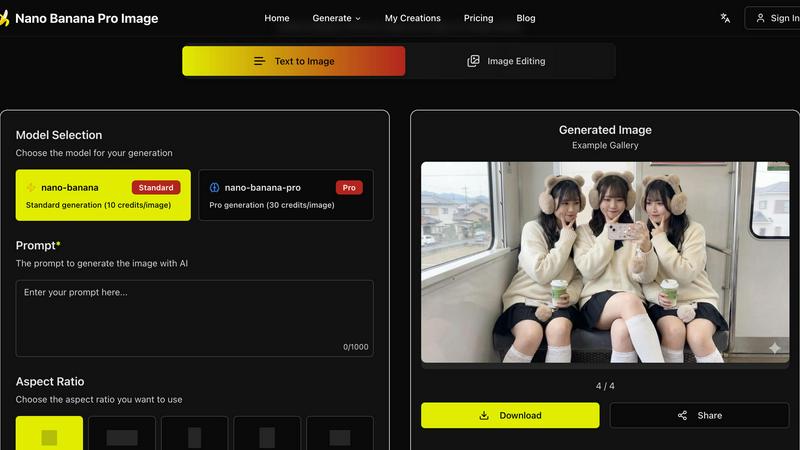
Nano Banana Pro Image
PhotoWeather

Feature Comparison
Nano Banana Pro Image
Semantic Editing Without Masks
Nano Banana Pro Image excels in semantic editing by understanding the relationships between objects, lighting, and composition. This feature allows users to perform edits without the need for traditional masking, significantly speeding up the editing process while maintaining the overall coherence of the image.
Natural Language Precision
With natural language precision, users can describe complex edits without having to make manual selections. The AI interprets instructions, ensuring that the edits are contextually accurate, which means you can trust that your image remains true to its original intent while achieving the desired changes.
Composition-Aware Transforms
The platform automatically respects depth, perspective, and lighting during edits. This feature eliminates the hassle of manual adjustments for shadows and reflections, allowing users to focus on creativity rather than technical details, making the editing process efficient and intuitive.
Batch Processing
Nano Banana Pro Image supports batch processing, enabling users to generate up to four variations of an image simultaneously. This feature is particularly useful for exploring different creative directions quickly, saving valuable time during the editing phase.
PhotoWeather
Ready-Made Templates
PhotoWeather offers a variety of ready-made templates designed specifically for photographers, including conditions like fog and mist, golden and blue hour, aurora visibility, and storm intensity. You can easily select these templates to set your conditions without hassle, ensuring you’re always prepared for the best lighting and atmospheric conditions.
Powerful Rule Builder
The app features a robust rule builder with over 80 parameters, allowing you to customize alerts based on specific weather conditions. You can incorporate factors such as cloud cover, visibility, wind speed, humidity, and even astronomical data. This flexibility enables you to create complex rules using AND/OR/NOT logic to pinpoint the perfect shooting conditions.
Smart Notifications
Stay informed with smart notifications that include daily digests, real-time alerts, and reminders before your desired conditions start. PhotoWeather syncs seamlessly with your calendar, allowing you to add opportunities directly as events, so you can plan your shoots with confidence and never miss a chance.
Trusted Forecast Sources
PhotoWeather pulls data from top-tier weather services like ECMWF, NOAA, and Météo-France, ensuring you receive accurate and reliable forecasts. This trustworthy data allows you to make informed decisions about when and where to shoot, eliminating any guesswork and increasing your chances of capturing stunning images.
Use Cases
Nano Banana Pro Image
Creative Asset Refinement
Creative professionals can leverage Nano Banana Pro Image to refine visual assets rapidly. By utilizing its natural language editing capabilities, designers can make precise adjustments to images, enhancing their appeal without extensive manual work.
Product Iteration Workflows
Marketers can use this tool for product photography, iterating on images based on feedback or testing different designs. The ability to make quick, context-aware edits allows teams to streamline their workflow and produce high-quality visuals in less time.
Context-Aware Photo Editing
Photographers can benefit from context-aware editing, which allows them to enhance images while preserving their original mood and atmosphere. This is especially useful for outdoor scenes, portraits, and product shots where lighting plays a crucial role in the overall aesthetic.
Multi-Image Composition
Nano Banana Pro Image supports multi-image composition, enabling users to provide multiple reference images for style guidance. This feature is ideal for projects requiring a cohesive visual theme, allowing users to create harmonious compositions effortlessly.
PhotoWeather
Landscape Photography
For landscape photographers, PhotoWeather is invaluable. Set alerts for specific conditions like dramatic cloud formations or fog, and receive notifications when the atmosphere aligns perfectly with your vision. This ensures you’re always in the right place at the right time to create breathtaking images.
Astrophotography
Astrophotographers benefit greatly from PhotoWeather's astronomical insights. Set conditions for clear nights, moon phases, and low cloud coverage, and get notified when those ideal conditions arise. This eliminates guesswork and enhances your chances of capturing stunning night sky photographs.
Wildlife Photography
Wildlife photographers can set tailored alerts for weather conditions that affect animal behavior. Be it rain, fog, or even specific temperature ranges, PhotoWeather keeps you informed so you can position yourself for the best wildlife sightings and shooting opportunities.
Event Photography
For event photographers, such as weddings or outdoor gatherings, PhotoWeather provides essential alerts for weather changes. Whether you’re looking for clear skies or picturesque cloud cover, you’ll receive timely notifications that allow you to plan accordingly and inform clients about potential weather impacts.
Overview
About Nano Banana Pro Image
Nano Banana Pro Image is a cutting-edge AI-driven image editing tool that utilizes Google's Gemini 3 Pro Image architecture. This innovative platform is tailored for creative professionals, marketers, and anyone seeking to elevate their visual content with ease. Users can transform images through simple natural language instructions, eliminating the need for cumbersome masks or complex selections. The primary value proposition of Nano Banana Pro Image lies in its sophisticated understanding of context and relationships within images, allowing for pixel-level edits that respect the integrity of the original scene. With features such as batch processing and reference image support, users can quickly explore various creative directions. The platform is designed to streamline workflows in product iteration, creative asset refinement, and context-aware photo editing. Say goodbye to tedious manual masking and enjoy a seamless editing experience that prioritizes quality and semantic understanding.
About PhotoWeather
PhotoWeather is a revolutionary app designed specifically for outdoor photographers who need precise weather alerts to capture the perfect shot. Gone are the days of obsessively checking weather apps; PhotoWeather continuously monitors forecasts around the clock and sends you alerts tailored to your photography goals. Whether it’s capturing the ethereal beauty of sunrise fog, the drama of stormy skies, or the golden hour light filtering through clouds, this app ensures you never miss a moment. With customizable rules and powerful templates, you can define the exact weather conditions that matter most to you. Ideal for landscape, astrophotography, and wildlife shooters, PhotoWeather empowers photographers by providing actionable insights and timely notifications based on trusted weather services.
Frequently Asked Questions
Nano Banana Pro Image FAQ
How does Nano Banana Pro Image understand natural language instructions?
The tool is built on Google's Gemini 3 Pro Image architecture, which enables it to interpret complex editing commands in natural language. It understands context and relationships within images, allowing for precise edits without manual selections.
What types of images can I upload for editing?
Nano Banana Pro Image supports various image formats, including JPG, PNG, and WebP. This flexibility allows users to work with a wide range of visuals for their editing needs.
Can I generate multiple images at once?
Yes, Nano Banana Pro Image allows batch processing, enabling users to generate up to four variations of an image simultaneously. This feature helps in exploring creative options quickly and efficiently.
Is there a limit on the complexity of edits I can make?
While there is no strict limit on edit complexity, the AI is designed to understand and execute nuanced instructions effectively. Users can make detailed requests, and the model will strive to maintain the integrity and coherence of the image while implementing changes.
PhotoWeather FAQ
How do I get started?
Getting started with PhotoWeather is simple. Download the app for free, create your account, and add your favorite shooting locations. From there, you can set specific rules or choose from ready-made templates to receive tailored weather alerts.
How accurate are the forecasts?
PhotoWeather sources data from reputable weather services like NOAA and ECMWF, ensuring high accuracy in forecasts. While no weather prediction is foolproof, the app provides reliable data to help you make informed shooting decisions.
Can I create my own rules?
Absolutely! PhotoWeather boasts a powerful rule builder that lets you customize your weather alerts based on over 80 different parameters. You can create complex rules that suit your specific photography needs.
Do you support calendar sync?
Yes, PhotoWeather supports calendar synchronization, allowing you to add alerts directly to your calendar. This feature ensures you’re always aware of upcoming opportunities and can plan your shoots efficiently.
Alternatives
Nano Banana Pro Image Alternatives
Nano Banana Pro Image is an advanced AI-driven image editing tool designed for creative professionals, marketers, and anyone seeking efficient visual enhancement. It leverages Google’s Gemini 3 Pro Image architecture, allowing users to transform images using natural language instructions rather than complex manual edits. As users explore this innovative platform, they often seek alternatives due to reasons such as pricing concerns, specific feature requirements, or compatibility with their existing workflows. When considering alternatives, users should focus on key aspects such as editing capabilities, user interface simplicity, integration with other tools, and overall performance. It’s essential to identify a solution that not only meets budget constraints but also aligns with individual editing styles and project needs, ensuring a seamless creative process.
PhotoWeather Alternatives
PhotoWeather is a specialized photography tool designed to alert users about ideal conditions for capturing stunning images, such as golden hour lighting, fog, and dramatic clouds. As a photography-focused application, it eliminates the need for constant weather checks, providing timely notifications to help photographers seize the moment. Users often seek alternatives to PhotoWeather for various reasons, including pricing, feature sets, and compatibility with different platforms. When choosing an alternative, look for flexibility in alert customization, a robust rule builder for specific weather parameters, and ease of use to ensure you can maximize your photography opportunities without hassle.