
audiovideogenerator vs Mp3To
Side-by-side comparison to help you choose the right product.

audiovideogenerator
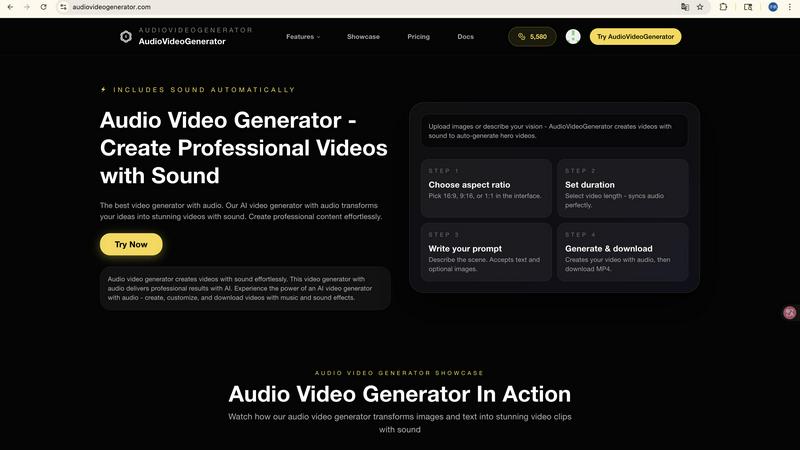
Effortlessly create stunning professional videos with synchronized audio using our AI-powered video generator.

Mp3To
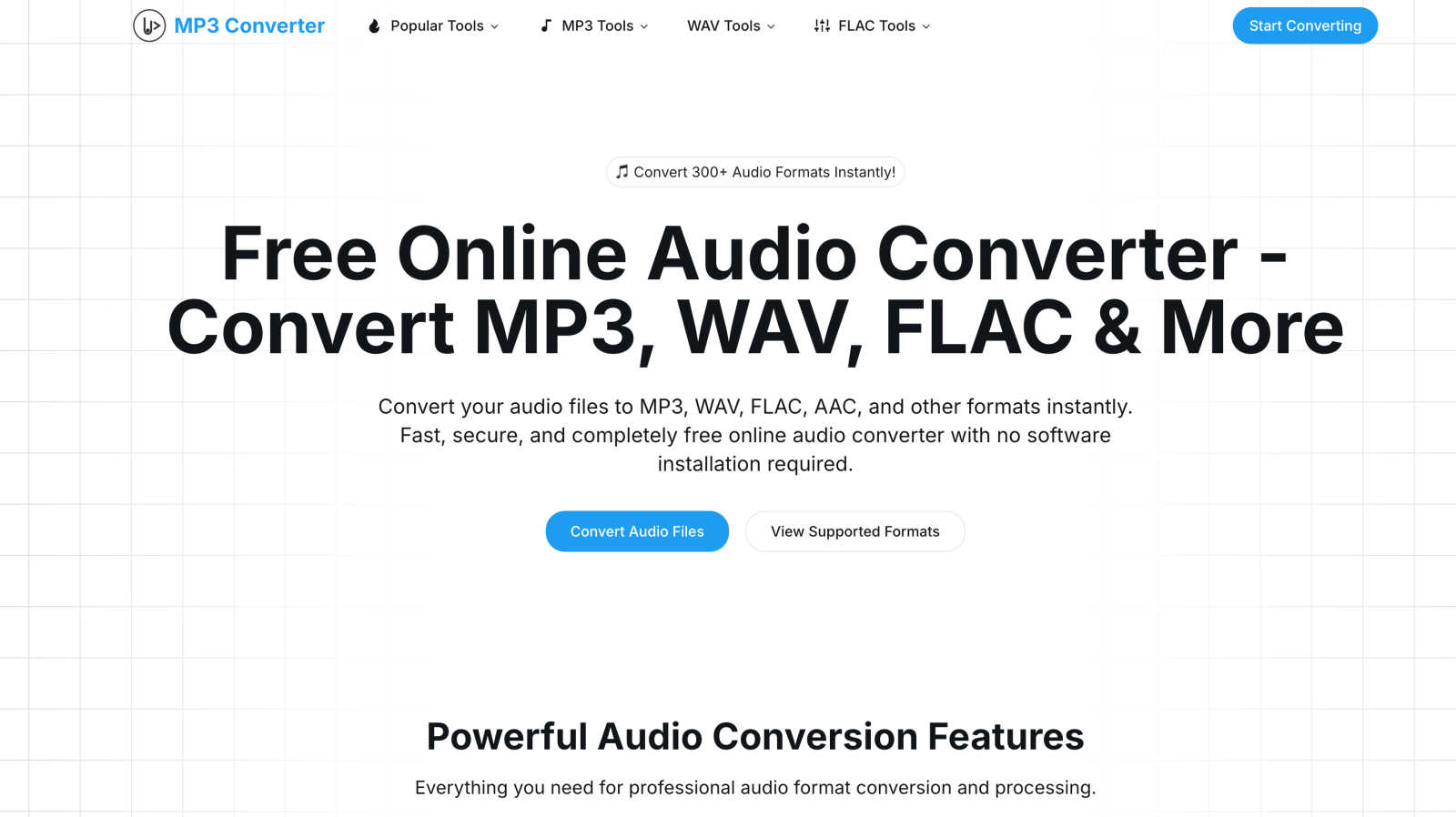
Convert 30+ audio formats instantly and privately in your browser without uploads, all for free and with top quality.
Last updated: March 1, 2026
Visual Comparison
audiovideogenerator
Mp3To
Feature Comparison
audiovideogenerator
Text to Video with Audio
Transform written descriptions into engaging videos instantly. The Text to Video feature incorporates music and sound effects automatically, ensuring that your narrative is not only seen but also heard. This makes it easy to bring stories or concepts to life with minimal effort.
Image to Video with Audio
Turn static images into dynamic videos with the Image to Video feature. This functionality adds background music and sound effects, enhancing the visual storytelling experience. Perfect for creating engaging presentations or visual content from your photo collections.
Automatic Audio Generation
The Automatic Audio Generation feature simplifies the video-making process by adding background music, sound effects, and ambient audio automatically. This ensures that every video is not only visually appealing but also has a rich auditory experience, enhancing viewer engagement.
Supported AI Models
AudioVideoGenerator offers a range of AI models tailored for different video generation needs. From Text to Video and Image to Video to advanced models like A2V and Sora2, users can select the best option to suit their project requirements, ensuring high-quality outcomes.
Mp3To
Privacy-First Approach
Mp3To prioritizes user privacy by ensuring that all audio processing occurs directly in your browser. Your files never leave your device, providing peace of mind that your data remains secure and confidential throughout the conversion process.
Lightning-Fast Conversions
Thanks to the advanced FFmpeg.wasm technology, Mp3To delivers lightning-fast audio conversions without the need for slow uploads. Users can convert files almost instantly, making it an efficient tool for anyone in need of quick audio transformations.
Support for 30+ Formats
With support for over 30 audio formats, including popular options like MP3, WAV, FLAC, AAC, and OGG, Mp3To caters to a wide variety of audio conversion needs. This versatility makes it an ideal choice for professionals and casual users alike.
Batch Processing Capability
Mp3To allows users to convert multiple audio files simultaneously, streamlining the conversion process. This batch processing feature saves time and effort, enabling users to manage their audio files efficiently and effectively.
Use Cases
audiovideogenerator
Social Media Content
Create eye-catching videos tailored for platforms like Instagram, TikTok, and YouTube. The social media content feature optimizes your videos for perfect aspect ratios and includes professional audio, ensuring that your posts stand out and capture audience attention.
Marketing Videos
Generate compelling promotional videos that showcase products or services effectively. With integrated background music and sound effects, marketing videos created with AudioVideoGenerator engage potential customers and enhance brand messaging.
Educational Content
Transform traditional learning materials into dynamic, engaging videos. Ideal for online courses, tutorials, and presentations, this feature enhances the educational experience by adding relevant audio that reinforces learning and retains viewer interest.
Event Highlights
Capture the essence of your events with memorable highlight reels. The event highlights feature allows you to create recap videos infused with background music, effectively conveying the energy and emotion of your gatherings, making them more shareable and impactful.
Mp3To
Music Production
Music producers can utilize Mp3To to convert and prepare audio tracks in various formats quickly. Whether finalizing mixes or exporting different file types, the platform ensures high-quality results in no time.
Podcasting
Podcasters can benefit from Mp3To's ability to convert and edit audio files efficiently. Whether converting episodes to MP3 or trimming audio clips for social media promotion, the platform streamlines the podcasting workflow.
Digital Library Management
Enthusiasts managing a digital audio library can easily convert files to their preferred formats using Mp3To. This flexibility allows users to organize and access their music collections with ease.
Audio Editing
Mp3To offers tools for audio cutting and merging, making it a great resource for anyone looking to edit audio files. Users can quickly trim unwanted sections or combine multiple tracks into a single file with minimal effort.
Overview
About audiovideogenerator
AudioVideoGenerator is a cutting-edge AI-powered platform designed to revolutionize video creation by seamlessly integrating audio with visuals. Whether you're a content creator, educator, marketer, or hobbyist, this tool empowers you to produce stunning, professional-quality videos in just minutes. The platform is tailored for ease of use, allowing users to generate videos without the need for technical expertise or a production team. With features like automatic synchronization of background music, voiceovers, and sound effects, AudioVideoGenerator ensures that your audio perfectly complements your visuals. From promotional clips and social media content to educational tutorials and storytelling videos, this versatile tool adapts to various video styles, making it an essential resource for anyone looking to enhance engagement and creativity in their content. Experience the future of video creation where every idea can be turned into a captivating visual narrative.
About Mp3To
Mp3To is a revolutionary audio conversion platform designed for speed, efficiency, and privacy. Operating entirely within your web browser, it allows users to convert audio files without the hassle of uploads or software installations. With the power of FFmpeg.wasm technology, Mp3To processes audio files directly on your device, ensuring that your data remains secure and private. It supports more than 30 audio formats, including MP3, WAV, FLAC, AAC, M4A, and OGG, making it suitable for a wide range of users. Whether you're a music producer refining tracks, a podcaster preparing episodes, or just an enthusiast managing a digital audio library, Mp3To provides a seamless experience. Its features include batch processing and customizable quality settings, making it the ultimate tool for quick and precise audio transformations. With a strong emphasis on user privacy, Mp3To guarantees that your files never leave your device, providing a reliable and secure solution for all your audio conversion needs.
Frequently Asked Questions
audiovideogenerator FAQ
What types of videos can I create with AudioVideoGenerator?
You can create a variety of video types, including promotional videos, social media content, educational tutorials, product demonstrations, and event highlights. The tool is versatile and adapts to multiple styles and formats.
Is technical expertise required to use AudioVideoGenerator?
No, AudioVideoGenerator is designed for users of all skill levels. Its intuitive interface allows anyone, regardless of technical background, to create professional-quality videos quickly and easily.
How does the automatic audio synchronization work?
The platform automatically synchronizes background music, voiceovers, and sound effects with your visuals, ensuring a cohesive viewing experience. This eliminates the need for manual adjustments, saving you valuable time.
Are there any limits on video length or file size?
While the platform supports various video lengths depending on the chosen AI model, it's best to consult the specific guidelines on the website for detailed information about length and file size restrictions for your projects.
Mp3To FAQ
Is the audio converter really free?
Yes, Mp3To is completely free to use. There are no hidden fees, registration requirements, or limitations on the number of conversions you can perform.
Are my files safe and private?
Absolutely! Mp3To processes files directly in your browser, ensuring that your data never leaves your device. Your privacy and security are top priorities.
What audio formats are supported?
Mp3To supports over 30 audio formats, including MP3, WAV, FLAC, AAC, M4A, OGG, and WMA, allowing users to convert between various formats seamlessly.
Is there a file size limit?
There are no specific file size limits when using Mp3To. Users can convert audio files of varying sizes, making it a flexible option for different audio conversion needs.