
Magic Hour vs StatPecker
Side-by-side comparison to help you choose the right product.

Magic Hour
Create professional videos and images instantly with free AI tools.
Last updated: March 4, 2026

StatPecker
StatPecker transforms your data into rapid AI insights and stunning visuals for impactful storytelling and.
Last updated: March 1, 2026
Visual Comparison
Magic Hour

StatPecker
Feature Comparison
Magic Hour
Unified AI Studio
Access over 100 cutting-edge AI tools for video, image, and audio creation from one seamless, browser-based dashboard. This consolidation eliminates the need to juggle multiple subscriptions and platforms, allowing you to generate, edit, enhance, and publish stunning media at unprecedented speed. Jump from text-to-video to AI image editing to lip sync without any friction, supercharging your creative workflow.
Text-to-Video & Video-to-Video
Transform a simple text description into a cinematic video clip in one click. Need to refresh existing content? Instantly apply new artistic styles, aesthetics, or environments to any uploaded video with the powerful video-to-video feature. This allows for rapid content repurposing and experimentation, enabling you to create multiple engaging variations from a single asset in mere moments.
AI Face Swap & Lip Sync
Personalize content at lightning speed with advanced, realistic face swapping in both videos and photos. Pair this with the lip sync tool to make any character or photo deliver your specific message perfectly. These features are ideal for creating customized marketing content, personalized messages, or engaging social media clips without requiring any acting or complex filming.
Robust API for Developers
Ship AI-powered features in under 60 seconds with Magic Hour's powerful API. Designed for teams and agencies, it offers drop-in SDKs for Node, Python, Go, and Rust. Scale from 10 to 10 million requests with consistent performance and usage-based pricing. Easily integrate face swaps, virtual try-ons, text-to-video, and image-to-video generation directly into your own applications and campaigns.
StatPecker
Ask Your Query
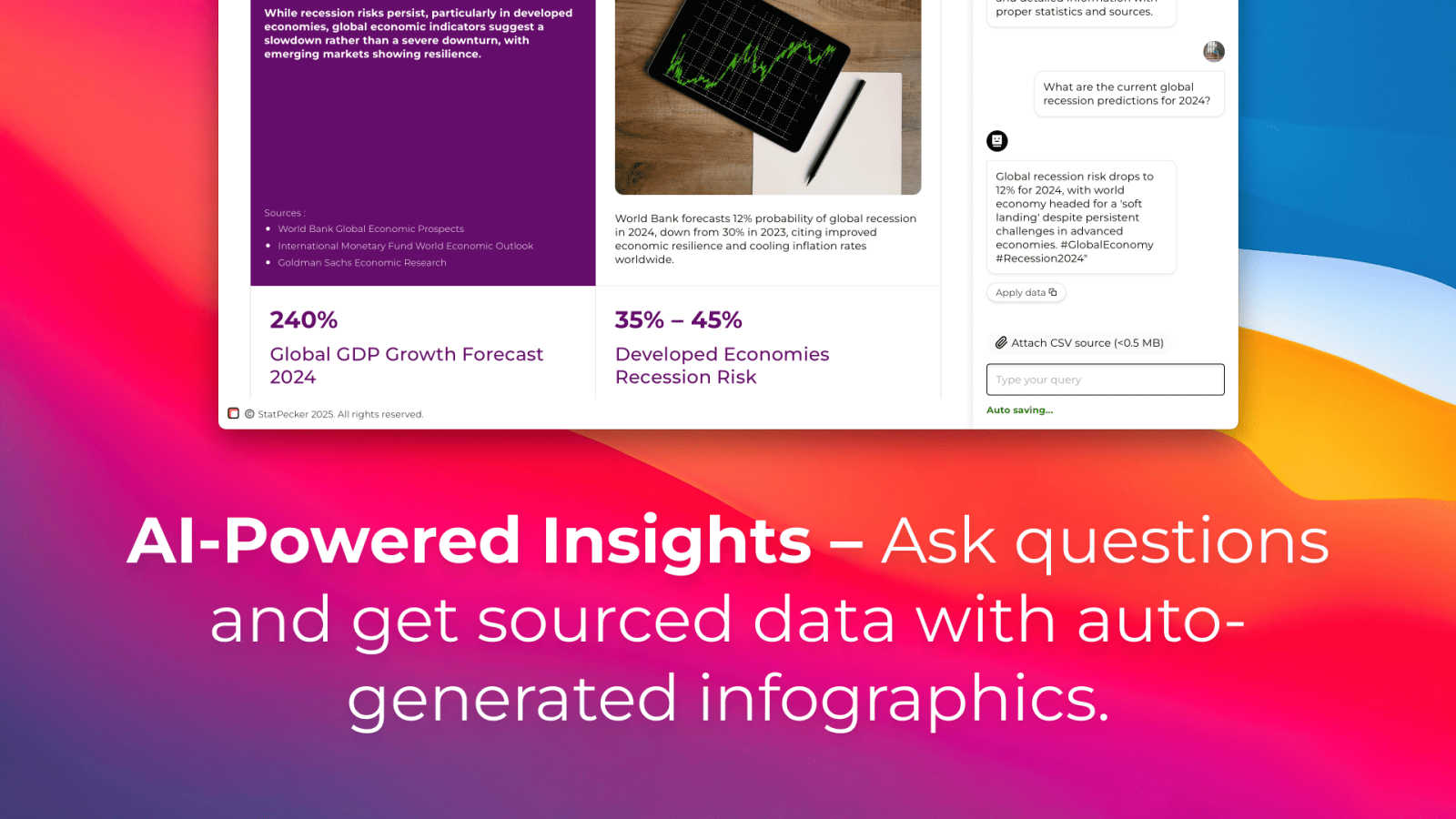
With StatPecker, you can obtain instant insights from validated sources using AI. There's no need for complex tools; simply ask your questions and get immediate answers, making data exploration straightforward and efficient.
Publish & Embed
StatPecker allows you to create interactive visuals that can be seamlessly integrated into your blogs, articles, and websites. This feature ensures your data representations are not only informative but also engaging and shareable.
Upload & Analyze CSVs
Users can easily upload local CSV files (up to 50 MB) and gain insights without the typical spreadsheet hassle. The local SQL agent processes the data right on your device, ensuring privacy and quick access to visualized insights.
Instant Visuals
StatPecker generates clean, ready-to-share visualizations that can be used in a variety of contexts. Whether for reports, presentations, or social media, you can export infographics as images with ease, transforming your data into compelling visual narratives.
Use Cases
Magic Hour
Social Media Content Creation
Generate a constant stream of fresh, eye-catching videos and images for platforms like TikTok, Instagram, and YouTube in minutes. Use text-to-video for quick explainers, apply trendy styles with video-to-video, or create personalized talking photos to boost engagement and grow your audience faster than ever before, all without a production crew.
Rapid Marketing & Ad Production
Produce high-conversion ad variants and marketing assets on tight deadlines. Create personalized UGC-style ads with AI face swap, generate professional spokesperson videos with talking photos, and upscale product images instantly. Test different styles and messages rapidly to optimize campaigns and drive real engagement without the high cost of traditional production.
Team Training & Internal Communications
Quickly create engaging training clips, onboarding videos, and internal announcements. Transform scripts into professional videos, animate presentations, and use lip sync to ensure clear messaging. This enables teams to produce consistent, high-quality communication materials efficiently, keeping everyone aligned and informed with minimal effort.
Scalable E-commerce & Personalization
E-commerce brands and agencies can generate thousands of unique assets for campaigns. Use the API for virtual try-ons, personalize product videos with different models via face swap, and create customized promotional content at scale. This drives experiential marketing and paid media performance by delivering personalized content to massive audiences.
StatPecker
Data-Driven Marketing
Marketers can utilize StatPecker to visualize customer data and track campaign performance metrics. By creating infographics that depict trends and insights, they can make informed decisions that enhance marketing strategies and drive engagement.
Academic Research
Educators and researchers can leverage StatPecker to present complex data in visually appealing formats. This makes it easier for audiences to comprehend research findings and enhances the overall impact of academic presentations or publications.
Business Reporting
StatPecker is ideal for analysts who need to summarize and present business performance data. Its ability to generate quick, insightful visuals enables teams to share findings with stakeholders effectively, facilitating better strategic decisions.
Content Creation
Content creators can harness StatPecker's capabilities to enrich articles or blogs with informative infographics. By transforming raw data into eye-catching visuals, they can boost reader engagement and enhance the storytelling aspect of their content.
Overview
About Magic Hour
Magic Hour is the lightning-fast, all-in-one AI studio that lives right in your browser. It consolidates over 100 powerful AI tools into a single, intuitive platform, making professional video and image creation accessible to everyone in seconds. Forget expensive equipment, complex software, and time-consuming reshoots. Whether you're a solo creator, a marketer on a tight deadline, or a developer needing scalable solutions, Magic Hour streamlines your entire workflow. Start with a simple text prompt, an image, or a video clip and instantly transform it into stunning, share-ready content. Generate videos from scripts, apply new artistic styles to existing footage, create personalized content with face swaps and lip sync, or produce professional AI headshots. Built for rapid iteration and consistency, it empowers you to create multiple variations, maintain brand style, and publish perfectly sized outputs for social media, ads, training, and more—all without ever leaving your web browser. Trusted by millions, it’s the fastest way to go from idea to execution.
About StatPecker
StatPecker is an innovative, AI-driven tool that transforms the data visualization landscape. It enables individuals and businesses to convert raw data into stunning infographics in just seconds. As data becomes the backbone of decision-making, StatPecker empowers content creators, analysts, marketers, educators, and researchers to present information engagingly and effectively. The tool eliminates the complexities often associated with traditional data visualization software, making it accessible to users of varying skill levels. By automating the data storytelling process, StatPecker facilitates effortless insight extraction, trend visualization, and the creation of impactful visual content. Whether you are crafting a detailed report, enhancing a presentation, or enriching an article, StatPecker equips you with essential tools to elevate your data presentation and engage your audience like never before.
Frequently Asked Questions
Magic Hour FAQ
Is Magic Hour really free to use?
Yes, Magic Hour offers a robust free tier that grants access to a wide array of its 100+ AI tools, including face swap, video-to-video, and the AI image editor. You can start creating immediately without a credit card. This allows creators to explore the platform's capabilities and generate significant content before considering any paid plans for advanced features or higher usage limits.
What kind of videos can I create with Magic Hour?
You can create a vast range of videos, including social media clips, promotional ads, animated explainers, personalized messages, and training materials. Key methods include generating scenes from text prompts (text-to-video), transforming existing videos with new styles (video-to-video), animating photos (talking photo), and creating videos from images (image-to-video). The platform supports cinematic 4K output.
How does the API work for developers?
The Magic Hour API is designed for rapid integration. You can get started with a single API call using provided SDKs for popular languages like Python and Node.js. Common endpoints include image-to-video and text-to-video generation. Developers can authenticate, install the SDK, and begin generating AI media in under 60 seconds, scaling seamlessly with usage-based pricing and a high uptime SLA.
Do I need any prior editing experience to use Magic Hour?
No, you do not need any prior video or image editing experience. Magic Hour is built for speed and accessibility. The interface is intuitive and browser-based, guiding you through simple steps like entering a text prompt or uploading a file. The AI handles the complex rendering, allowing anyone to produce professional-level visuals quickly and efficiently.
StatPecker FAQ
What types of data can I analyze with StatPecker?
You can analyze a variety of data types by uploading local CSV files. StatPecker enables you to extract insights and visualize data from these files efficiently.
Is my data safe when using StatPecker?
Yes, your data remains private while using StatPecker. The tool processes your uploaded CSV files directly on your device, ensuring that sensitive information is not shared or stored externally.
Can I integrate StatPecker visuals into my website?
Absolutely! StatPecker allows you to publish and embed your visuals seamlessly into blogs, articles, and websites, making it easy to share your findings with a wider audience.
What if I need help getting started with StatPecker?
StatPecker offers an intuitive interface, but if you encounter any issues, you can reach out for support. The team behind StatPecker is committed to helping users navigate the tool effectively and maximize its potential.
Alternatives
Magic Hour Alternatives
Magic Hour is a powerful, all-in-one AI studio for creating professional videos and images directly in your web browser. It consolidates a vast suite of AI tools into a single platform, making high-quality content creation fast and accessible to everyone from solo creators to marketing teams. Users often explore alternatives for various reasons. Some may have specific budget constraints or require a different pricing model. Others might need specialized features not covered in a consolidated tool, or they may prefer a desktop application over a browser-based service. Platform compatibility and unique workflow integrations also drive the search for other options. When evaluating alternatives, focus on your core needs. Consider the primary media type you create, whether video, images, or both. Assess the importance of a unified workflow versus best-in-class single features. Finally, always weigh the total cost against the speed and efficiency gains the tool provides to your creative process.
StatPecker Alternatives
StatPecker is an innovative AI-driven tool designed for data visualization, empowering users to create engaging and informative visuals from raw data quickly and efficiently. As the demand for data-driven insights continues to grow, many users seek alternatives to StatPecker for various reasons, including pricing flexibility, specific feature sets, or compatibility with different platforms. Businesses and individuals may find that their unique needs require different capabilities that StatPecker may not fully address, prompting a search for other options. When considering alternatives, it's essential to evaluate the ease of use, the range of visualization features, and the ability to integrate with existing workflows. Look for tools that offer intuitive interfaces, robust data analysis capabilities, and customization options that align with your presentation goals. Additionally, consider pricing structures and support resources to ensure you choose a solution that meets your requirements.