
StatPecker
StatPecker transforms your data into rapid AI insights and stunning visuals for impactful storytelling and.
Visit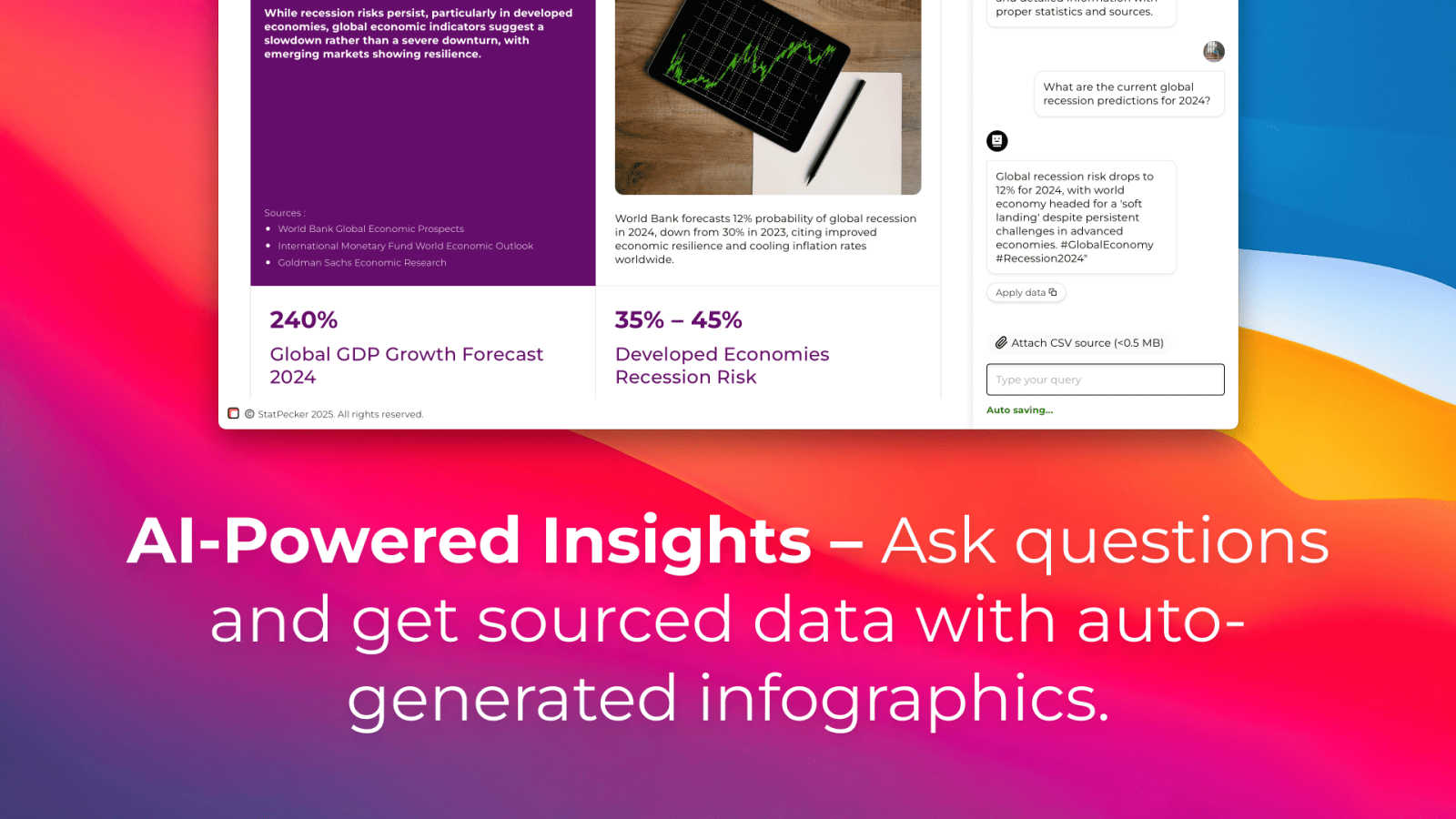
About StatPecker
StatPecker is an innovative, AI-driven tool that transforms the data visualization landscape. It enables individuals and businesses to convert raw data into stunning infographics in just seconds. As data becomes the backbone of decision-making, StatPecker empowers content creators, analysts, marketers, educators, and researchers to present information engagingly and effectively. The tool eliminates the complexities often associated with traditional data visualization software, making it accessible to users of varying skill levels. By automating the data storytelling process, StatPecker facilitates effortless insight extraction, trend visualization, and the creation of impactful visual content. Whether you are crafting a detailed report, enhancing a presentation, or enriching an article, StatPecker equips you with essential tools to elevate your data presentation and engage your audience like never before.
Features of StatPecker
Ask Your Query
With StatPecker, you can obtain instant insights from validated sources using AI. There's no need for complex tools; simply ask your questions and get immediate answers, making data exploration straightforward and efficient.
Publish & Embed
StatPecker allows you to create interactive visuals that can be seamlessly integrated into your blogs, articles, and websites. This feature ensures your data representations are not only informative but also engaging and shareable.
Upload & Analyze CSVs
Users can easily upload local CSV files (up to 50 MB) and gain insights without the typical spreadsheet hassle. The local SQL agent processes the data right on your device, ensuring privacy and quick access to visualized insights.
Instant Visuals
StatPecker generates clean, ready-to-share visualizations that can be used in a variety of contexts. Whether for reports, presentations, or social media, you can export infographics as images with ease, transforming your data into compelling visual narratives.
Use Cases of StatPecker
Data-Driven Marketing
Marketers can utilize StatPecker to visualize customer data and track campaign performance metrics. By creating infographics that depict trends and insights, they can make informed decisions that enhance marketing strategies and drive engagement.
Academic Research
Educators and researchers can leverage StatPecker to present complex data in visually appealing formats. This makes it easier for audiences to comprehend research findings and enhances the overall impact of academic presentations or publications.
Business Reporting
StatPecker is ideal for analysts who need to summarize and present business performance data. Its ability to generate quick, insightful visuals enables teams to share findings with stakeholders effectively, facilitating better strategic decisions.
Content Creation
Content creators can harness StatPecker's capabilities to enrich articles or blogs with informative infographics. By transforming raw data into eye-catching visuals, they can boost reader engagement and enhance the storytelling aspect of their content.
Frequently Asked Questions
What types of data can I analyze with StatPecker?
You can analyze a variety of data types by uploading local CSV files. StatPecker enables you to extract insights and visualize data from these files efficiently.
Is my data safe when using StatPecker?
Yes, your data remains private while using StatPecker. The tool processes your uploaded CSV files directly on your device, ensuring that sensitive information is not shared or stored externally.
Can I integrate StatPecker visuals into my website?
Absolutely! StatPecker allows you to publish and embed your visuals seamlessly into blogs, articles, and websites, making it easy to share your findings with a wider audience.
What if I need help getting started with StatPecker?
StatPecker offers an intuitive interface, but if you encounter any issues, you can reach out for support. The team behind StatPecker is committed to helping users navigate the tool effectively and maximize its potential.
Explore more in this category:
Similar to StatPecker

Turn a photo of your pet into new pictures or short animations with AI. Sign in for a free 1K image daily.

Upload one portrait. Bulin AI puts you in the official Bulin 47 freestyle. The source video guides the moves and camera. No prompt.


Privacy-first, cookieless web analytics that ties your traffic and marketing channels to real Stripe revenue.

Genjutsu AI turns your ideas into cinematic videos, product ads, social shorts, and high-quality images in minutes.

Two photos become one hotel lobby video. One person stands on each side of the hanging microphone. No prompt.

Find the academics you need to reach

Online tally counter for tracking attendance, workouts, inventory, sports scores, visitors, habits, and everyday counting tasks.