
Dokta vs Fieldtics
Side-by-side comparison to help you choose the right product.

Dokta automates document management for SMBs and freelancers, handling invoices, quotes, and payments in seconds.
Last updated: April 4, 2026

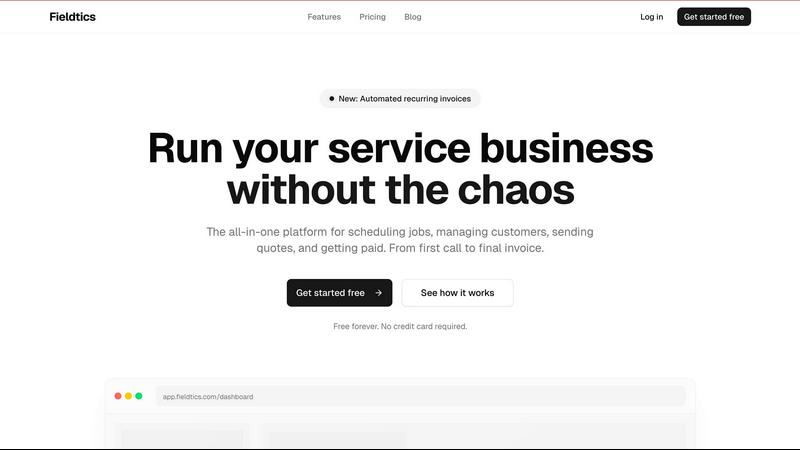
Fieldtics is your all-in-one solution for scheduling, customer management, invoicing, and getting paid seamlessly.
Last updated: February 27, 2026
Visual Comparison
Dokta

Fieldtics
Feature Comparison
Dokta
Automated Invoice Management
Dokta simplifies invoice management through its automated system. Users can generate invoices and quotes in just a few clicks, making it easy to create professional documents without the hassle of manual entry.
Real-Time Cash Flow Monitoring
Stay on top of your finances with Dokta's real-time cash flow monitoring. The platform provides insights into billed revenue, payments received, unpaid invoices, and VAT, all presented in an intuitive graphical format for easy understanding.
Intelligent Document Analysis
Dokta employs advanced AI to analyze documents in under 60 seconds. It automatically recognizes the type of document, extracts key data such as amounts and deadlines, and identifies clients or suppliers, allowing users to focus on what matters most.
Anomaly Detection Features
Dokta includes powerful anomaly detection capabilities that flag potential issues such as modified IBANs, duplicate entries, inconsistent VAT, or missing invoice numbers. This ensures that users' documents remain accurate and secure.
Fieldtics
Smart Job Scheduling
Fieldtics offers intelligent job scheduling that allows businesses to efficiently assign tasks, set deadlines, and track progress all from a centralized dashboard. Teams can quickly adapt to changing priorities and ensure that every job is moving forward effectively.
Customer Relationship Management (CRM)
The built-in CRM feature helps businesses manage customer interactions and relationships effortlessly. Users can track leads, maintain customer histories, and enhance communication, ensuring that client needs are met promptly and effectively.
Automated Invoicing and Payments
With Fieldtics, sending invoices and processing payments is a breeze. The automated invoicing feature helps businesses save time and reduce errors, while quick payment processing ensures cash flow remains steady and predictable.
Customizable Dashboard
Fieldtics provides a customizable dashboard that allows users to tailor their experience to fit their business needs. From branding to layout, businesses can create an interface that feels like an extension of their own operations, making it more intuitive and accessible.
Use Cases
Dokta
Freelance IT Consultant
As a freelance IT consultant, you can leverage Dokta to automate your billing process. Create contracts with monthly invoices that generate automatically, allowing you to focus on coding while Dokta manages your financial documentation seamlessly.
Creative Freelancers
For creative freelancers, Dokta offers a fluid workflow from quotes to invoices. Send your clients quotes with an acceptance link, and convert them to invoices with a single click, ensuring a smooth transition throughout your projects.
Auto-Entrepreneurs
Auto-entrepreneurs can benefit from Dokta's compliance features, which ensure that all invoices are legally compliant. You can effortlessly track payments and receive reminders for URSSAF deadlines, making financial management simple and straightforward.
Small Business Management
SMBs can utilize Dokta to keep all their documentation in one place. By automating invoice reminders and providing real-time financial insights, Dokta helps small businesses stay organized and efficient, thus improving overall productivity.
Fieldtics
Efficient Job Management
Service businesses can utilize Fieldtics to manage multiple jobs simultaneously without losing track of deadlines or responsibilities. The platform's job scheduling feature ensures that tasks are assigned efficiently and completed on time.
Enhanced Customer Communication
Fieldtics enables service businesses to maintain clear and effective communication with their clients through its CRM capabilities. Users can easily follow up on leads and ensure that clients receive timely updates on their service requests.
Streamlined Financial Processes
By automating invoicing and payment processing, Fieldtics helps businesses streamline their financial operations. This allows them to focus more on service delivery while ensuring that financial transactions are handled smoothly and efficiently.
Real-time Team Collaboration
Whether in the office or out in the field, teams can stay connected through Fieldtics' mobile and web applications. Real-time updates and notifications ensure that everyone is on the same page, leading to improved collaboration and productivity.
Overview
About Dokta
Dokta is an innovative AI-powered document management platform designed specifically for freelancers, solo entrepreneurs, auto-entrepreneurs, and small to medium-sized businesses (SMBs). It revolutionizes the way users handle their documents by enabling them to simply drop any file—be it an invoice, quote, or contract—into the system. In under 60 seconds, Dokta's advanced AI engine reads, classifies, and extracts essential data, streamlining the entire document lifecycle. With Dokta, users can generate professional invoices and quotes, track payments, and automate reminders for overdue invoices. It also offers contract management, deadline tracking, and the ability to automatically generate tasks from uploaded documents. Say goodbye to lost files and missed deadlines, and hello to a more organized and efficient workflow. Dokta empowers users by building a comprehensive client database, tracking cash flow in real time, and providing easy CSV exports for accountants. Whether you're a freelance developer, a consultant, or a trades contractor, Dokta places your documents at the heart of your business, expertly managed by intelligent AI.
About Fieldtics
Fieldtics is a powerful, all-in-one platform designed specifically for service businesses looking to streamline their operations and enhance efficiency. It combines essential tools into a single, user-friendly interface, allowing users to manage everything from job scheduling to customer relationship management, invoicing, and payment processing. Whether you are in the office or out in the field, Fieldtics keeps your team connected with real-time updates accessible from both web and mobile applications. The platform empowers businesses to customize their dashboard, branding, and menus, ensuring that it reflects their unique identity. With seamless integrations to existing tools, Fieldtics automates workflows, centralizes data, and provides clarity and control, enabling businesses to manage leads, customers, projects, and even recurring invoices effortlessly. With over 500 service businesses relying on Fieldtics globally, it is the go-to solution for those looking to run their service business without the chaos.
Frequently Asked Questions
Dokta FAQ
What types of documents can Dokta handle?
Dokta can handle various document types, including invoices, quotes, and contracts. Users can upload photos, scans, or PDFs, making it versatile for different document formats.
How fast can Dokta analyze a document?
Dokta can analyze a document in under 60 seconds. Its AI engine quickly reads, classifies, and extracts key data, allowing users to manage their documents efficiently.
Is Dokta GDPR compliant?
Yes, Dokta is fully GDPR compliant. It is hosted in Europe using AWS infrastructure, ensuring that user data is handled responsibly and securely.
What is the pricing structure for Dokta?
Dokta offers a free tier allowing users to manage up to 15 documents per month. Paid plans start from €9 per month, providing additional features and higher document limits tailored to various user needs.
Fieldtics FAQ
What types of businesses can benefit from Fieldtics?
Fieldtics is designed for service businesses of all kinds, including cleaning services, plumbing, landscaping, electrical work, and more. Its tools are tailored to meet the unique needs of service-oriented operations.
Is there a free trial available for Fieldtics?
Yes, Fieldtics offers a free forever plan that allows users to access essential features without needing a credit card. This makes it easy for businesses to try the platform and see its value before committing.
Can I customize the Fieldtics platform to fit my branding?
Absolutely! Fieldtics allows users to customize their dashboard, branding, and menu layouts to ensure the platform aligns with their business identity, creating a seamless user experience.
How does Fieldtics integrate with other tools?
Fieldtics integrates smoothly with various existing tools, allowing users to sync data, automate workflows, and keep everything organized in one place. This flexibility enhances efficiency and minimizes disruption.
Alternatives
Dokta Alternatives
Dokta is an AI-powered document management platform designed for freelancers, solo entrepreneurs, and small to medium-sized businesses (SMBs). It automates the document lifecycle, allowing users to handle invoices, quotes, contracts, and more with remarkable speed and efficiency. Users commonly seek alternatives to Dokta for various reasons, including pricing, specific feature sets, or integration with other platforms that better meet their unique business needs. When choosing an alternative, it's essential to consider factors such as ease of use, the range of features offered, scalability, and customer support. Look for a solution that aligns with your document management requirements and can adapt as your business grows, ensuring you maintain productivity without breaking the bank.
Fieldtics Alternatives
Fieldtics is an all-in-one platform designed specifically for service businesses, enabling them to streamline essential operations like scheduling, customer management, invoicing, and payment processing. As a business and finance tool, Fieldtics helps users cut through the chaos of daily tasks and maintain efficiency, whether in the office or out in the field. Users often seek alternatives to Fieldtics due to various reasons such as pricing concerns, feature limitations, or specific platform needs that may not be fully addressed. When choosing an alternative, it’s crucial to consider factors such as the range of features offered, ease of use, integration capabilities with existing tools, and the ability to customize the platform to fit your unique business needs.