

Alternatives to Tagada
Tagada parses Gmail into clickable sentences, letting you highlight and tag key info locally for lightning-fast replies.
Explore 20 alternatives to Tagada. Compare features, pricing, and find the best fit for your needs.

Todowing
Chrome extension that nests sub-tasks inline in Todoist's Today, Upcoming, Filter and Label views, where Todoist shows them flat.
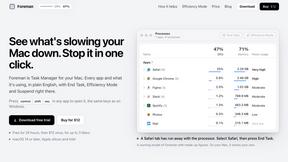
Foreman
See every app and what it's using in plain English, and end or slow down the one that's hogging your Mac.

Uniclip
Clip pages, take full-page screenshots and batch-capture list data to Notion, Feishu, Obsidian, Markdown, CSV or JSON.

TroveKey
Search tabs, Chrome bookmarks and history, run browser commands, and save webpages and social posts locally—no account.

Typebar
Every key you press lights up on an on-screen keyboard, and each shortcut is named. For screen recordings, demos and learning shortcuts.
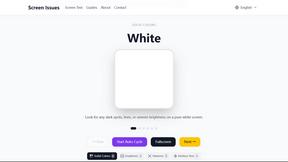
Screen Issues
Free Online Screen Test Tool - Instantly diagnose dead pixels, lines, color issues, and flickering. Multiple test modes, no download needed.

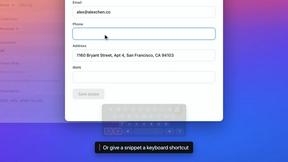


Everywhere
Fast file search for the Mac. Results as you type, files inside Mail and Photos, works with Wi-Fi off. $19 once.

Basalt
Eighteen PDF tools in one native Mac window: merge, split, compress, OCR, Bates numbering, forms, signing and redaction. Offline. $29 once.

Voice Keyboard Pro
Hold a key, say what you mean, let go. Clean, punctuated text lands at the cursor in any app on your Mac or iPhone.

Mainspring
Mainspring turns the settings macOS hides into 90+ one-click, fully reversible power-ups for Finder, Dock, screenshots and more. $29 once.
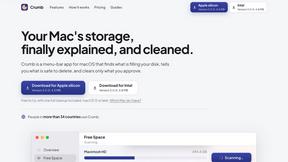
Crumb
A Mac menu bar app for a full disk. See what is using your space, read whether it comes back on its own, and remove only what you tick.

Inkling
Catch a thought without leaving what you are doing. Notes, checklists and a little companion in your Mac's notch. $12 once.

Manatee
A Mac app that opens damaged video, PDFs, archives and documents and writes out everything it can still read. $9 once, no uploads.

Context Board
Context Board brings your numbers, docs, clients, content and day into one workspace that Claude and Codex can read and update.

@fuck.it - email with attitude
Private email. Pure. Secure. Exclusive. No ads, no tracking, no data selling. GDPR compliant, EU-hosted.

About Tagada Alternatives
Tagada is a productivity browser extension designed to supercharge your Gmail workflow by parsing incoming emails into selectable sentences, allowing you to highlight, tag, and organize key points locally. It sits squarely in the email management and productivity category, offering a unique blend of speed and privacy by processing everything on your machine without sending data to the cloud. Users typically look for alternatives when they need different pricing models, broader platform support beyond Gmail, or additional features like advanced AI summarization or team collaboration tools that Tagada may not cover. When searching for an alternative, focus on finding a tool that matches Tagada's core speed of parsing and structuring email replies without sacrificing your privacy. You want something that integrates directly into your existing email client to avoid context-switching, and that offers flexible categorization or tagging to handle long threads fast. Also consider whether you need cloud-based features for team sharing or if strict local processing is non-negotiable for your workflow.
FAQs about Tagada Alternatives
What is Tagada?
Tagada is a browser extension that transforms how you read and reply to emails in Gmail. It parses incoming emails into clickable sentences you can highlight, tag, and organize by category, then generates a clean reply template built around the points that matter. All processing happens 100% locally on your machine, meaning no data is ever sent to the cloud or third-party servers.
Who is Tagada for?
Tagada is ideal for professionals, support teams, freelancers, consultants, and anyone managing long email threads. It is designed for users who need to cut response time, structure their replies, and keep their data fully private while working directly inside Gmail.
Is Tagada free?
The provided content does not specify a pricing model, so users should check the official Tagada website for current pricing details. It is likely offered as a freemium or subscription-based product given its browser extension format and productivity focus.
What are the main features of Tagada?
Tagada's key features include instant parsing of emails into selectable sentences, one-click highlighting and tagging by category, and auto-generated reply templates from your selections. It operates with 100% local processing, no AI or cloud involvement, and works directly inside Gmail without requiring you to learn a new tool.