

Alternatives to SupaSidebar
Access your links, files, and folders instantly from any Mac app with global keyboard shortcuts.
Explore 20 alternatives to SupaSidebar. Compare features, pricing, and find the best fit for your needs.


GigUp
GigUp helps freelancers discover relevant Upwork jobs through AI matching, automated monitoring, and instant alerts.

FlipHTML5 Downloader
Convert any FlipHTML5 flipbook into a high-quality PDF online - free, open source, no signup.

Cardify
Cardify turns Markdown into beautiful knowledge cards with 30+ themes, live preview and easy export.

Safe Outreach
AI-powered platform that evaluates the safety of LinkedIn automation tools and helps reduce the risk of account restrictions.

How Long How Many Tool
Timers and hourly checks to figure how out long until a certain time or how many days away.

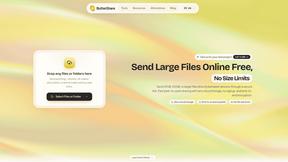
ButterShare
Send files straight between two browsers with a 6-digit key. No signup, no install, nothing stored on a server.

Emailyy
Free email tools for signatures, subject lines, HTML previews, word counts, and email headers. Browser-based, simple to use, and no signup required.
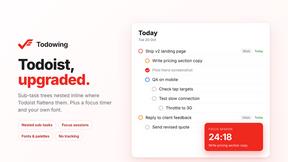
Todowing
Chrome extension that nests sub-tasks inline in Todoist's Today, Upcoming, Filter and Label views, where Todoist shows them flat.
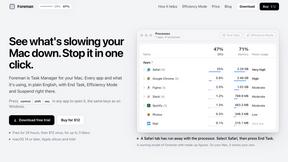
Foreman
See every app and what it's using in plain English, and end or slow down the one that's hogging your Mac.

Uniclip
Clip pages, take full-page screenshots and batch-capture list data to Notion, Feishu, Obsidian, Markdown, CSV or JSON.

TroveKey
Search tabs, Chrome bookmarks and history, run browser commands, and save webpages and social posts locally—no account.
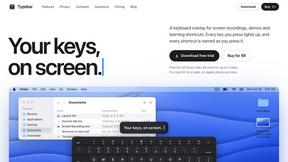
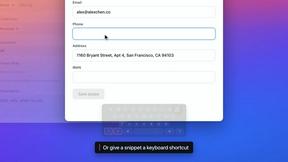
Typebar
Every key you press lights up on an on-screen keyboard, and each shortcut is named. For screen recordings, demos and learning shortcuts.

Notchpals
Little characters peek out of your Mac's notch to remind you to drink water, eat, sit up and get to bed. Quiet during calls. $4.99 once.

Screen Issues
Free Online Screen Test Tool - Instantly diagnose dead pixels, lines, color issues, and flickering. Multiple test modes, no download needed.


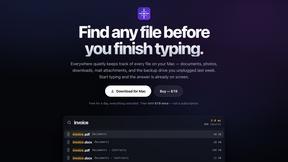
Everywhere
Fast file search for the Mac. Results as you type, files inside Mail and Photos, works with Wi-Fi off. $19 once.
About SupaSidebar Alternatives
SupaSidebar is a premium productivity accelerator for macOS, designed as a universal command panel for your links, files, and folders. It falls squarely into the category of workflow and launcher tools, aiming to eliminate friction and keep you in a state of deep focus by putting every digital resource at your fingertips with a simple keystroke. Users often explore alternatives for various reasons. Some may seek different pricing models, such as a free tier or one-time purchase. Others might need specific integrations, a different user interface, or cross-platform compatibility that extends beyond the Mac ecosystem. The search for the right tool is highly personal and depends on individual workflow demands. When evaluating an alternative, prioritize core functionality that matches your needs. Look for lightning-fast global access, robust organization for links and files, and seamless integration with your primary browsers and apps. The goal is to find a solution that becomes a natural extension of your workflow, reducing context-switching and maintaining your momentum without interruption.
FAQs about SupaSidebar Alternatives
What is SupaSidebar?
SupaSidebar is a native macOS sidebar and menubar app that gives you instant keyboard access to your links, files, and folders from any application, acting as a universal command center to accelerate productivity.
Who is SupaSidebar for?
It's built for Mac users who need unparalleled speed and organization, including researchers, creators, and professionals juggling multiple browsers, projects, and digital assets who want to maintain their flow state.
What are the main features of SupaSidebar?
Key features include a Universal Command Panel activated by a global shortcut, a Live Tabs & Recents overview across all browsers, and instant save and organize functionality for URLs and files.
Why choose SupaSidebar?
Choose SupaSidebar for its beautifully crafted, Arc-inspired design, its seamless cross-browser compatibility, and its core promise of delivering every digital resource you need right at your fingertips without interruption.