

Alternatives to Subclip
Subclip streamlines video editing with AI-driven subtitles, voice cloning, and dubbing, saving you 80% of your editing time.
Explore 8 alternatives to Subclip. Compare features, pricing, and find the best fit for your needs.

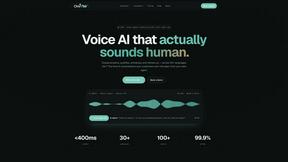
Oravaa
Oravaa's lightning-fast Voice AI handles your 24/7 calls, qualifies leads instantly, and automates reminders in under 400ms.
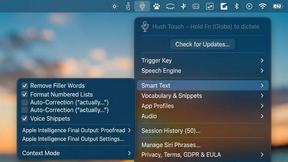
Hush Touch | Voice-to-Text for MacOS
Hush Touch is an offline voice-to-text app for Mac that learns your vocabulary and delivers accurate, real-time.
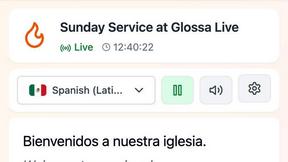
Glossa
Glossa provides fast AI translation of sermons into 100+ languages, breaking language barriers for your church.
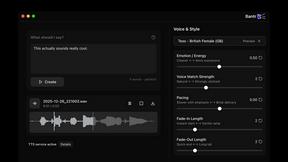
Bantr: Offline & Unlimited TTS for Mac
Bantr is a powerful offline TTS app for Mac with unlimited private voiceovers.

KaiCalls
KaiCalls is your 24/7 AI phone agent that instantly captures leads and answers every call, text, and message.

Bargou One
Bargou One is your ultimate AI tool for chat, content creation, translation, and speech solutions all in one place.
About Subclip Alternatives
Subclip is a cutting-edge AI-powered video editor designed for creators, marketers, and educators. It revolutionizes the video editing experience by allowing users to edit their videos similarly to how they would edit a document, making it incredibly user-friendly. With features like voice cloning, auto-subtitle generation, and silence removal, Subclip caters to a diverse range of video production needs, streamlining the entire workflow for professionals and hobbyists alike. Despite Subclip's robust features, users often seek alternatives for various reasons, including pricing structures, specific feature sets, or compatibility with different platforms. Some may find that certain tools better fit their unique requirements or workflows. When searching for an alternative, it’s essential to consider factors such as ease of use, available features, pricing models, and how well the tool integrates with your existing systems to ensure you select an option that enhances your productivity and meets your editing needs.
FAQs about Subclip Alternatives
What is Subclip?
Subclip is an AI-powered video editing tool designed to simplify the video production process for creators, marketers, and educators. It allows users to edit videos seamlessly by treating video transcripts like documents, enabling quick modifications. With advanced features like voice cloning and auto-subtitles, Subclip ensures an efficient editing experience.
Who is Subclip for?
Subclip is ideal for a wide range of users, including YouTubers, podcasters, course creators, and content teams looking to streamline their video production workflow. Its intuitive design and powerful AI-driven features make it accessible for both beginners and experienced editors. Whether you're creating educational content or marketing videos, Subclip caters to your video editing needs.
Is Subclip free?
Subclip offers a freemium pricing model, which includes a free tier that allows users to access basic features without any cost. This makes it an attractive option for users who want to try the software before committing to a paid plan. For those who require advanced functionality, affordable paid plans are available.
What are the main features of Subclip?
Subclip boasts a variety of powerful features designed to enhance video editing efficiency. Key functionalities include AI-driven voice cloning, automated subtitle generation, silence removal, and multi-language dubbing while preserving background music. These features help users save time and focus on content creation rather than the intricacies of traditional video editing.