

Alternatives to RecordFlow
RecordFlow instantly backs up Zoom recordings to Google Drive and auto-deletes them from Zoom to free storage.
Explore 20 alternatives to RecordFlow. Compare features, pricing, and find the best fit for your needs.
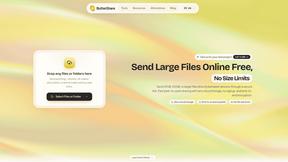
ButterShare
Send files straight between two browsers with a 6-digit key. No signup, no install, nothing stored on a server.
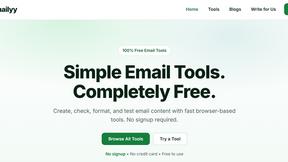
Emailyy
Free email tools for signatures, subject lines, HTML previews, word counts, and email headers. Browser-based, simple to use, and no signup required.
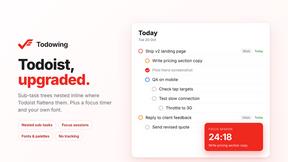
Todowing
Chrome extension that nests sub-tasks inline in Todoist's Today, Upcoming, Filter and Label views, where Todoist shows them flat.
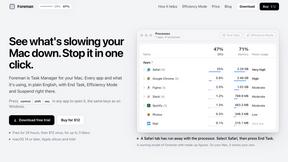
Foreman
See every app and what it's using in plain English, and end or slow down the one that's hogging your Mac.

Uniclip
Clip pages, take full-page screenshots and batch-capture list data to Notion, Feishu, Obsidian, Markdown, CSV or JSON.
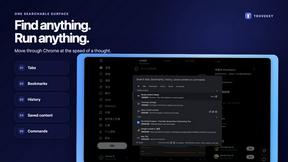
TroveKey
Search tabs, Chrome bookmarks and history, run browser commands, and save webpages and social posts locally—no account.
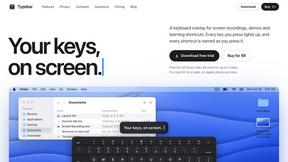
Typebar
Every key you press lights up on an on-screen keyboard, and each shortcut is named. For screen recordings, demos and learning shortcuts.
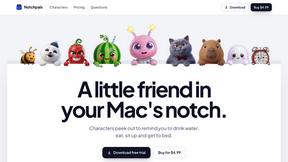
Notchpals
Little characters peek out of your Mac's notch to remind you to drink water, eat, sit up and get to bed. Quiet during calls. $4.99 once.
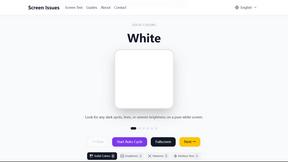
Screen Issues
Free Online Screen Test Tool - Instantly diagnose dead pixels, lines, color issues, and flickering. Multiple test modes, no download needed.

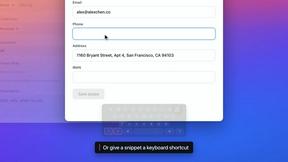

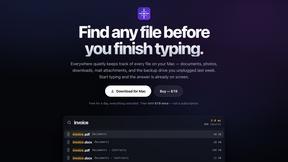
Everywhere
Fast file search for the Mac. Results as you type, files inside Mail and Photos, works with Wi-Fi off. $19 once.
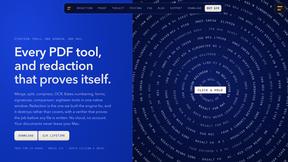
Basalt
Eighteen PDF tools in one native Mac window: merge, split, compress, OCR, Bates numbering, forms, signing and redaction. Offline. $29 once.
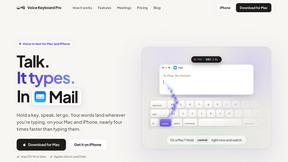
Voice Keyboard Pro
Hold a key, say what you mean, let go. Clean, punctuated text lands at the cursor in any app on your Mac or iPhone.
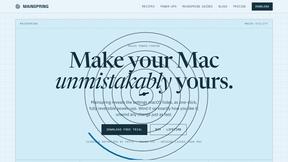
Mainspring
Mainspring turns the settings macOS hides into 90+ one-click, fully reversible power-ups for Finder, Dock, screenshots and more. $29 once.
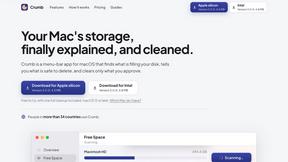
Crumb
A Mac menu bar app for a full disk. See what is using your space, read whether it comes back on its own, and remove only what you tick.
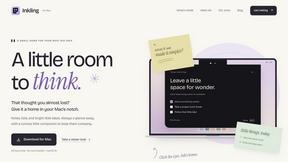
Inkling
Catch a thought without leaving what you are doing. Notes, checklists and a little companion in your Mac's notch. $12 once.
About RecordFlow Alternatives
RecordFlow is a productivity tool that sits squarely in the cloud management and automation category, designed to solve the specific pain point of Zoom cloud storage overflow. It acts as a high-speed bridge, automatically transferring finished Zoom recordings directly into a user’s Google Drive the second a meeting wraps up. While the tool is incredibly efficient for its niche—offering a 60-second setup and automatic deletion to reclaim Zoom space—users often look for alternatives due to specific needs. These needs can include a requirement for a different cloud destination like Dropbox or OneDrive, a need for more granular control over file naming or organization rules, or simply a preference for a tool with a different pricing model or a free tier that covers more than a basic use case. When searching for an alternative, speed and reliability are non-negotiable. You need a solution that can handle large file transfers without choking, offers smart deduplication so you don't duplicate your storage, and provides end-to-end encryption for sensitive data. Look for a tool that automates the entire pipeline without manual intervention, supports backfilling historical data, and offers a clear policy on data handling—specifically, one that streams files directly to your destination without storing them on a third-party server. The best alternative will mirror RecordFlow’s core promise: lightning-quick automation that you set up once and never have to think about again.
FAQs about RecordFlow Alternatives
What is RecordFlow?
RecordFlow is an automated backup tool that instantly transfers Zoom cloud recordings to your Google Drive the moment a meeting ends. It also offers a backfill feature that can pull in recordings from the past two years, ensuring no data is left behind. The setup is extremely fast, taking only 60 seconds, after which the tool runs silently and automatically in the background.
Who is RecordFlow for?
RecordFlow is specifically designed for professionals who rely on Zoom recordings and cannot afford to lose them. This includes coaches, consultants, therapists, professors, and small teams who need a reliable, hands-off system to archive their meetings. It is ideal for anyone who wants to stop manually downloading files and stop paying for extra Zoom storage.
Is RecordFlow free?
The provided content does not specify if RecordFlow is free or has a paid tier. However, the tool is built to save users money by eliminating the need to purchase additional Zoom cloud storage. For specific pricing details, you would need to visit the official RecordFlow website or contact their sales team.
What are the main features of RecordFlow?
RecordFlow’s core features include automatic, immediate transfer of MP4, M4A, VTT transcripts, and chat logs to Google Drive, organized by year and date. It offers an optional auto-delete feature that safely removes recordings from Zoom after verifying a successful Drive copy, freeing up storage. The service uses chunked transfers for large files, smart deduplication to prevent duplicates, automatic retries on failure, and streams data directly to Drive without storing it on their servers.