

Alternatives to PainMap
PainMap validates your product idea in under 10 minutes by scanning five platforms simultaneously and delivering a ready-to-use market brief.
Explore 20 alternatives to PainMap. Compare features, pricing, and find the best fit for your needs.
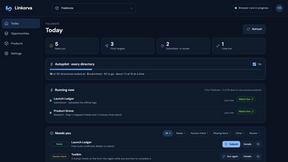
Linkorva
AI SEO and GEO kickstart: submits your site to relevant directories and finds real backlinks.
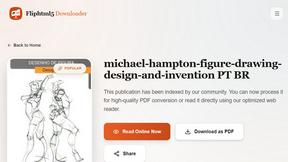
FlipHTML5 Downloader
Convert any FlipHTML5 flipbook into a high-quality PDF online - free, open source, no signup.
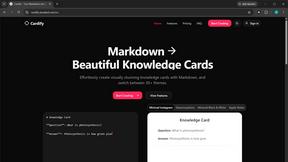
Cardify
Cardify turns Markdown into beautiful knowledge cards with 30+ themes, live preview and easy export.
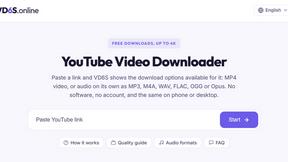
VD6S
VD6S is a free online YouTube video downloader that supports HD, 4K and up to 8K downloads. Save videos in MP4 or audio in multiple formats.

Safe Outreach
AI-powered platform that evaluates the safety of LinkedIn automation tools and helps reduce the risk of account restrictions.
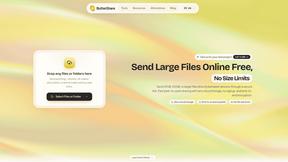
ButterShare
Send files straight between two browsers with a 6-digit key. No signup, no install, nothing stored on a server.

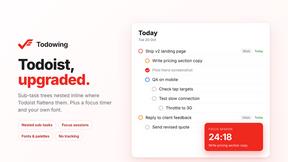
Todowing
Chrome extension that nests sub-tasks inline in Todoist's Today, Upcoming, Filter and Label views, where Todoist shows them flat.
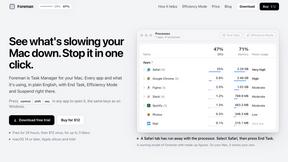
Foreman
See every app and what it's using in plain English, and end or slow down the one that's hogging your Mac.
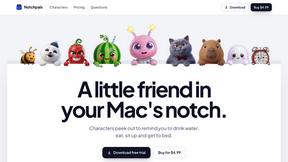
Notchpals
Little characters peek out of your Mac's notch to remind you to drink water, eat, sit up and get to bed. Quiet during calls. $4.99 once.
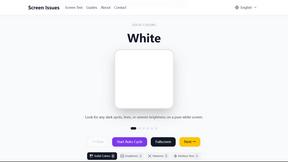
Screen Issues
Free Online Screen Test Tool - Instantly diagnose dead pixels, lines, color issues, and flickering. Multiple test modes, no download needed.

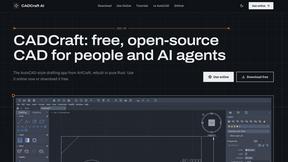
CADCraft
Free open-source 2D CAD for precise drafting, technical documentation, and AI-assisted automation.
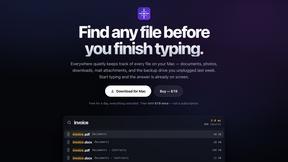
Everywhere
Fast file search for the Mac. Results as you type, files inside Mail and Photos, works with Wi-Fi off. $19 once.
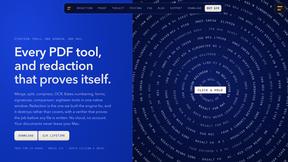
Basalt
Eighteen PDF tools in one native Mac window: merge, split, compress, OCR, Bates numbering, forms, signing and redaction. Offline. $29 once.
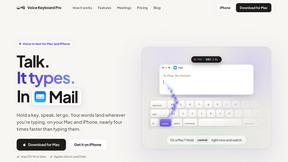
Voice Keyboard Pro
Hold a key, say what you mean, let go. Clean, punctuated text lands at the cursor in any app on your Mac or iPhone.
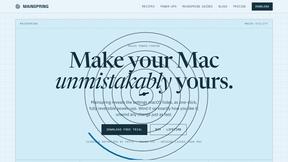
Mainspring
Mainspring turns the settings macOS hides into 90+ one-click, fully reversible power-ups for Finder, Dock, screenshots and more. $29 once.
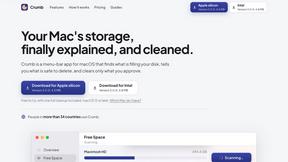
Crumb
A Mac menu bar app for a full disk. See what is using your space, read whether it comes back on its own, and remove only what you tick.
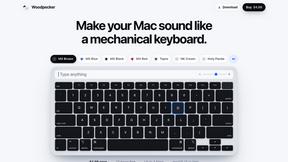
Woodpecker
Make your Mac sound like a real mechanical keyboard. Every key plays its own recording, 22 switches, quiet on calls. $4.99 once.

About PainMap Alternatives
PainMap is a rapid-fire market research tool built for solo founders and indie hackers who are tired of building products nobody wants. It belongs to the customer discovery and validation software category, automating the painful process of digging through Reddit, X, G2, Capterra, and Trustpilot to find exactly where existing tools fail and where people are already paying for better solutions. Users commonly look for alternatives when they need different pricing models, want more control over specific data sources, or require deeper integration with their existing product development stack. When choosing an alternative, look for speed above all else—you need a tool that delivers validated pain points, real evidence quotes, and willingness-to-pay signals in minutes, not days. Prioritize platforms that automate the parallel scraping of multiple review and social channels simultaneously, and check if they provide a full MVP brief alongside the raw data. Also consider whether the tool anchors its output to competitor weaknesses and real pricing data, as that directly translates into landing page copy you can publish without heavy editing.
FAQs about PainMap Alternatives
What is PainMap?
PainMap is a market research tool that uses parallel AI research to automatically find pain points, identify why existing tools fail, and offer actionable fixes. It scans multiple platforms like Reddit, X, G2, Capterra, and Trustpilot simultaneously to deliver validated insights in about two minutes. The output includes real evidence quotes, willingness-to-pay signals, and a full MVP brief to help you build products people actually need.
Who is PainMap for?
PainMap is specifically designed for solo founders and indie hackers who are tired of building products that don't gain traction. It helps you stop shipping into silence by building around problems people are already paying to solve badly. If you want to move from gut-feel decisions to evidence-based product development, PainMap is built for you.
Is PainMap free?
Yes, PainMap offers a free plan with no credit card required. This allows you to test the tool and see the quality of its rapid pain-point analysis before committing to a paid tier. The free plan is designed to give solo founders immediate access to validated market data without upfront financial risk.
What are the main features of PainMap?
PainMap's core feature is firing parallel AI research across Reddit, X, G2, Capterra, and Trustpilot the moment you hit Analyse. It returns 10 validated pain points with real evidence quotes, willingness-to-pay signals, and a full MVP brief within two minutes. The tool also defines features based on competitor weaknesses, anchors pricing to real data, and generates landing page copy ready to publish.