

Explore 20 alternatives to Opal. Compare features, pricing, and find the best fit for your needs.
JevModel
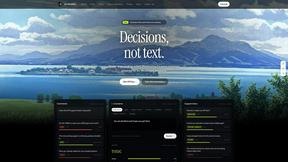
Jev turns text or JSON into Choice, Score and Noul answers with probabilities. Build decision flows, process batches and call the API from one Console

Panzoe
Panzoe is an all-in-one AI platform for personal productivity, business automation, AI assistants, content creation, and custom AI solutions.
Notes Calculator
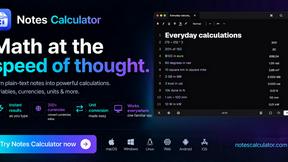
A notepad calculator that reads plain text and gives instant answers as you type, free on Mac, iOS, Windows, Linux, Android and Web.
AI Email Filter
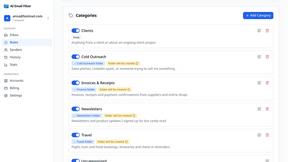
AI Email Filter sorts incoming mail into folders using plain-language prompts you write. Works with any IMAP mailbox; bring your own LLM if you want.
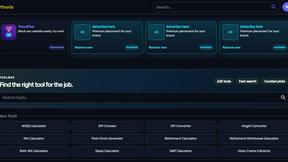
Kody Tools
Free collection of online developer utilities, code formatters, and digital converters designed to streamline your daily workflow.
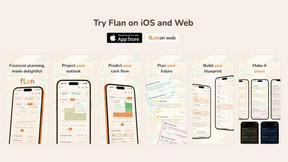
Flan
Visual financial timelines for couples and young professionals: model cash flow, life events, and shared goals.
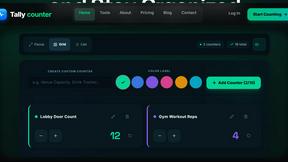
tallycounterweb.com
Online tally counter for tracking attendance, workouts, inventory, sports scores, visitors, habits, and everyday counting tasks.
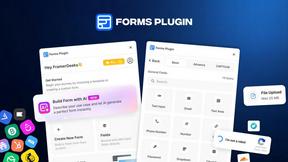
Forms Plugin
The #1 Native Form Builder Plugin for Framer - No Code, No Embeds, No External Platforms.
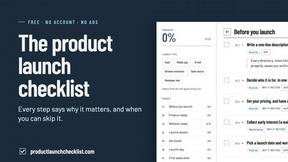
Product Launch Checklist
A free launch checklist for SaaS, apps, AI tools and more. Every step says why it matters and when you can skip it.

HomeAnswerBook
Practical, independent guides to home repairs, maintenance, costs, troubleshooting, and everyday fixes.
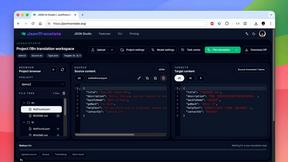
JsonTranslate
Translate JSON, Markdown, and TXT files while preserving keys, nested paths, and project structure.
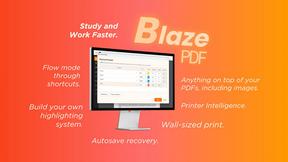
BlazePDF
Highlight faster. Study in flow with custom shortcuts and a workflow built around you. Print smarter, or turn any page into a tiled poster.


Video2URL
Turn videos, images, and files into secure direct links for sharing, embedding, and automated workflows.
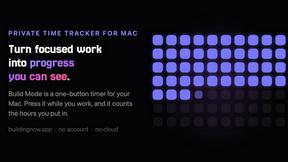
Build Mode for Mac
Build Mode is a Mac app that turns focused sessions into visible progress, so you can see the work adding up before the results arrive.



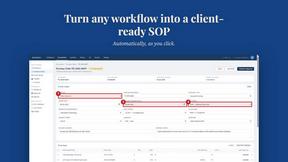
MySOP.guru
Capture any workflow in your browser and export a branded, step-by-step SOP with screenshots. €5 per document, no subscription.
About Opal Alternatives
Opal is a cutting-edge visual workspace designed to streamline project management and note organization. It caters to users who thrive in spatial thinking, allowing them to manage their projects, ideas, and client details in an intuitive, visually engaging way. By providing an infinite digital canvas, Opal transforms the way solopreneurs, consultants, agency owners, and writers interact with their work, reducing the chaos and frustration often associated with traditional note-taking and project management apps. Users commonly seek alternatives to Opal for various reasons, including pricing, specific feature sets, or compatibility with different platforms. When searching for an alternative, it's essential to consider not only the cost and available features but also the user interface and experience, as well as the ability to integrate seamlessly with existing workflows. A great alternative should enhance productivity and maintain the visual organization that users have come to love about Opal while fitting the unique needs of different users.
FAQs about Opal Alternatives
What is Opal?
Opal is a visual knowledge and project management workspace designed for individuals who think spatially. It helps users organize their projects and notes in a way that mimics a physical desk, enabling easy access and retrieval of information. With its infinite digital canvas, Opal allows for a more intuitive interaction with ideas, documents, and files.
Who is Opal for?
Opal is tailored for solopreneurs, consultants, agency owners, writers, and anyone else who relies heavily on managing conversations, details, and creative ideas. Its unique spatial organization makes it particularly useful for individuals who struggle with traditional note-taking methods and need a more visual approach to productivity.
Is Opal free?
Opal does not offer a free version; however, it provides various pricing plans to accommodate different user needs and business requirements. Users can explore these plans to find one that fits their budget and feature needs, ensuring they get the most out of the platform.
What are the main features of Opal?
Opal features an infinite digital canvas that allows users to drag and drop notes, documents, files, and links, enabling a highly visual and organized workspace. Its design is focused on enhancing spatial memory, allowing users to locate information quickly without the frustration of nested folders. This unique approach to project management makes Opal a compelling choice for those who need to keep their active projects and ideas top-of-mind.