

Alternatives to MacBrightness
MacBrightness instantly boosts your Mac screen past its limit up to 1600 nits using your existing brightness keys, no setup needed.
Explore 20 alternatives to MacBrightness. Compare features, pricing, and find the best fit for your needs.
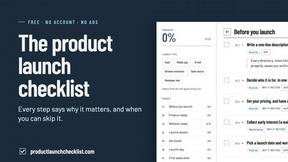
Product Launch Checklist
A free launch checklist for SaaS, apps, AI tools and more. Every step says why it matters and when you can skip it.
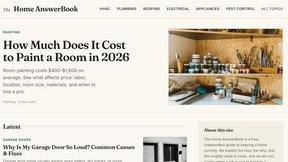
HomeAnswerBook
Practical, independent guides to home repairs, maintenance, costs, troubleshooting, and everyday fixes.
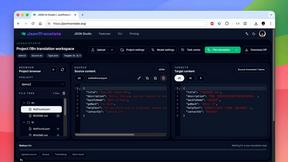
JsonTranslate
Translate JSON, Markdown, and TXT files while preserving keys, nested paths, and project structure.
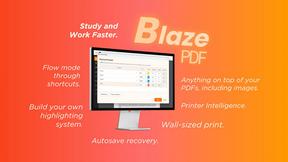
BlazePDF
Highlight faster. Study in flow with custom shortcuts and a workflow built around you. Print smarter, or turn any page into a tiled poster.

Video2URL
Turn videos, images, and files into secure direct links for sharing, embedding, and automated workflows.
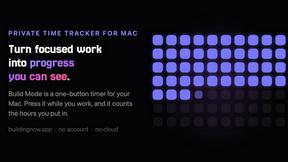
Build Mode for Mac
Build Mode is a Mac app that turns focused sessions into visible progress, so you can see the work adding up before the results arrive.



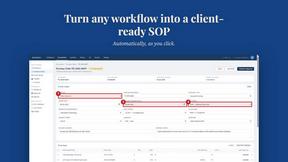
MySOP.guru
Capture any workflow in your browser and export a branded, step-by-step SOP with screenshots. €5 per document, no subscription.

PerPageFax
PerPageFax lets you send a fax online from any browser for a flat $0.50 per page — no account, no subscription, no fax machine.

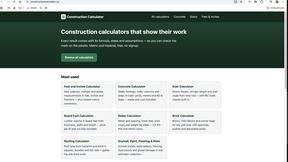
Construction Calculator
Free construction calculators with transparent formulas, steps, assumptions, and metric or imperial units.

ContextBolt
Tools that give your AI real context. Live SEO data and your saved bookmarks, plugged straight into Claude, Cursor and Codex.


Glanced
Follow news, blogs, newsletters, and podcasts in a free RSS reader, with AI summaries, top stories, full-text search, saved searches, and a catalog.

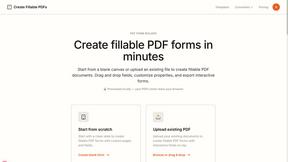
Create Fillable PDFs
Create interactive PDF forms quickly and easily online. Add text fields, checkboxes, dropdowns, and signatures to any PDF.

About MacBrightness Alternatives
MacBrightness is a lightweight productivity utility designed specifically for MacBook Pro and Pro Display XDR users who need extra screen visibility in bright environments. It belongs to the display enhancement and management category, unlocking the hidden HDR brightness range that macOS normally reserves only for video content. Users commonly look for alternatives due to pricing concerns around the one-time purchase model, compatibility limitations with older Mac models, or the need for different feature sets like granular brightness controls or additional display customization options. When evaluating an alternative, prioritize tools that offer system-wide brightness override without performance overhead, support for your specific display hardware, and a straightforward activation method that doesn’t require complex shortcuts or low-level system modifications. Speed is everything when your screen is washing out in direct sunlight. The ideal alternative should deliver instant brightness boosts with zero lag, work across all applications without toggling modes, and provide a clear, side-by-side comparison so you can verify the effect immediately. Look for solutions that maximize your display’s native hardware capabilities rather than relying on software tricks that drain battery or cause instability. The best options will feel invisible—just brighter, faster, and ready to go the moment you need them.
FAQs about MacBrightness Alternatives
What is MacBrightness?
MacBrightness is a utility that boosts your MacBook Pro or Pro Display XDR screen brightness far beyond the standard macOS limit, making it readable in direct sunlight. It unlocks the hidden HDR brightness range that your display already supports, allowing system-wide brightness increases up to twice the normal level. Unlike typical brightness adjustments, it works in every application and uses the physical brightness keys you already have, requiring no new shortcuts or complex settings.
Who is MacBrightness for?
MacBrightness is designed for MacBook Pro 14-inch and 16-inch users with M-series Pro or Max chips, as well as Pro Display XDR owners who work or use their devices in bright environments. It is ideal for professionals and creatives who need to use their laptops outdoors on patios, in planes, or next to bright windows where screen glare is a problem. The tool is also perfect for anyone who wants to maximize their mini-LED display’s full 1,600-nit brightness potential for everyday tasks, not just HDR video playback.
Is MacBrightness free?
Yes, MacBrightness offers a free trial that opens in Splitscreen Mode, allowing one half of your screen to jump to full brightness so you can see the difference side by side with the other half. This lets you test the full brightness boost without any commitment. To unlock the entire screen permanently, you can make a one-time purchase with no subscription fees or recurring charges.
What are the main features of MacBrightness?
The main features include system-wide brightness boosting up to twice the normal macOS limit, direct integration with your existing brightness keys for instant control, and full readability in direct sunlight. It operates with no noticeable CPU overhead and uses no low-level hacks, relying only on the HDR brightness range your display already supports. The tool works across every app, not just HDR video, and offers a free side-by-side Splitscreen Mode for easy comparison before purchase.