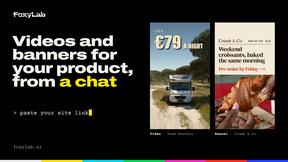
FoxyLab
AI video and banner editor in a chat. Paste your site link and get ads, launch films, explainers and banner sets in your own brand.

AI video and banner editor in a chat. Paste your site link and get ads, launch films, explainers and banner sets in your own brand.
Discover useful apps for everyday life. Start with our iPhone picks and explore features, pricing notes, and official sources.


Turn photos into AI videos for free with Goshortsai. Sign in daily for free credits, upload an image, describe the motion, and generate.
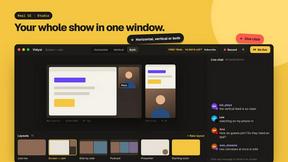
Vidyst is a live streaming and recording app for Mac. From one session you can go live on YouTube, Twitch, X and Instagram at the same time, or to

Make 5–20 s videos with sound from text, a photo or a first and last frame with FLUX 3 Max. 720p or 1080p, pay per second, from $9.90.
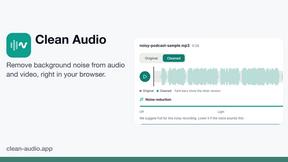
Free AI background noise remover for audio and video. Clean podcasts, voice recordings and videos in your browser with no sign-up or upload.
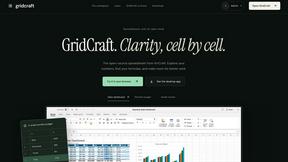
Free open-source spreadsheet app for exploring, editing, and analyzing XLSX workbooks in browser or on desktop.
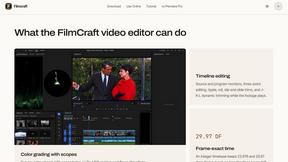

Free, open-source presentation editor for creating and presenting slides online or on desktop.
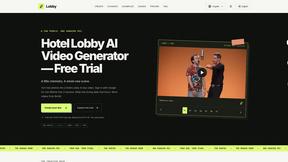
Turn two photos into a short Hotel Lobby AI duo video with friends, couples or pets.

Discover the best free online tools with ToolSuite Pro. Explore AI, productivity, marketing, SEO, writing, business, and software tools in one place.
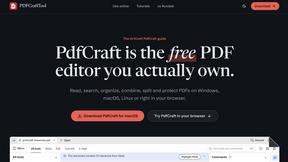
Free, open-source PDF editor for Windows, macOS, Linux, FreeBSD, and modern browsers with local privacy-focused tools.
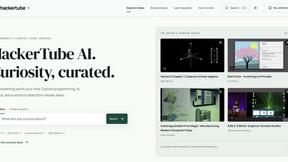
Community-curated video discovery for programming, AI, science, and technology.

Smart online AI video generator transforming prompts and photos into dynamic video clips.

Workplace and food safety software for daily checks on phones, with photo evidence and inspection records across every site.

AI creative studio for cinematic photo edits, fashion transformations, festive greetings, and photo-to-video concepts.


GigUp helps freelancers discover relevant Upwork jobs through AI matching, automated monitoring, and instant alerts.
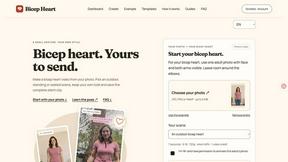
Turn one photo into a 7-second bicep heart video with outdoor, standing or seated scenes and a silent vertical MP4.
Klipzy is an innovative AI-powered tool that transforms static images into captivating videos, making it a go-to solution for content creators, marketers, and social media enthusiasts. As a part of the productivity and management category, Klipzy streamlines the video creation process, enabling users to produce professional-quality videos without extensive editing skills. However, users often seek alternatives due to various factors such as pricing, specific feature sets, or platform compatibility. When looking for an alternative, consider aspects like ease of use, available effects, and the ability to optimize videos for different social media platforms. Additionally, evaluate whether the alternative offers features that align with your content creation needs, such as support for multiple file formats and the absence of watermarks.
Klipzy is an AI-powered tool that allows users to transform photos into stunning videos using cinematic effects without needing advanced editing skills.
Klipzy is designed for content creators, marketers, and social media enthusiasts of all skill levels who want to create engaging video content quickly.
The provided content does not specify if Klipzy is free; users should check the official website for pricing details.
Klipzy offers over 20 AI-powered effects, a simple three-step video creation process, support for various aspect ratios, and no watermarks on videos.