

Alternatives to Easymotion - AI Motion Graphic Generator
Turn hours of motion graphics work into minutes by simply chatting with AI to create professional animations, map videos, and social media content.
Explore 20 alternatives to Easymotion - AI Motion Graphic Generator. Compare features, pricing, and find the best fit for your needs.

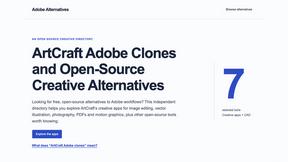
Adobe Alternatives
Explore open-source creative software by workflow, platform and development stage, with comparisons and official project links.

GenX
All-in-one AI workspace to generate images, videos, and audio with multiple leading AI models.
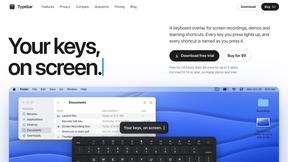
Typebar
Every key you press lights up on an on-screen keyboard, and each shortcut is named. For screen recordings, demos and learning shortcuts.

Bloom
An adaptive AI tutor that turns topics or your materials into courses, lessons, and answers tailored to how you learn.

AppIconGenerator
Generate iOS and Android app icons from any image and export all platform sizes for free.
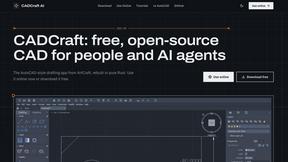
CADCraft
Free open-source 2D CAD for precise drafting, technical documentation, and AI-assisted automation.

Nano AI
Create and edit AI images, generate videos, and compare models in one creative workbench.
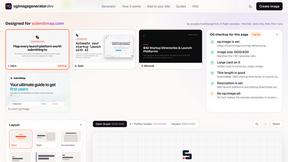
ogimagegenerator.dev
Paste a URL and AI designs on-brand Open Graph images from your page's colours, fonts and logo. Free, no sign-up.
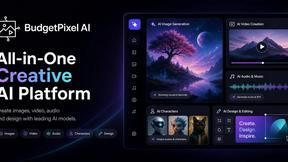
Budgetpixel AI
Create and edit AI images, videos, music, and designs in one workspace, with multiple models, reusable characters, and API access.

FreeVideoGenerator
Create AI videos from text prompts and photos with multiple models, using free starter credits and watermark-free downloads.

SaaSHunter
Compare social media scheduling, content creation and monetization tools with verified pricing, ranked by open scorecards.
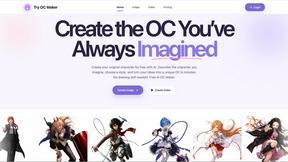
Try OC Maker
Create OCs from text or images, customize their look, and turn them into animated videos with AI.


Leadeon
AI growth tool for X and LinkedIn: write posts in your voice, schedule at your best times, find leads on X and see what works.

ImageGenerator
Create and edit AI images online with multiple models, text-to-image, image-to-image, background removal, and upscaling.

AIPetGen
Turn a photo of your pet into new pictures or short animations with AI. Sign in for a free 1K image daily.
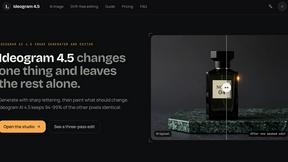
Ideogram 4.5
AI image generation and editing with precise typography, native 2K output, and localized edits.

Bulin AI
Upload one portrait. Bulin AI puts you in the official Bulin 47 freestyle. The source video guides the moves and camera. No prompt.

About Easymotion - AI Motion Graphic Generator Alternatives
When you need motion graphics for a product demo, social clip, or branded story, Easymotion is an AI-powered generator that turns static visuals, prompts, and spreadsheets into polished animated videos directly in your browser. It lives at the intersection of AI Assistants, Content Creation, Design Tools, and Video, giving you a fast track from idea to finished animation without wrestling with complex timeline software. But even with this speed, you might start looking for alternatives because of specific pricing structures, a need for deeper 3D capabilities, or a requirement for offline desktop workflows that browser-based tools can’t always satisfy. When evaluating other options, prioritize tools that match your exact output speed and format needs. Look for platforms that support the same aspect ratios you rely on—16:9, 9:16, 1:1, and 4:5—and that offer transparent background exports if you plan to layer animations into existing edits. Also, check whether the alternative allows you to edit the final animation through simple chat commands or template customization, because the whole point of moving away from Easymotion is to keep your production lightning-quick without sacrificing control over pacing, colors, and labels.
FAQs about Easymotion - AI Motion Graphic Generator Alternatives
What is Easymotion - AI Motion Graphic Generator?
Easymotion is an AI-powered motion graphics and map animation generator built for content creators, editors, founders, and marketers. It transforms ideas, files, and static visuals into polished animated videos directly in your browser without requiring complex timeline editing. The platform handles motion graphics like SaaS product promos, flowcharts, animated charts, UI explainers, and quizzes, as well as geographic storytelling through flight routes, location pins, and flag fill highlights.
Who is Easymotion - AI Motion Graphic Generator for?
Easymotion is designed for content creators, video editors, startup founders, and marketers who need to produce professional motion graphics and map animations quickly. It is especially useful for anyone who wants to turn prompts, images, spreadsheets, or PDFs into animation-ready scenes without learning traditional animation software. The tool also serves teams that create social content, product marketing, presentations, and client deliverables across multiple aspect ratios.
What are the main features of Easymotion - AI Motion Graphic Generator?
Key features include AI-powered generation from prompts or file uploads, a premium template library for proven motion graphics layouts, and chat-based editing to adjust colors, pacing, labels, layout, and visual style. It also functions as a dedicated map animation maker for geographic storytelling. Export options include MP4 and MOV formats with transparent background support, and the platform outputs in 16:9, 9:16, 1:1, and 4:5 aspect ratios.
Is Easymotion - AI Motion Graphic Generator free?
The provided content does not specify whether Easymotion offers a free tier. To determine pricing, you would need to visit the official Easymotion website or contact their sales team directly. Many similar AI motion graphic tools offer trial versions or limited free plans, so it is worth checking their current pricing page for the most accurate and up-to-date information.