

Alternatives to Caption.IM
Turn any Mac audio into instant captions, translations, and summaries with lightning-fast local AI.
Explore 20 alternatives to Caption.IM. Compare features, pricing, and find the best fit for your needs.

Product Launch Checklist
A free launch checklist for SaaS, apps, AI tools and more. Every step says why it matters and when you can skip it.

HomeAnswerBook
Practical, independent guides to home repairs, maintenance, costs, troubleshooting, and everyday fixes.
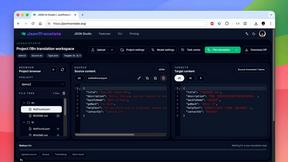
JsonTranslate
Translate JSON, Markdown, and TXT files while preserving keys, nested paths, and project structure.

BlazePDF
Highlight faster. Study in flow with custom shortcuts and a workflow built around you. Print smarter, or turn any page into a tiled poster.

Video2URL
Turn videos, images, and files into secure direct links for sharing, embedding, and automated workflows.
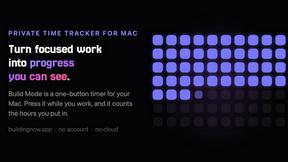
Build Mode for Mac
Build Mode is a Mac app that turns focused sessions into visible progress, so you can see the work adding up before the results arrive.



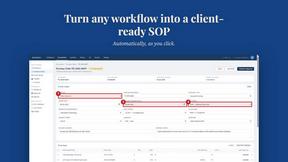
MySOP.guru
Capture any workflow in your browser and export a branded, step-by-step SOP with screenshots. €5 per document, no subscription.

PerPageFax
PerPageFax lets you send a fax online from any browser for a flat $0.50 per page — no account, no subscription, no fax machine.


Construction Calculator
Free construction calculators with transparent formulas, steps, assumptions, and metric or imperial units.

ContextBolt
Tools that give your AI real context. Live SEO data and your saved bookmarks, plugged straight into Claude, Cursor and Codex.


Glanced
Follow news, blogs, newsletters, and podcasts in a free RSS reader, with AI summaries, top stories, full-text search, saved searches, and a catalog.

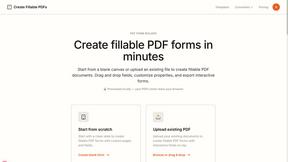
Create Fillable PDFs
Create interactive PDF forms quickly and easily online. Add text fields, checkboxes, dropdowns, and signatures to any PDF.

About Caption.IM Alternatives
Caption.IM is a real-time AI captioning tool built exclusively for macOS, falling squarely into the productivity and accessibility management category. It transforms any system audio—from Zoom calls to YouTube videos—into live captions, translations, and structured meeting summaries using local, on-device AI. Users frequently seek alternatives when they need cross-platform support for Windows or Linux, require a different pricing model, or want features like advanced speaker identification or cloud-based collaboration that Caption.IM’s local-only approach doesn’t provide. Others may find its strict macOS dependency limiting if their workflow spans multiple operating systems or if they prefer a browser-based solution for lighter integration. When evaluating an alternative to Caption.IM, speed and efficiency are paramount. Look for tools that deliver real-time captioning with minimal latency, ideally processing audio directly without requiring intrusive bots or complex setups. Platform compatibility is critical—ensure the tool works natively across your entire tech stack, whether that’s Windows, web browsers, or mobile devices. Privacy should also be a top consideration; seek solutions that offer local processing options or robust encryption if sensitive conversations are involved. Finally, assess the output quality: the best alternatives will provide not just accurate captions but also intelligent summaries, action items, and multilingual translations that match your workflow’s pace.
FAQs about Caption.IM Alternatives
What is Caption.IM?
Caption.IM is a privacy-first AI captioning assistant designed exclusively for macOS. It captures system audio in real time to generate live captions, instant translations, recordings, and structured meeting notes across any application, including Zoom, Google Meet, Microsoft Teams, and YouTube.
Who is Caption.IM for?
Caption.IM is built for macOS users who need fast, private, and accessible captioning for meetings, webinars, online courses, podcasts, and livestreams. It is ideal for professionals, students, and accessibility advocates who want to improve productivity and information equity without relying on cloud-based bots or browser extensions.
Is Caption.IM free?
Pricing details are not explicitly provided in the product description, but Caption.IM emphasizes a privacy-first, locally-powered approach that typically involves a one-time purchase or subscription for the macOS app. Users should check the official website for the most current pricing and any free trial options.
What are the main features of Caption.IM?
Caption.IM delivers real-time AI captions for any system audio, instant translations for multilingual content, audio recording, and automatic summarization into key points, action items, and mind maps. It operates entirely locally on your Mac, ensuring no bots join your meetings and no data leaves your device.