
TaleHug AI Story Generator for Kids
Turn a child's voice or drawing into a safe AI picture storybook in seconds with TaleHug.
VisitPublished on:
June 12, 2026
Pricing:
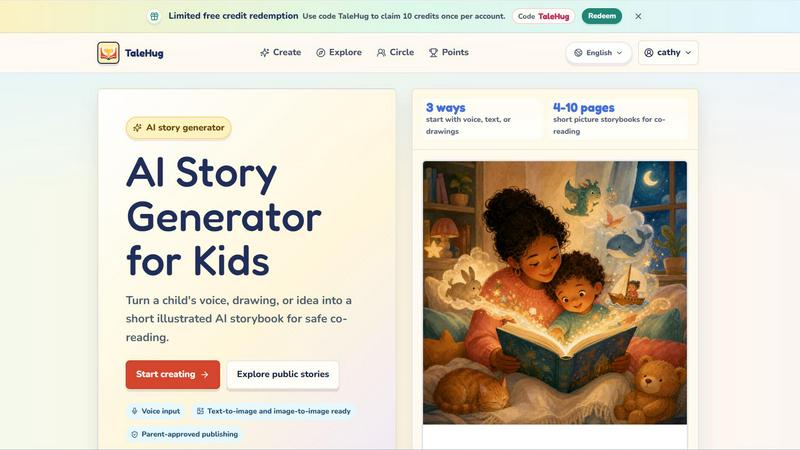
About TaleHug AI Story Generator for Kids
TaleHug is a lightning-fast AI-powered storytelling tool built specifically for children. It turns a childs voice, drawing, or simple idea into a short illustrated storybook in seconds. Designed for kids ages 3 to 6, this platform makes story creation incredibly easy and engaging. Young users can speak their idea, upload a drawing, or pick from parent-approved prompts to get started instantly. The AI then generates 4 to 10 illustrated pages with one short sentence per page, perfect for co-reading with parents. TaleHug emphasizes safety and privacy above all else. Every draft is private by default. Publishing to a circle or the public gallery requires adult approval. There are no public comments, no collection of real names, addresses, or school details. The result is a safe, parent-guided environment where kids can explore their imagination freely. The platform also supports voice input, text-to-image, and image-to-image generation, making it incredibly versatile for young creators. With visibility modes for private, circle, and public sharing, TaleHug gives families full control over who sees their childs stories. The public gallery features approved examples from young creators, showcasing the fun and creativity the tool unlocks. Whether its a bedtime story, a classroom activity, or a rainy day project, TaleHug delivers an efficient, kid-friendly experience that turns ideas into shareable picture storybooks in no time.
Features of TaleHug AI Story Generator for Kids
Three Ways to Start: Voice, Text, or Drawings
Kids can start a story in the way that feels most natural to them. They can speak their idea using voice input, type a simple sentence or prompt, or upload a drawing they made. The AI instantly processes the input and generates a complete illustrated storybook. This flexibility removes any friction and gets kids creating immediately. No typing skills required for the youngest users.
4 to 10 Page Picture Storybooks for Co-Reading
Every story generated is a short picture book with 4 to 10 pages. Each page features a strong, colorful illustration and one short sentence. This format is perfect for co-reading with parents or teachers. The length keeps young attention spans engaged while still delivering a complete narrative arc. The AI ensures the story is age-appropriate and easy to follow.
Parent-Approved Publishing with Safety Defaults
Safety is built into every step. All drafts start as private. Before a story can be shared to a circle or the public gallery, an adult must approve it. The platform uses safe display names instead of real child names. No school names, addresses, or contact details are collected. There are zero public comments in the MVP. This gives parents total peace of mind while kids enjoy creating.
Voice Input and Image-to-Image Ready
The tool supports advanced input methods for maximum speed and ease. Voice input lets toddlers and preschoolers dictate their story ideas without needing to type. Image-to-image generation allows kids to upload a drawing and have the AI turn it into a fully illustrated storybook page. Text-to-image also works for typed prompts. This multi-modal approach ensures every child can participate regardless of their literacy level.
Use Cases of TaleHug AI Story Generator for Kids
Bedtime Story Creation in Seconds
Parents can use TaleHug to generate a custom bedtime story in under a minute. A child can say what they want the story to be about, like a friendly dragon or a moon rabbit, and the AI produces a gentle, illustrated story perfect for winding down. This turns bedtime into an interactive, creative ritual that kids look forward to every night.
Classroom Storytelling for Kindergarten Teachers
Teachers can use TaleHug as a fast classroom tool for storytelling exercises. Kids can share ideas out loud, and the teacher generates a story on the spot. The picture book format makes it easy for the whole class to follow along on a screen or printed pages. It encourages participation, creativity, and early literacy skills in a group setting.
Rainy Day or Sick Day Creative Fun
When kids are stuck at home with nothing to do, TaleHug provides instant entertainment. They can draw a picture, describe a scene, or pick a prompt like "Garden courage" and have a story ready in seconds. The activity keeps them engaged and creative without requiring any setup or materials. Parents appreciate the quick, mess-free solution.
Social Story Creation for Emotional Learning
Parents and therapists can use TaleHug to create social stories that help kids navigate emotions or new situations. Prompts like "Sharing the red truck" or "First school morning" generate stories that teach taking turns or managing nervousness. The illustrated format makes these lessons accessible and memorable for young children.
Frequently Asked Questions
How does TaleHug keep my child safe while using the AI story generator?
Safety is the top priority. All story drafts are private by default. Publishing to a circle or the public gallery requires explicit adult approval. The platform uses safe display names instead of real child names. No school names, addresses, or contact details are collected. There are no public comments in the MVP. The public gallery only shows approved examples.
What age group is TaleHug designed for?
TaleHug is designed for children ages 3 to 6, specifically preschool and kindergarten ages. The story length of 4 to 10 pages is perfect for short attention spans. The sentences are kept to one short line per page for easy co-reading. The interface supports voice input so even pre-literate kids can participate.
Can my child start a story using a drawing they made?
Yes, absolutely. One of the three main ways to start a story is by uploading a drawing. The AI uses image-to-image generation to turn that drawing into illustrated storybook pages. This feature encourages kids to combine their art with storytelling, making the creative process even more engaging and personal.
How many credits do I get with the free code TaleHug?
You can redeem the code TaleHug to claim 10 free credits once per account. This gives you a chance to try the full story generation experience without any upfront payment. Each credit typically allows you to generate one storybook. After using those credits, you can explore additional options on the platform.
Similar to TaleHug AI Story Generator for Kids

Master networking with interactive, hands-on practice directly in your browser. Solve real terminal challenges, debug routes, and build core IT skills

Hold a key, say what you mean, let go. Clean, punctuated text lands at the cursor in any app on your Mac or iPhone.

Catch a thought without leaving what you are doing. Notes, checklists and a little companion in your Mac's notch. $12 once.

Create AI videos from text prompts and photos with multiple models, using free starter credits and watermark-free downloads.

Compare social media scheduling, content creation and monetization tools with verified pricing, ranked by open scorecards.


AI growth tool for X and LinkedIn: write posts in your voice, schedule at your best times, find leads on X and see what works.

Turn a photo of your pet into new pictures or short animations with AI. Sign in for a free 1K image daily.