
Fusedash
Fusedash transforms raw data into interactive dashboards and charts, enabling instant insights for your team.
Visit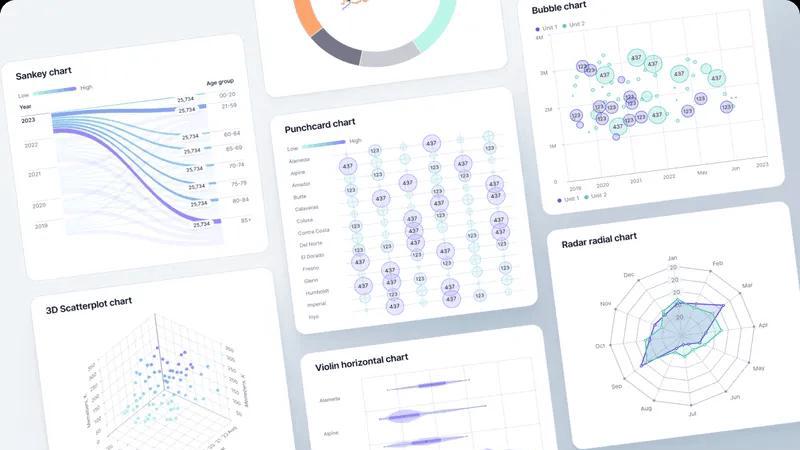
About Fusedash
Fusedash is a cutting-edge AI-powered data visualization platform crafted for teams eager to turn their connected data into clear, actionable insights. It serves as a unified workspace, enabling users to create decision-ready dashboards, interactive charts, detailed maps, and narrative reports without the hassle of reconstructing logic across multiple disconnected tools. The primary value proposition of Fusedash lies in its consistency and efficiency: key metrics and KPIs are defined once and reused across various views and reports, ensuring that everyone in the organization—from leadership to marketing to operations—aligns on the same trusted numbers. Fusedash is tailored for teams fed up with manual reporting cycles and conflicting data narratives. It empowers users to monitor real-time happenings while gaining a deeper understanding of the underlying reasons by drilling down into segments, regions, or time periods. With integrated AI features such as natural language data chat and intelligent visualization assistance, Fusedash accelerates data exploration and reporting, transforming raw data into a unified source of truth that fosters alignment and drives actionable insights.
Features of Fusedash
Flexible Views
Fusedash offers the ability to build tailored dashboards, charts, maps, or report-style views, allowing different teams to access the specific answers they need. This feature minimizes unnecessary back and forth, enabling stakeholders to see what matters most while retaining a unified data source.
AI Chart Generator
The AI Chart Generator within Fusedash allows users to create powerful visuals from CSVs or APIs in mere minutes. Users can select the right chart type, apply comparisons, and refine labels to ensure the charts tell the right story, facilitating faster reporting and enhanced clarity.
Dashboard Software
Fusedash combines dashboarding and reporting in one workspace, allowing teams to monitor KPIs while giving context through narrative reporting. This feature helps clarify changes, their significance, and future implications, keeping teams aligned and reducing conflicting reports.
AI Chat
The Smart Chat feature allows users to interact with their data using plain language. This functionality accelerates the data exploration process, providing suggestions for metrics, charts, and breakdowns, and easily converting insights into shareable dashboard views.
Use Cases of Fusedash
Marketing Performance Tracking
Marketing teams can utilize Fusedash to create dashboards that visualize campaign performance metrics, enabling them to quickly assess the success of various strategies. This helps in making data-driven decisions to optimize future campaigns based on real-time insights.
Sales Analytics
Sales teams can leverage Fusedash to monitor sales performance across different regions and segments. By using interactive charts and maps, they can identify trends, track targets, and allocate resources more effectively, enhancing overall sales strategies.
Financial Reporting
Finance departments can use Fusedash to generate comprehensive financial reports that combine various data sources. This allows them to present a clear financial picture to stakeholders, ensuring everyone understands key metrics and financial health.
Operational Efficiency Monitoring
Operations teams can employ Fusedash to track key operational metrics and workflows. By visualizing data through customizable dashboards, they can identify bottlenecks and inefficiencies, facilitating quicker adjustments and optimizations.
Frequently Asked Questions
What types of data can I upload to Fusedash?
You can upload various data formats, including CSV files and connect through APIs. Fusedash also supports public data integration, allowing for enriched views that provide greater context.
How does Fusedash ensure data consistency across reports?
Fusedash allows you to define your key metrics and KPIs once, ensuring that they can be reused across all views and reports. This standardization helps maintain consistency and trust in the data presented throughout the organization.
Can I customize the dashboards for different teams?
Absolutely! Fusedash enables you to customize layouts, filters, and time ranges, ensuring that each team sees the data that matters most to them without duplicating work.
What are the AI capabilities of Fusedash?
Fusedash includes advanced AI features like Smart Chat, allowing users to ask questions in plain language and receive suggestions for metrics and visualizations. This functionality enhances data exploration and helps users find the insights they need quickly.
Explore more in this category:
Similar to Fusedash


Privacy-first, cookieless web analytics that ties your traffic and marketing channels to real Stripe revenue.

Find the academics you need to reach

Online tally counter for tracking attendance, workouts, inventory, sports scores, visitors, habits, and everyday counting tasks.


Research keywords, competitors, backlinks and AI visibility inside Claude or Codex, with findings saved to your SEO dashboard.

Optilise is a Dutch Power BI consultancy helping SMEs get a grip on their numbers with clear BI software and solutions. We make companies self suffici