
claude ide
Claude IDE accelerates coding with AI assistance for smarter, faster development directly in your terminal and VS Code.
Visit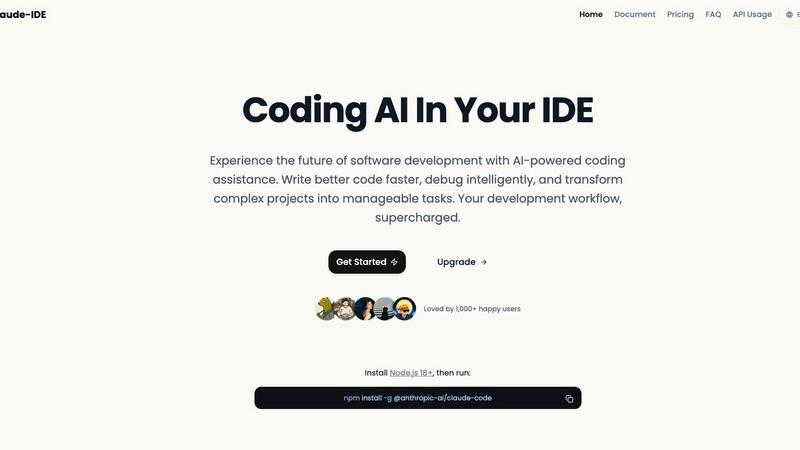
About claude ide
Claude IDE is the cutting-edge AI coding assistant engineered to enhance the software development experience. It integrates seamlessly into your terminal and popular IDEs, such as VS Code and JetBrains, offering developers intelligent coding assistance that is readily accessible. Whether you're an experienced programmer, a student eager to learn, or a hobbyist looking to elevate your projects, Claude IDE is designed to cater to your specific needs. Its primary value proposition lies in enabling better coding efficiency while alleviating the financial strain commonly associated with advanced coding tools. By comprehensively understanding entire codebases, performing complex edits, and integrating with version control systems like GitHub and GitLab, Claude IDE streamlines your workflow from coding to deployment. Embrace a new era of coding, where the focus shifts from merely writing code to writing better code in less time, transforming intricate projects into manageable tasks effortlessly.
Features of claude ide
Intelligent Code Understanding
Claude IDE's ability to grasp your entire codebase allows it to make coordinated changes across multiple files. This ensures that the suggestions it provides are relevant and tailored to fit the specific architecture and needs of your project, enhancing overall development efficiency.
Seamless Integration
With Claude IDE, there is no need for constant context switching. It is designed to live directly within your terminal and IDE, providing a frictionless coding experience. Its deep integration with popular IDEs like VS Code and JetBrains makes it a natural companion for developers.
Powerful Multi-File Edits
Claude IDE excels at executing complex edits across multiple files with accuracy and functionality. This feature ensures that developers can confidently implement significant changes without the risk of introducing errors, thereby streamlining the development process.
Comprehensive Workflow Management
By integrating deeply with GitHub, GitLab, and command-line tools, Claude IDE manages the complete development workflow. Developers can read issues, write code, execute tests, and submit pull requests, all from within their terminal, reducing the need for external tools and enhancing productivity.
Use Cases of claude ide
Onboarding New Developers
For teams onboarding new developers, Claude IDE simplifies the process. It quickly analyzes and explains codebases, allowing newcomers to familiarize themselves with project architectures and dependencies in a matter of seconds, facilitating faster integration.
Collaborative Development
Claude IDE transforms collaborative development by streamlining the workflow. Developers can manage issues, execute code, and submit pull requests all in one place, significantly reducing the time spent switching between different tools and enhancing team efficiency.
Rapid Prototyping
For developers working on prototypes, Claude IDE can expedite the coding process by automating complex edits and providing intelligent suggestions. This feature allows developers to focus on creativity and innovation without getting bogged down by tedious coding tasks.
Debugging and Code Refinement
When it comes to debugging, Claude IDE’s intelligent suggestions help identify potential issues quickly. It not only aids in fixing bugs but also enhances code quality by suggesting improvements, allowing developers to refine their code on the fly.
Frequently Asked Questions
What platforms does Claude IDE support?
Claude IDE supports popular IDEs, including Visual Studio Code and JetBrains, as well as terminal environments, making it versatile for various development setups.
How does Claude IDE integrate with version control systems?
Claude IDE integrates seamlessly with GitHub and GitLab, allowing developers to manage their entire workflow from reading issues to submitting pull requests, all within their coding environment.
Is Claude IDE suitable for beginners?
Absolutely! Claude IDE is designed for developers of all skill levels. Its intuitive features and intelligent assistance make it an excellent choice for beginners looking to enhance their coding skills.
What programming languages does Claude IDE support?
Claude IDE has been built to support a wide range of programming languages. Its intelligent code understanding capabilities adapt to various languages, making it a helpful tool for diverse coding projects.
Similar to claude ide


Create videos from text, images, or references with HappyHorse 1.1, flexible 720P/1080P output, optional audio, and API workflows.


Hand-checked AI tools with real pricing on the card and no paid ranks.

AI phone-screens every applicant in 11 Indian languages and returns a ranked shortlist. Pay per screen, no seats.

AI transcription for voice notes, meetings, and audio files in 1,700 languages, with AI summaries and subtitle export and unlimited chat ai usage.

AI sales agent that finds qualified leads, runs outreach, follows up automatically, creates content, and helps book more meetings.