
dmaya vs Z-Image-Edit
Side-by-side comparison to help you choose the right product.

dmaya
dMaya is the AI design platform for agencies to generate, iterate, and export client-ready UI at lightning speed.
Last updated: April 13, 2026

Z-Image-Edit
Z-Image-Edit is your go-to app for lightning-fast image creation and editing using simple text commands.
Last updated: February 28, 2026
Visual Comparison
dmaya
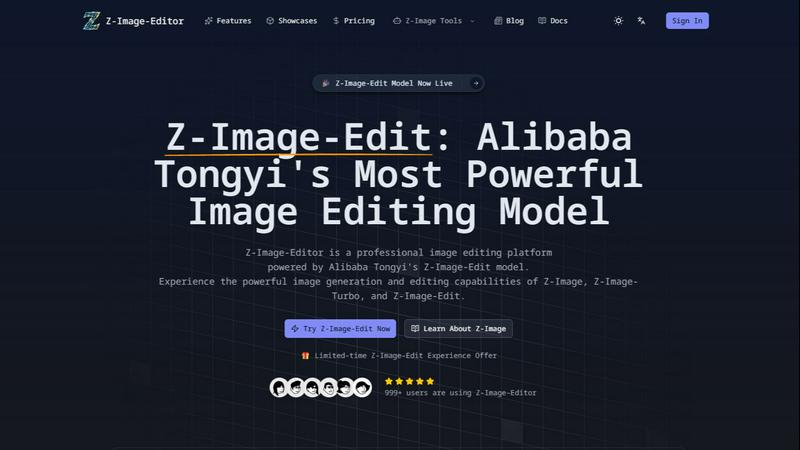
Z-Image-Edit
Feature Comparison
dmaya
Conversational AI Design Generation
Describe your vision in plain language and watch dmaya generate complete, professional UI designs in seconds. Input a brief for a SaaS dashboard or a mobile app flow, and the AI agent delivers fully realized screens with coherent layouts, component systems, and responsive variants. This feature eliminates the blank canvas, turning abstract ideas into tangible, editable designs instantly, so you can start refining immediately instead of starting from scratch.
Real-Time Iterative Refinement
Iterate on your designs through a natural language chat interface. Simply ask the AI to change the color palette, swap a layout, adjust typography scales, or add new sections. Every change is applied instantly and precisely across your project. Design tokens work behind the scenes to maintain visual consistency automatically, ensuring that your iterations are fast and your design system remains intact without manual oversight.
Client Presentation & Feedback Portal
Share your work in seconds with a single, secure preview link. Clients and stakeholders can review the interactive designs directly in their browser, leave contextual feedback, and give approval—no account required. This streamlines the entire review cycle, collapsing what used to be a days-long email thread or meeting schedule into a rapid, collaborative process that happens in minutes, all within the dmaya platform.
Design-to-Code Export for AI Agents
When designs are approved, export them as clean, semantic HTML, CSS, and JavaScript code. This output is perfectly structured for handoff to modern AI coding assistants like Claude Code, Cursor, or any other agent. They can then seamlessly transform your visual designs into production-ready code in your team's preferred framework, be it React, Next.js, Flutter, or React Native, bridging the gap between design and development.
Z-Image-Edit
Natural Language Processing
Z-Image-Edit utilizes advanced natural language processing capabilities that allow users to describe their desired edits in simple terms. This feature eliminates the need for technical jargon, making image editing accessible to everyone, from novice users to seasoned professionals.
Ultra-Fast Generation
With the Z-Image-Turbo model, users can generate high-quality images in as little as 2 seconds. This incredible speed enables rapid prototyping and instant results, making it the ideal choice for time-sensitive projects where efficiency is crucial.
Multilingual Support
Z-Image-Edit provides bilingual text rendering, supporting both English and Chinese instructions. This feature enhances usability for a global audience, making it easier for users from diverse linguistic backgrounds to engage with the platform and produce stunning visuals.
Flexible Model Options
The platform offers three distinct models—Z-Image-Edit, Z-Image-Turbo, and Z-Image-Base—each serving different user requirements. Whether you need detailed instruction-driven edits, quick image generation, or an open-source solution for development, Z-Image-Edit has you covered.
Use Cases
dmaya
Agency Pitch & Concept Development
Agencies can accelerate their client acquisition and pitch process dramatically. Generate multiple high-fidelity design concepts during a discovery call to visually capture requirements. Present polished, interactive directions to stakeholders within hours, not weeks. The rapid iteration and easy client feedback loop enable faster alignment, helping agencies win more projects by demonstrating value and vision at lightning speed.
Product Team Ideation & Prototyping
Product teams can explore and validate UI directions before committing expensive engineering resources. Use dmaya to quickly prototype different user flows, landing pages, or app features. Collaborate across design, product, and engineering in a single workspace to align on vision early. This reduces costly rework later in the development cycle and ensures what gets built matches the intended user experience from the start.
Freelancer Project Delivery
Freelancers and independent designers can drastically increase their capacity and project throughput. Take on more client work without increasing hours by leveraging AI to handle initial design generation and tedious iteration. Deliver professional-grade presentations and gather client feedback efficiently, allowing for higher-value service and the ability to charge more by focusing on strategy and refinement over manual pixel-pushing.
Design System Exploration & Creation
Teams looking to establish or evolve a visual language can use dmaya as a rapid exploration tool. Generate multiple thematic directions (e.g., "a dashboard with a dark, professional vibe" vs. "a light, energetic feel") to compare. Use conversational iteration to fine-tune color, spacing, and typography scales, with design tokens ensuring consistency. Export the foundational styles as code to kickstart a unified component library.
Z-Image-Edit
Graphic Design
Graphic designers can leverage Z-Image-Edit to create stunning visuals quickly, allowing them to focus on creativity rather than technical details. The ability to generate images based on simple descriptions streamlines the design process significantly.
Marketing Campaigns
Marketers can utilize Z-Image-Edit for creating eye-catching promotional materials and social media graphics. With ultra-fast generation and high-quality outputs, campaigns can be launched faster, responding to market trends in real-time.
Content Creation
Content creators, including bloggers and video editors, can enhance their visuals effortlessly. Whether it’s creating featured images or thumbnails, Z-Image-Edit makes it easy to produce engaging content that captivates audiences.
Educational Purposes
Educators can use Z-Image-Edit to generate visuals for presentations or learning materials. The platform’s quick generation and multilingual support make it a valuable tool for creating engaging educational content that resonates with diverse learners.
Overview
About dmaya
dmaya is the AI design platform purpose-built for professional workflows, delivering design at the speed of thought. It is the essential visual design step that most AI tools skip, enabling agencies, product teams, and freelancers to design before they code. The core value proposition is simple: generate, iterate, and approve production-ready UI designs in minutes, not weeks. You start by chatting with an AI agent, describing a SaaS dashboard, e-commerce flow, or mobile app to get polished, multi-screen designs in seconds. Then, you refine through conversation—asking to change colors, swap layouts, or adjust typography with instant, precise updates. Design tokens ensure visual consistency automatically. Once the design is locked, share a client-ready preview link for feedback and approval, a cycle that now takes minutes instead of days. Finally, export clean HTML, CSS, and JS code to hand off to coding agents like Cursor or Claude Code for building in React, Next.js, Flutter, or any framework. dmaya is built for teams that need to present concepts, align stakeholders, and secure sign-off with confidence before a single line of development code is written.
About Z-Image-Edit
Z-Image-Edit is a revolutionary online image editor and generator designed to elevate your creative workflow with lightning speed and professional-grade output. Powered by Alibaba Tongyi's state-of-the-art Z-Image series models, this platform allows users to make precise image edits and generate stunning visuals by simply using natural language instructions in both English and Chinese. Forget the hassle of complex software interfaces; just describe what you envision, and Z-Image-Edit brings it to life with remarkable accuracy. It's perfect for designers, marketers, content creators, and developers who demand photorealistic results. The platform features three robust models tailored to different needs: Z-Image-Edit for instruction-driven edits, Z-Image-Turbo for ultra-fast generation in as little as 2 seconds, and Z-Image-Base for those looking to customize and develop using open-source frameworks. Built on an advanced 6B-parameter Single-Stream Diffusion Transformer (S3-DiT) architecture, Z-Image-Edit combines efficiency with exceptional output quality, ensuring that creativity is both powerful and seamless.
Frequently Asked Questions
dmaya FAQ
How does dmaya differ from other AI design tools?
Unlike most AI tools that bypass design to generate code directly, dmaya is built specifically for the professional design process. It focuses on the critical visual design and client approval phase that agencies and teams require. It provides a collaborative, iterative design environment with client presentation features, ensuring alignment before any code is written. It then exports developer-friendly code for AI agents to build upon.
What kind of designs can I create with dmaya?
dmaya is built for a wide range of professional UI and UX design projects. You can generate and refine complete user interfaces for web and mobile applications. Common projects include SaaS product dashboards, e-commerce website flows, mobile app screens, landing pages, admin panels, and more. Describe your need in text, and the AI will create appropriate, polished screen designs.
Do clients need an account to review my designs?
No, clients and stakeholders do not need any account to review your work. You simply generate a shareable preview link from within your dmaya project and send it to them. They can view the interactive designs in their web browser, leave comments, and provide approval entirely as a guest, making the feedback loop incredibly fast and frictionless.
What code frameworks can I export to?
dmaya exports your finalized designs as clean, standards-based HTML, CSS, and JavaScript. This agnostic output is intentionally structured to be easily consumed by AI coding assistants like Cursor, Claude Code, GitHub Copilot, and others. You can then instruct those agents to convert the code into any modern framework your team uses, such as React, Next.js, Vue, Svelte, Flutter, or React Native.
Z-Image-Edit FAQ
What types of images can I create with Z-Image-Edit?
Z-Image-Edit allows you to create a wide variety of images, including graphics for marketing, illustrations for blogs, and visuals for social media. Its flexibility caters to numerous creative needs.
Is Z-Image-Edit easy to use for beginners?
Absolutely! Z-Image-Edit is designed with user-friendliness in mind. You can simply describe what you want in natural language, making it accessible for users of all skill levels.
How fast can I expect results from Z-Image-Turbo?
With Z-Image-Turbo, you can expect high-quality image generation in as little as 2 seconds. This rapid output is perfect for those who need quick results without compromising quality.
Can I use Z-Image-Edit for commercial purposes?
Yes, Z-Image-Edit can be used for commercial purposes, making it an excellent tool for businesses looking to create professional-grade visuals for various marketing and branding efforts.
Alternatives
dmaya Alternatives
dmaya is a specialized AI vibe design platform that accelerates the UI design and client approval process for agencies, teams, and freelancers. It sits at the intersection of AI-powered design generation and collaborative workflow tools, enabling users to create, iterate, and get sign-off on visual designs before a single line of code is written. Users often explore alternatives for various reasons, including budget constraints, specific feature requirements like advanced prototyping or native app integrations, or a need for a platform tailored to solo designers versus large enterprise teams. The search for the right tool is driven by the unique demands of each project and team structure. When evaluating options, key considerations should include the quality and control of AI-generated designs, the efficiency of the client feedback and approval cycle, and the readiness of the exported output for your development stack. The goal is to find a solution that streamlines the entire pre-development phase without compromising on creative intent or team alignment.
Z-Image-Edit Alternatives
Z-Image-Edit is an advanced online image editor and generator that leverages Alibaba's innovative AI technology, specifically designed for transforming images with natural language commands. This product is ideal for designers, marketers, and content creators who seek to streamline their creative process while achieving professional-quality results. Users often search for alternatives due to factors such as pricing, specific feature sets, platform compatibility, or the need for additional customization options. When selecting an alternative, it is essential to consider aspects like ease of use, speed of output, image quality, and the range of functionalities that can cater to varying creative needs. --- [{"question": "What is Z-Image-Edit?", "answer": "Z-Image-Edit is a professional-grade online image editor and generator powered by Alibaba Tongyi's AI technology, allowing users to create and edit images using natural language commands."}, {"question": "Who is Z-Image-Edit for?", "answer": "Z-Image-Edit is designed for designers, marketers, content creators, and developers who require fast, high-quality image generation and editing."}, {"question": "Is Z-Image-Edit free?", "answer": "The pricing model for Z-Image-Edit may vary, and users should check the platform for specific subscription or usage costs."}, {"question": "What are the main features of Z-Image-Edit?", "answer": "Key features of Z-Image-Edit include natural language instruction editing, ultra-fast image generation with Z-Image-Turbo, and accurate bilingual text rendering."}]