
Nano Banana vs Shrinkpad
Side-by-side comparison to help you choose the right product.

Nano Banana
Nano Banana lets you create and edit stunning images simply by chatting with its powerful, easy-to-use AI.

Shrinkpad
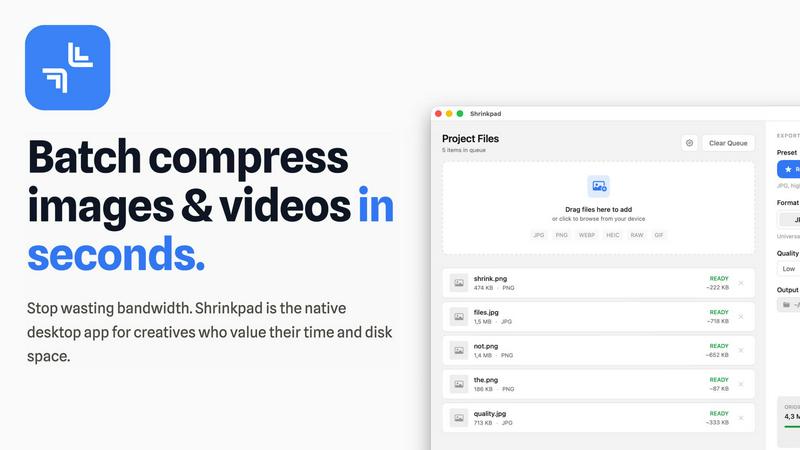
Shrinkpad instantly compresses batches of images and videos on your Mac to save space and time.
Last updated: February 28, 2026
Visual Comparison
Nano Banana

Shrinkpad
Overview
About Nano Banana
Nano Banana is a powerful, AI-driven platform that makes professional-grade image creation and editing accessible to everyone. It transforms the complex world of visual design by letting you use simple text prompts to generate and edit images. Whether you're a marketer needing a quick ad mockup, a content creator looking for unique blog graphics, a designer seeking inspiration, or just someone who wants to enhance their photos, Nano Banana provides an intuitive solution. Its core value is speed and simplicity: instead of learning intricate software tools, you describe your vision in natural language. The AI then handles the technical execution, from replacing backgrounds and altering lighting to generating entirely new scenes from scratch. With advanced models like Nano Banana Pro, it offers superior capabilities like consistent character editing, 4K ultra-resolution output, and sharp text generation, making it a versatile tool for both casual projects and professional commercial work. The platform also includes specialized tools like an AI Image Upscaler and Background Remover, forming a complete creative suite powered by artificial intelligence.
About Shrinkpad
Shrinkpad is the ultimate batch compression powerhouse built exclusively for macOS. It slashes through the tedious work of optimizing images and videos, delivering lightning-fast results without sacrificing quality. Designed for photographers, designers, developers, and content creators, it transforms hours of manual busywork into a task that takes seconds. Simply drag and drop hundreds of files or entire folders, and Shrinkpad compresses them in a flash, reducing sizes by up to 90% while preserving visual integrity. Every operation happens locally on your Mac using native Apple frameworks, guaranteeing complete privacy—your files never touch the cloud. With seamless support for over 50 formats, including RAW photos and 4K videos, Shrinkpad is the essential tool for reclaiming disk space, speeding up websites, and streamlining your entire media workflow with unmatched efficiency.