
Proofapp vs ScreenDemos
Side-by-side comparison to help you choose the right product.

Proofapp
Streamline feedback with visual comments on any webpage, cutting revisions and boosting productivity effortlessly.
Last updated: March 4, 2026

ScreenDemos
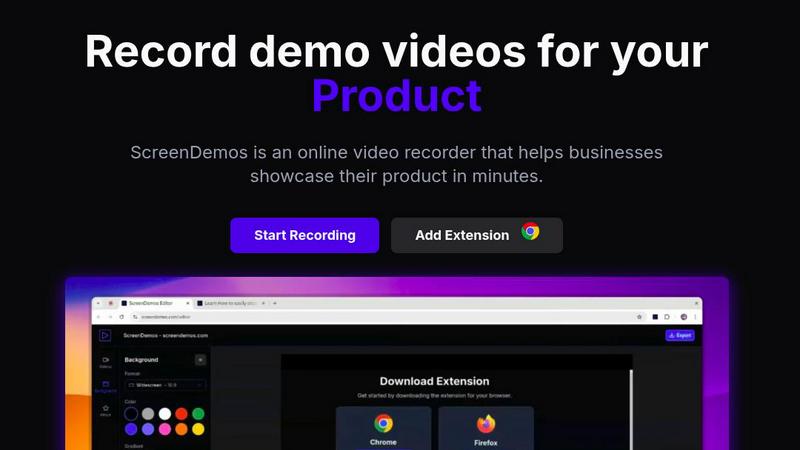
Create professional product demo videos in minutes with ScreenDemos' automatic effects and seamless recording.
Last updated: February 28, 2026
Visual Comparison
Proofapp

ScreenDemos
Feature Comparison
Proofapp
Visual Commenting
With Proofapp's visual commenting feature, users can click anywhere on a screenshot to leave contextual feedback. This eliminates confusion about location, making it clear exactly where changes are needed, thus speeding up the revision process.
Multi-Breakpoint Testing
Proofapp captures and reviews your website at both desktop and mobile breakpoints automatically. This ensures that feedback is relevant for all devices, allowing developers to create responsive designs that work flawlessly across platforms.
Real-time Collaboration
Experience the power of real-time collaboration with Proofapp. Team members can see comments as they come in, allowing for immediate replies, resolutions, and progress tracking—all in one organized visual dashboard.
Secure Share Links
Easily share projects with clients through secure, expirable links. This feature allows clients to view and comment on the project without needing an account, facilitating seamless communication and feedback collection.
ScreenDemos
Automatic Zoom Effects
With ScreenDemos' automatic zoom effects, producing engaging video demos becomes effortless. This feature guides the viewer's attention seamlessly, allowing you to highlight key areas of your screen without manual adjustments or extensive editing.
Smooth Animated Cursor
The smooth animated cursor feature enhances the viewer experience by providing a larger, more visible cursor that glides effortlessly across the screen. This makes it easier for viewers to follow along, ensuring that they do not miss critical actions during the demo.
Shortcuts Hints
Improve viewer engagement with shortcut hints displayed on-screen. This feature allows you to effortlessly showcase keyboard shortcuts during your demo, making it easier for your audience to learn and understand the functionalities of your product.
Custom Backgrounds
Personalize your demo videos with custom backgrounds that align with your brand’s identity. This feature allows you to maintain a consistent visual style across your videos, enhancing brand recognition while engaging your audience.
Use Cases
Proofapp
Freelancers
Freelancers can use Proofapp to collect precise feedback from clients, saving valuable time on revisions. By presenting feedback visually, they can maintain a professional edge while ensuring that projects remain on track.
Small Design Teams
Small design teams can streamline their client approval process using Proofapp. The ability to pin comments directly on designs reduces the overhead typically associated with feedback loops, allowing teams to focus on creative work.
Marketing Teams
Marketing teams can leverage Proofapp to review landing pages and campaigns visually. This enhances collaboration and ensures that all team members are on the same page regarding design and messaging.
Remote Development Teams
For remote development teams, Proofapp provides a centralized platform for visual feedback, making it easier to manage projects across different locations. The secure sharing and real-time collaboration features ensure that everyone stays aligned.
ScreenDemos
Product Demos for Entrepreneurs
Entrepreneurs can leverage ScreenDemos to create stunning product demos in mere minutes. Whether announcing a new feature or showcasing product capabilities, this tool helps capture potential customers' attention quickly and effectively.
Onboarding Tutorials for Teams
Design and support teams can use ScreenDemos to produce onboarding tutorials that simplify the training process. By creating clear, concise videos, teams can expedite user onboarding and reduce confusion, ultimately enhancing the user experience.
Marketing Campaigns for Marketers
Marketers can utilize ScreenDemos to produce captivating videos for marketing campaigns. By showcasing features or benefits dynamically, they can engage their audience and communicate effectively, driving higher conversion rates.
Social Media Sharing for Developers
Developers can create quick demo videos to share on social media platforms, highlighting new features or changes in their applications. This not only boosts visibility but also encourages user feedback and engagement in real-time.
Overview
About Proofapp
Proofapp is a cutting-edge visual feedback and website review platform designed to streamline collaboration between designers, developers, and their clients. By allowing users to upload any website URL, Proofapp automatically captures high-quality desktop and mobile screenshots, making it easier than ever to gather actionable feedback. Reviewers can pin comments directly onto the design, engage in threaded discussions, and attach relevant files, all without the need for account creation. This platform is perfect for freelancers seeking client feedback and agencies managing multiple projects, as it eliminates the chaos of scattered emails and ambiguous revision notes. With features like real-time notifications, Slack integration, and multi-page support, Proofapp transforms feedback into a visual, organized, and efficient process, ensuring that teams can focus on what really matters: delivering outstanding designs.
About ScreenDemos
ScreenDemos is the revolutionary, lightning-fast solution designed to help businesses create professional-grade video demos right from their web browsers. It streamlines the traditional, often tedious process of recording, editing, and post-processing, allowing users to produce studio-quality videos in minutes instead of hours. With a user-friendly browser extension, anyone—from marketing teams and product developers to educators and support staff—can effortlessly record their screens and automatically generate engaging content. The tool enhances videos with dynamic zoom effects, smooth cursor animations, and on-screen shortcut hints, ensuring viewers remain captivated. The main value proposition is clear: eliminate the need for complex software and editing skills, enabling users to focus on communicating their ideas with speed and impact. Whether you are showcasing a product feature or creating a tutorial, ScreenDemos is engineered for efficiency and effectiveness, making it an essential tool for modern businesses.
Frequently Asked Questions
Proofapp FAQ
How does Proofapp improve feedback collection?
Proofapp improves feedback collection by allowing users to pin comments directly on screenshots. This visual approach eliminates confusion and miscommunication that often occurs with traditional email chains.
Is there a free trial available?
Yes, Proofapp offers a generous free trial period of 60 days with full access to all features, allowing users to experience the platform without any financial commitment.
Do clients need to create an account to leave feedback?
No, clients do not need to create an account to leave feedback. Proofapp allows for secure sharing through expirable links, making it easy for clients to provide input.
What types of files can be attached to comments?
Users can attach various file types to comments, including images, documents, and other relevant files, providing complete context for the feedback being given.
ScreenDemos FAQ
Is ScreenDemos privacy-friendly?
Yes, ScreenDemos prioritizes user privacy. It never collects or stores any user data, processing all recordings locally. Users can choose to save videos on their devices or on the ScreenDemos website, ensuring data security.
What devices are supported?
ScreenDemos is compatible with all major browsers that support extensions, including Chrome and Firefox. It works seamlessly across all operating systems, including Windows, macOS, and Linux, making it accessible for everyone.
Why do I need to give permission to the extension?
The ScreenDemos extension requires permission to access your screen for recording. This ensures that users can capture their screen accurately and utilize the tool's features effectively while maintaining security and privacy.
Can I edit my videos after recording?
Yes, ScreenDemos allows you to preview and make edits to your demo videos after recording. This means you can refine your content, add enhancements, and ensure that it meets your quality standards before sharing it with your audience.
Alternatives
Proofapp Alternatives
Proofapp is a visual feedback and website review platform designed for designers, developers, and their clients to streamline collaboration. By capturing screenshots of any website on both desktop and mobile, it allows for seamless communication through pinned comments, threaded replies, and file attachments, all without the need for an account. As a design tool, it simplifies the feedback process by keeping everything organized and actionable. Users often seek alternatives to Proofapp for various reasons, such as pricing structures, specific feature sets, or compatibility with certain platforms or workflows. When exploring alternatives, consider factors like user interface, integration capabilities, support for multi-page projects, and flexibility in customization. It's essential to find a solution that aligns with your team's needs, enhancing productivity and communication efficiency.
ScreenDemos Alternatives
ScreenDemos is a fast and efficient solution for creating professional-grade product demos directly from your web browser. As part of the content creation and design tools category, it enables users to record their screens and produce engaging videos without the hassle of traditional editing. Users often seek alternatives due to various factors, including pricing, specific feature sets, or compatibility with different platforms. Whether it's for budget constraints or the need for specialized functionalities, exploring alternatives can provide options that better suit individual or team requirements. When selecting an alternative, consider factors such as user-friendliness, the range of features offered, integration capabilities, and the overall cost. Look for tools that prioritize speed and efficiency, mirroring the streamlined experience that ScreenDemos provides. Additionally, ensure that any chosen solution aligns with your specific needs in video production and enhances your workflow.