
Beesift vs ScreenDemos
Side-by-side comparison to help you choose the right product.
BeeSift instantly extracts goal-focused insights from any webpage to save you time.
Last updated: March 1, 2026

ScreenDemos
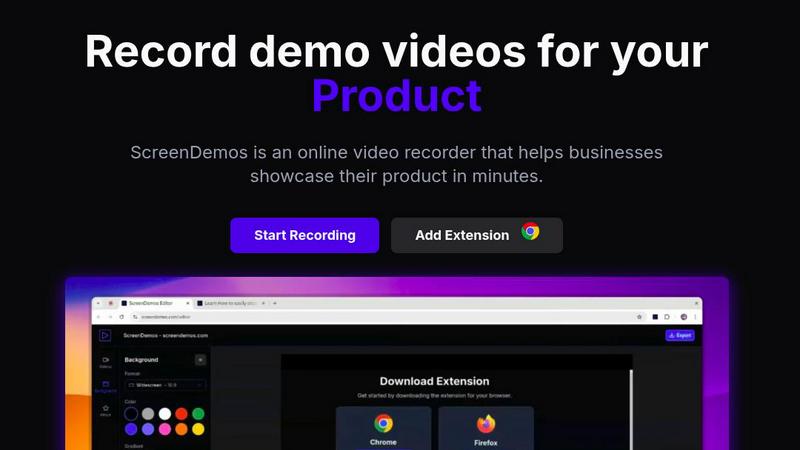
Create professional product demo videos in minutes with ScreenDemos' automatic effects and seamless recording.
Last updated: February 28, 2026
Visual Comparison
Beesift
ScreenDemos
Feature Comparison
Beesift
Goal-Aligned Insight Extraction
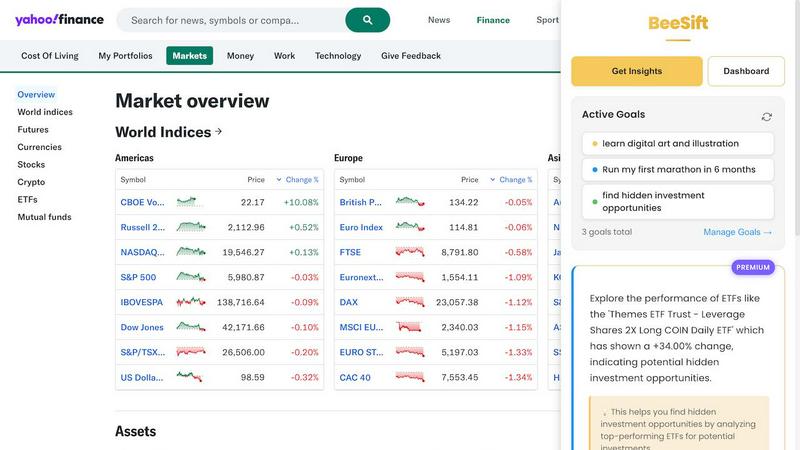
Beesift doesn't just summarize; it intelligently filters content through the lens of your specific, user-defined goals. Whether you're "Learning Python for data science" or "Training for a marathon," the AI scans the page and extracts only the key points, resources, and actionable steps that directly advance your objectives. This ensures every piece of information you receive is relevant and immediately useful, eliminating generic fluff.
One-Shortcut Operation
Speed is everything. Activate Beesift's power instantly on any webpage by pressing Ctrl+Shift+K. There's no need to open a separate app, copy-paste text, or navigate menus. This seamless integration turns your normal browsing into a hyper-efficient research session, delivering a concise list of insights in seconds without breaking your workflow or focus.
Privacy-First Dashboard
All your saved insights and goals are managed in a secure, private dashboard within your browser. Beesift is built with privacy by design—it processes page content to generate insights but does not store your browsing history, track the sites you visit, or serve ads. Your personal knowledge arsenal remains completely confidential and under your control.
Personal Knowledge Arsenal
Every insight you extract is automatically tagged and saved to its relevant goal within your dashboard. This creates a searchable, organized repository of the most valuable information you've found across the web. Building a fitness routine? All your health and training insights are instantly accessible in one place, turning scattered browsing into structured, actionable knowledge.
About ScreenDemos
Automatic Zoom Effects
With ScreenDemos' automatic zoom effects, producing engaging video demos becomes effortless. This feature guides the viewer's attention seamlessly, allowing you to highlight key areas of your screen without manual adjustments or extensive editing.
Smooth Animated Cursor
The smooth animated cursor feature enhances the viewer experience by providing a larger, more visible cursor that glides effortlessly across the screen. This makes it easier for viewers to follow along, ensuring that they do not miss critical actions during the demo.
Shortcuts Hints
Improve viewer engagement with shortcut hints displayed on-screen. This feature allows you to effortlessly showcase keyboard shortcuts during your demo, making it easier for your audience to learn and understand the functionalities of your product.
Custom Backgrounds
Personalize your demo videos with custom backgrounds that align with your brand’s identity. This feature allows you to maintain a consistent visual style across your videos, enhancing brand recognition while engaging your audience.
Use Cases
Beesift
For Accelerated Learning
Students and lifelong learners can extract key concepts, recommended resources, and critical learning paths from dense educational articles, tutorials, and research papers. Instead of reading 1,500+ words, get the core frameworks, definitions, and next-step resources tailored to your current study focus in a digestible list, dramatically speeding up comprehension and skill acquisition.
For Efficient Professional Research
Professionals monitoring industry trends can cut through lengthy market analyses, reports, and news articles. Beesift filters out the filler to deliver only the specific data points, emerging trends, and strategic insights that impact your business or career decisions, enabling you to stay informed and make faster, data-driven choices without the overwhelm.
For Streamlined Project Building
Developers, founders, and builders can quickly find implementation details, best practices, and solutions buried in technical documentation, forum threads, and API guides. Beesift identifies the exact code examples, potential gotchas, and procedural steps you need, saving countless hours of manual searching and reading through irrelevant sections.
For Personal Goal Management
Whether planning a marathon, learning to invest, or mastering a hobby, Beesift helps you gather and organize actionable advice from across the web. It transforms casual reading into structured progress, extracting training tips, investment principles, or creative techniques directly aligned with your personal milestones, keeping your efforts focused and effective.
ScreenDemos
Product Demos for Entrepreneurs
Entrepreneurs can leverage ScreenDemos to create stunning product demos in mere minutes. Whether announcing a new feature or showcasing product capabilities, this tool helps capture potential customers' attention quickly and effectively.
Onboarding Tutorials for Teams
Design and support teams can use ScreenDemos to produce onboarding tutorials that simplify the training process. By creating clear, concise videos, teams can expedite user onboarding and reduce confusion, ultimately enhancing the user experience.
Marketing Campaigns for Marketers
Marketers can utilize ScreenDemos to produce captivating videos for marketing campaigns. By showcasing features or benefits dynamically, they can engage their audience and communicate effectively, driving higher conversion rates.
Social Media Sharing for Developers
Developers can create quick demo videos to share on social media platforms, highlighting new features or changes in their applications. This not only boosts visibility but also encourages user feedback and engagement in real-time.
Overview
About Beesift
Beesift is a lightning-fast Chrome extension that transforms how you consume information online. It cuts through the endless noise of articles, reports, and documentation to deliver only the insights that matter to your personal and professional goals. Forget passive reading and endless scrolling. With a simple shortcut (Ctrl+Shift+K), Beesift's AI instantly analyzes any webpage and extracts 3-8 actionable, goal-aligned bullets, saving you hours of wasted time. It's built for ambitious individuals who value efficiency and focus—learners diving into new topics, professionals scanning industry news, and builders sifting through complex documentation. Your privacy is guaranteed; Beesift does not store your browsing history or track your activity. It's your personal research assistant, designed to supercharge productivity by ensuring every minute online directly contributes to your progress.
About ScreenDemos
ScreenDemos is the revolutionary, lightning-fast solution designed to help businesses create professional-grade video demos right from their web browsers. It streamlines the traditional, often tedious process of recording, editing, and post-processing, allowing users to produce studio-quality videos in minutes instead of hours. With a user-friendly browser extension, anyone—from marketing teams and product developers to educators and support staff—can effortlessly record their screens and automatically generate engaging content. The tool enhances videos with dynamic zoom effects, smooth cursor animations, and on-screen shortcut hints, ensuring viewers remain captivated. The main value proposition is clear: eliminate the need for complex software and editing skills, enabling users to focus on communicating their ideas with speed and impact. Whether you are showcasing a product feature or creating a tutorial, ScreenDemos is engineered for efficiency and effectiveness, making it an essential tool for modern businesses.
Frequently Asked Questions
Beesift FAQ
How is Beesift different from ChatGPT or other AI tools?
While ChatGPT is a general-purpose chatbot, Beesift is a specialized tool laser-focused on your specific goals. It acts as a filter for the entire web, not a generator. Beesift analyzes the content you are already viewing and extracts only the parts relevant to your pre-defined objectives, providing context-aware, actionable insights rather than generic summaries or responses.
Does Beesift work on all websites?
Yes. Beesift works on virtually any webpage you can read in your Chrome browser. This includes news articles, blog posts, academic papers, documentation sites, social media threads, forums, and more. If the content is publicly accessible and renderable in your browser, Beesift's AI can process it to extract goal-aligned insights.
Is my browsing data and history private?
Absolutely. Privacy is a core principle. Beesift processes page content locally in your browser session to generate insights. It does not store your browsing history, track which websites you visit, or sell your data. Your saved goals and extracted insights are stored locally in your browser's extension storage, keeping your information private and secure.
Can I change or update my goals?
Yes, you can update your active goals at any time from the dashboard. Beesift is designed to adapt to your evolving focus instantly. Whether you complete a goal or pivot to a new project, simply add or deactivate goals, and the AI will immediately begin filtering future extractions through the lens of your updated priorities.
ScreenDemos FAQ
Is ScreenDemos privacy-friendly?
Yes, ScreenDemos prioritizes user privacy. It never collects or stores any user data, processing all recordings locally. Users can choose to save videos on their devices or on the ScreenDemos website, ensuring data security.
What devices are supported?
ScreenDemos is compatible with all major browsers that support extensions, including Chrome and Firefox. It works seamlessly across all operating systems, including Windows, macOS, and Linux, making it accessible for everyone.
Why do I need to give permission to the extension?
The ScreenDemos extension requires permission to access your screen for recording. This ensures that users can capture their screen accurately and utilize the tool's features effectively while maintaining security and privacy.
Can I edit my videos after recording?
Yes, ScreenDemos allows you to preview and make edits to your demo videos after recording. This means you can refine your content, add enhancements, and ensure that it meets your quality standards before sharing it with your audience.
Alternatives
Beesift Alternatives
Beesift is a productivity-focused Chrome extension that extracts goal-aligned insights from webpages. It cuts through information overload by highlighting only the content that matters to your objectives, all while prioritizing user privacy with local data storage. Users often seek alternatives for various reasons. Some need different pricing models, specific integrations, or features beyond a browser extension. Others may require support for different platforms or have unique workflow demands that necessitate a different tool. When evaluating an alternative, focus on core efficiency. Prioritize tools that offer precise, actionable output without fluff. Strong privacy policies and seamless, non-disruptive integration into your existing browsing habits are also critical for maintaining a fast, focused workflow.
ScreenDemos Alternatives
ScreenDemos is a fast and efficient solution for creating professional-grade product demos directly from your web browser. As part of the content creation and design tools category, it enables users to record their screens and produce engaging videos without the hassle of traditional editing. Users often seek alternatives due to various factors, including pricing, specific feature sets, or compatibility with different platforms. Whether it's for budget constraints or the need for specialized functionalities, exploring alternatives can provide options that better suit individual or team requirements. When selecting an alternative, consider factors such as user-friendliness, the range of features offered, integration capabilities, and the overall cost. Look for tools that prioritize speed and efficiency, mirroring the streamlined experience that ScreenDemos provides. Additionally, ensure that any chosen solution aligns with your specific needs in video production and enhances your workflow.