
Hush Touch | Voice-to-Text for MacOS vs QuickImg
Side-by-side comparison to help you choose the right product.

Hush Touch | Voice-to-Text for MacOS
Hush Touch is an offline voice-to-text app for Mac that learns your vocabulary and delivers accurate, real-time.
Last updated: February 27, 2026

QuickImg
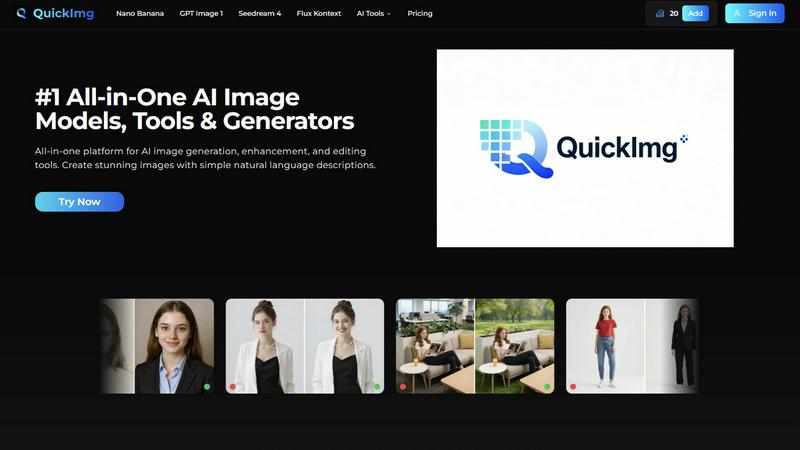
QuickImg instantly creates and edits stunning images with simple text prompts.
Last updated: February 28, 2026
Visual Comparison
Hush Touch | Voice-to-Text for MacOS

QuickImg
Feature Comparison
Hush Touch | Voice-to-Text for MacOS
Dual-Engine Recognition
Hush Touch employs a dual-engine system that combines the capabilities of DictationTranscriber for fluid natural language processing and SFSpeechRecognizer for boosting your custom vocabulary. This innovative blend allows for accurate dictation that captures your unique speech patterns and terminology.
Custom Vocabulary
The app supports a custom vocabulary of up to 500 terms, which can learn and adapt based on your corrections. This means whether you are dealing with technical jargon, brand names, or specialized terms, Hush Touch recognizes and incorporates them seamlessly into your dictation.
Smart Text Processing
Experience advanced text processing features, including the removal of filler words and auto-correction capabilities. Hush Touch's smart algorithms facilitate real-time formatting, such as creating numbered lists and eliminating unnecessary words, enhancing the overall clarity and quality of your transcriptions.
100% On-Device Privacy
With Hush Touch, your data remains secure as everything is processed entirely on your Mac. This commitment to user privacy means zero cloud dependency and no data collection, ensuring that your voice and information stay confidential.
QuickImg
Unified AI Model Hub
Access and compare multiple state-of-the-art AI image generators in one place. Choose from models like Nano Banana Pro for 2K/4K output, GPT Image 1 for superior text rendering, Seedream 4 for ultra-fast 4K generation, and Flux Kontext for precise editing. This hub allows you to instantly select the best model for your specific task—whether it's speed, resolution, or text accuracy—without juggling different subscriptions or platforms, streamlining your creative process dramatically.
Natural Language Image Crafting
Generate and modify images using simple, everyday language. Forget complex prompt engineering; just describe what you want to create or change. Tell QuickImg "a cat wearing a hat on Mars" or "make the background blue," and the AI handles the complex technical execution. This feature makes professional-grade image generation accessible to everyone, turning verbal ideas into visual reality in seconds.
One-Click Specialized Tools
Execute complex edits with a single click using a suite of AI-powered utilities. Instantly remove backgrounds, erase watermarks and unwanted text, upscale images to 4K, change clothes in photos, convert photos to anime, or transform pets into human characters. These tools automate specialized tasks that would take hours in traditional software, delivering professional results with unmatched speed and efficiency.
Ready-to-Use Templates & Workflow
Jumpstart your projects with a wide collection of professionally designed templates for common scenarios like product photos, social media posts, and advertisements. Combined with an intuitive, step-by-step interface (Describe, Generate, View Results), this feature guarantees a lightning-fast workflow. You achieve high-quality outcomes without starting from scratch, perfect for meeting tight deadlines and scaling content production.
Use Cases
Hush Touch | Voice-to-Text for MacOS
Professional Communication
For busy professionals, Hush Touch streamlines the process of drafting emails and messages. Dictate your thoughts in real time, allowing you to focus on content rather than typing, which enhances productivity and efficiency.
Medical Documentation
Healthcare providers can significantly benefit from Hush Touch by dictating patient notes and medical records accurately. With its ability to learn complex medical terminology, the app ensures that vital information is captured correctly without the hassle of manual entry.
Content Creation
Writers and content creators can utilize Hush Touch to brainstorm ideas and draft articles hands-free. The app's intelligent processing and adaptive learning make it an invaluable tool for anyone looking to enhance their writing workflow.
Code and Technical Documentation
Developers and technical writers will appreciate the app's capability to recognize coding terminology and syntax. Dictating code snippets and technical documentation becomes a breeze, allowing for a more fluid and efficient writing process.
QuickImg
Rapid Social Media Content Creation
Content creators and social media managers can produce a high volume of engaging, platform-specific graphics in record time. Generate unique visuals for posts, stories, and ads using natural language, quickly remove backgrounds for product highlights, or apply trendy styles like anime filters to photos. QuickImg's speed ensures you never miss a trending moment and can maintain a consistent, professional visual feed effortlessly.
E-commerce Product Visualization
Online sellers can instantly generate and enhance product images without a professional photoshoot. Create lifestyle shots by placing products in different AI-generated scenes, remove distracting backgrounds, upscale low-resolution images for detail clarity, and create consistent visual styles across a catalog. This drastically reduces time-to-market and costs associated with traditional product photography.
Creative Brainstorming & Prototyping
Designers, marketers, and teams can visualize concepts and ideas at the speed of thought. Use text-to-image to rapidly generate mood boards, concept art, ad mock-ups, and presentation visuals. The ability to iterate quickly with different AI models allows for fast exploration of creative directions, making brainstorming sessions more productive and visually tangible.
Personal Photo Enhancement & Fun
Individuals can easily edit personal photos for fun or practical use. Instantly remove unwanted objects or people from vacation pictures, change backgrounds for a new profile photo, transform a selfie into an anime character, or see a playful version of a pet as a human. QuickImg makes advanced photo editing accessible for personal projects, gifts, or simply exploring creativity without a technical hurdle.
Overview
About Hush Touch | Voice-to-Text for MacOS
Hush Touch is a cutting-edge voice-to-text application designed specifically for macOS, transforming the dictation experience into a fast, natural, and secure process. Built to operate entirely on-device, Hush Touch ensures offline functionality, making it perfect for users who prioritize privacy and efficiency. By harnessing the power of two advanced Apple transcription engines, combined with an Apple Intelligence final pass, it delivers cleaner and more accurate text outputs. The app is lightweight at just 5.5 MB, launches swiftly, and integrates seamlessly into everyday writing tasks with minimal setup required. Ideal for professionals, creatives, and anyone who needs to draft emails, messages, notes, documents, or any content hands-free, Hush Touch empowers users to dictate naturally. With a simple hotkey or voice activation through Siri, users can start dictation effortlessly and let the app auto-insert text after a brief pause. Hush Touch stands out by eliminating cloud reliance, enabling it to remove filler words, enhance punctuation, and evolve its vocabulary, ensuring that transcription remains private, efficient, and user-friendly.
About QuickImg
QuickImg is the ultimate all-in-one platform for AI-powered image creation and manipulation, designed for speed and efficiency. It consolidates multiple cutting-edge AI models and a comprehensive suite of editing tools into one intuitive interface, eliminating the need to switch between different services. The core value proposition is simple: generate, enhance, and edit stunning visuals in mere moments using simple natural language descriptions. Whether you're a professional designer needing rapid prototypes, a content creator crafting social media graphics, a marketer producing product visuals, or a hobbyist exploring creativity, QuickImg caters to all skill levels. By leveraging top-tier models like Nano Banana, GPT Image 1, and Seedream 4, it democratizes high-quality image production, removing the barrier of complex technical knowledge. The platform's streamlined workflow ensures you go from idea to finished asset faster than ever, making it the go-to solution for anyone looking to elevate their imagery game without the steep learning curve or time investment of traditional software.
Frequently Asked Questions
Hush Touch | Voice-to-Text for MacOS FAQ
How accurate is the transcription with Hush Touch?
Hush Touch offers high accuracy in transcription thanks to its dual-engine recognition system and Apple Intelligence final pass, ensuring that your spoken words are captured as intended.
Can I use Hush Touch offline?
Yes, Hush Touch operates entirely on-device, allowing you to dictate without an internet connection, ensuring both privacy and convenience.
How does the custom vocabulary feature work?
The custom vocabulary feature allows you to input specific terms and phrases that Hush Touch will learn over time. This includes corrections you make during dictation, ensuring that the app adapts to your unique language use.
Is there a trial period available for Hush Touch?
Yes, Hush Touch offers a 7-day free trial with no credit card required, allowing you to experience its features and functionality before making a purchase decision.
QuickImg FAQ
What AI models does QuickImg offer?
QuickImg provides access to several leading AI models in one platform. This includes Nano Banana and Nano Banana Pro for high-resolution generation, OpenAI's GPT Image 1 for excellent text understanding and rendering, ByteDance's Seedream 4 for fast 4K output, and Flux Kontext for precise editing with character consistency. You can choose the model that best fits your specific need for speed, quality, or detail.
Do I need to be a designer or know how to code to use QuickImg?
Absolutely not. QuickImg is built for users of all skill levels. Its core functionality is driven by natural language descriptions, meaning you simply type what you want to see or change in plain English. The interface is intuitive and the specialized tools are one-click operations, requiring no prior design experience, coding knowledge, or complex prompt engineering skills.
How fast is the image generation and editing process?
Speed and efficiency are central to QuickImg. Image generation typically takes mere seconds after you click "Generate." The one-click editing tools, like background removal or watermark erasure, deliver results almost instantly. The streamlined three-step workflow (Describe, Generate, View) is designed to get you from concept to final asset faster than any traditional software or fragmented online toolset.
Can I use QuickImg for commercial projects?
Yes, images created and edited using QuickImg can generally be used for commercial purposes, such as in marketing materials, on websites, or for product listings. However, it is always recommended to review the specific terms of service for the platform to understand any usage rights or limitations associated with the AI-generated content to ensure full compliance.
Alternatives
Hush Touch | Voice-to-Text for MacOS Alternatives
Hush Touch | Voice-to-Text for MacOS is an innovative tool designed for seamless dictation, fitting into the AI Assistants category. This offline voice-to-text application stands out due to its reliance on on-device processing, ensuring privacy and quick access to transcription. Users often seek alternatives to Hush Touch for various reasons, including pricing, specific feature requirements, or compatibility with different platforms. When looking for alternatives, it’s crucial to consider factors such as ease of use, the accuracy of transcription, offline functionality, and overall cost-effectiveness. Evaluating user reviews and testing out features can also help identify an option that best suits individual dictation needs and enhances productivity.
QuickImg Alternatives
QuickImg is a leading AI assistant platform for image generation and editing. It uses advanced models and natural language prompts to create, enhance, and modify visuals in seconds, perfect for designers and content creators. Users often seek alternatives for various reasons. Some need a different pricing model or a specific feature not offered. Others might require integration with a different workflow or simply want to explore other AI capabilities available in the market. When evaluating other tools, prioritize speed, output quality, and ease of use. Consider the core AI models powering the platform and whether its feature set aligns with your specific tasks, from simple edits to complex generation.