
QRelix vs RemoveTexts
Side-by-side comparison to help you choose the right product.

Create free, trackable QR codes in seconds with real-time analytics and high-quality SVG format.
Last updated: March 11, 2026

RemoveTexts
RemoveTexts is an AI tool that instantly erases text from images, delivering professional results without any design skills needed.
Last updated: March 11, 2026
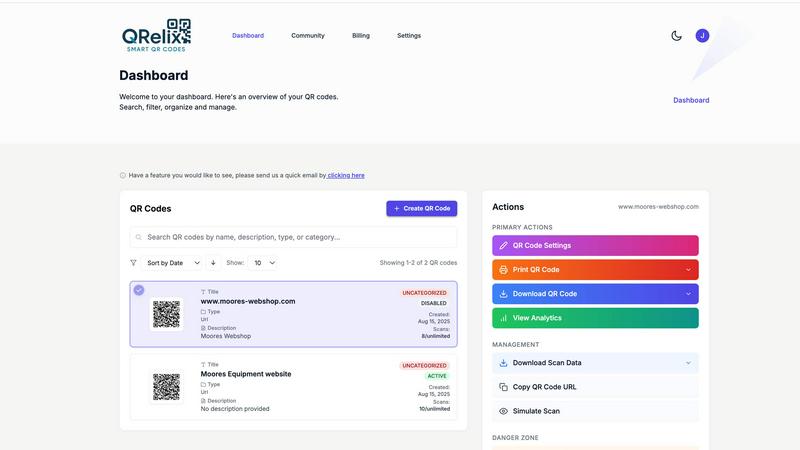
Visual Comparison
QRelix
RemoveTexts

Feature Comparison
QRelix
Dynamic QR Codes & Unlimited Updates
Never waste another print run. With QRelix, every QR code you create is dynamic. This means you can change the destination URL or content at any time after the code is printed. Instantly update a menu, correct a link, or run a new promotion without generating a new code. It's the fastest way to maintain agile, error-proof campaigns.
Real-Time Scan Analytics Dashboard
Track performance at the speed of light. Our comprehensive dashboard shows you every scan as it happens. Get detailed insights including geographic location, device type (iOS/Android), browser, time of access, and total scan volume. Make data-driven decisions to optimize your campaigns in real-time, not weeks later.
High-Resolution 300 DPI SVG Export
Get professional, print-perfect results instantly. QRelix exports your customized QR codes as 300 DPI Scalable Vector Graphics (SVG). This ensures crystal-clear, high-quality printing on any material, from tiny business cards to large-format posters and billboards, without any pixelation or blurriness.
Mirrored QR & Brand Customization
Copy and rebrand any existing QR code in seconds. The unique Mirrored QR feature lets you take any QR code (even one you didn't create) and transform it with your own branding, colors, and logo. Plus, use the full design suite to create visually stunning codes that perfectly match your brand identity.
RemoveTexts
Paint to Remove
This feature allows users to manually brush over specific areas of text they wish to erase. It provides precise control, ensuring that only the intended text is removed while preserving the surrounding image quality.
Auto Remove All
With this powerful one-click option, the AI automatically detects and removes every text element in the image. This feature is perfect for those who want a quick clean-up without having to manually select each text area.
Edit & Replace Text
This innovative feature enables users to change existing text in images while matching the original style. Whether you need to update a product label or correct a subtitle, it offers a seamless editing experience.
Remove Objects
In addition to text, this feature allows users to erase unwanted objects, logos, or other visual elements from their images. It combines the power of AI to ensure the background is reconstructed flawlessly, giving a clean result without any traces of the removed items.
Use Cases
QRelix
Marketing Campaign Tracking & Optimization
Launch and track campaigns at lightning speed. Create dynamic QR codes for digital ads, flyers, or product packaging. Monitor real-time scan data to see which channels and creatives perform best. Instantly update landing pages for A/B testing or new offers without changing the printed code, maximizing ROI.
Restaurant Digital Menus & Contactless Ordering
Streamline your service instantly. Generate QR codes for table-top digital menus, linking directly to your online ordering system or PDF menu. Update menu items, prices, or daily specials in real-time. Use Wi-Fi QR codes for guest login, enhancing the contactless dining experience efficiently.
Event Management & Engagement
Manage events with effortless efficiency. Use QR codes for quick event registration, linking to schedules, speaker bios, or feedback surveys. Track attendee engagement in real-time. For ticketed events, use password-protected QR codes for secure entry and access control.
Retail Product Information & Promotions
Bridge physical and digital retail instantly. Place QR codes on product packaging or shelf tags linking to detailed specs, tutorials, or reviews. Run in-store promotions by directing scans to exclusive discount codes or loyalty sign-ups. Track interest to inform inventory and marketing decisions.
RemoveTexts
E-commerce Product Cleaning
Online sellers can use RemoveTexts to quickly eliminate watermarks and text overlays from product images, ensuring that their listings look professional and polished, ultimately boosting sales.
Social Media Content Creation
Content creators can efficiently remove unwanted captions, logos, or memes from images before posting them on their social media platforms. This helps maintain a clean aesthetic and enhances viewer engagement.
Document Redaction
Legal professionals and businesses can utilize RemoveTexts to redact sensitive information from documents and images, ensuring compliance with privacy laws while maintaining the integrity of the original content.
Creative Projects and Design
Artists and graphic designers can leverage RemoveTexts to edit images for various creative projects, allowing for the removal of distracting elements that could detract from the overall visual impact of their work.
Overview
About QRelix
QRelix is the ultimate lightning-fast QR code generator built for speed and efficiency. It transforms how marketers, restaurants, event planners, and retail teams connect with their audience. Go from idea to a fully functional, trackable QR code in seconds. With over 20 dynamic QR code types, you can link to anything: URLs, files, Wi-Fi, contact details, social media, app stores, or custom landing pages. The game-changer? Every code is dynamic. Update the destination anytime without ever reprinting your materials. Track every scan with real-time analytics that show location, device, and time. Then, customize your code with brand colors and logos, exporting it as a print-ready 300 DPI SVG for flawless quality on business cards, menus, or billboards. Best of all, it's 100% free to start with no credit card and no limits on creativity or scans. QRelix delivers enterprise-grade QR code power at zero cost.
About RemoveTexts
RemoveTexts is a groundbreaking AI-powered online image editing tool designed to remove unwanted text, watermarks, and other visual distractions from images with just a single click. Ideal for creators, marketers, and designers alike, it streamlines the process of enhancing visuals by eliminating text elements such as captions, memes, and date stamps. With RemoveTexts, users can achieve professional-grade results in less than 30 seconds without needing any design skills or Photoshop expertise. The platform leverages advanced deep learning technology to reconstruct the original background seamlessly, ensuring that the final image looks clean and polished. Whether you are an e-commerce seller needing clean product photos or a content creator looking to remove unwanted overlays, RemoveTexts is your go-to solution for quick and effective image editing.
Frequently Asked Questions
QRelix FAQ
Is QRelix really free to use?
Yes, absolutely. QRelix offers a powerful free plan to get started with no credit card required. You can create dynamic, trackable QR codes with customization and access real-time analytics. We believe in providing enterprise-grade features at no cost, with no hidden fees or surprise charges.
What does "Dynamic QR Code" mean?
A dynamic QR code is one where the destination content can be changed after the code is created and printed. With QRelix, you can update the link (e.g., change a URL) at any time through your dashboard. The physical QR code itself remains the same, saving you from costly and time-consuming reprints.
What file format do you export for printing?
QRelix exports QR codes as 300 DPI SVG (Scalable Vector Graphics) files. This is a vector format that ensures your code remains sharp and high-quality at any size, making it perfect for professional printing on business cards, brochures, large posters, and other marketing materials.
Can I track who scans my QR codes?
You can track detailed scan analytics, but not individual personal identities. Our real-time dashboard shows you aggregated data such as scan count, location (city/country), device type, operating system, browser, and the time of each scan. This provides powerful insights while respecting user privacy.
RemoveTexts FAQ
How does RemoveTexts work?
RemoveTexts uses advanced AI technology to analyze and reconstruct the background of an image after removing text or objects. It employs deep learning inpainting techniques, ensuring that the final result is seamless and professional.
What image formats does RemoveTexts support?
The tool supports popular image formats including JPG, PNG, and WebP, allowing users to upload a wide range of images for text removal without hassle.
Is there a limit to the image size I can upload?
Yes, users can upload images up to 10 MB in size. This ensures that images maintain their quality while being processed for text removal.
Can I use RemoveTexts for commercial purposes?
Absolutely! Many users, including e-commerce sellers and marketers, use RemoveTexts to prepare images for commercial use, ensuring that their visuals are clean and appealing without any unwanted text.
Alternatives
QRelix Alternatives
QRelix is a dynamic QR code generator and analytics platform in the marketing technology category. It empowers businesses to create trackable, customizable codes for a wide range of uses, from simple website links to complex digital experiences. Users often explore alternatives for various reasons. This can include budget constraints, the need for specific integrations with other software platforms, or requirements for different levels of user management and team collaboration features. The search for the right tool is common as business needs evolve. When evaluating other options, key considerations should be dynamic code functionality, the depth of real-time analytics, customization and branding capabilities, and the quality of export formats for professional printing. The ideal platform balances powerful features with an efficient, user-friendly workflow.
RemoveTexts Alternatives
RemoveTexts is an AI-powered tool designed to effortlessly remove text from images in seconds, making it a valuable asset for anyone needing quick and clean image edits. As a part of the image and photo editing category, it simplifies tasks like eliminating watermarks, subtitles, or unwanted text without the need for complex software like Photoshop. Users often seek alternatives to RemoveTexts for various reasons, such as pricing, specific feature sets, or compatibility with different platforms and devices. When choosing an alternative, consider factors like ease of use, output quality, language support, and the ability to perform batch processing. A good alternative should offer reliable performance and meet your specific editing needs efficiently.