
Decode This Text vs Phishly
Side-by-side comparison to help you choose the right product.

Decode This Text
Decode confusing texts in seconds with a clear, human-like analysis for instant clarity.
Last updated: February 28, 2026

Phishly
Phishly instantly detects phishing emails with AI for lightning-fast security.
Visual Comparison
Decode This Text

Phishly
Feature Comparison
Decode This Text
Instant Screenshot Analysis
Don't waste time typing. Simply upload a photo of your text chat or email thread. Our AI reads the entire conversation for you, instantly extracting the key messages, tone, and context. It's the fastest way to go from confusion to clarity, turning a visual snapshot into a detailed breakdown without any manual input required on your part.
Tone & Intent Decoder
Go beyond the words. This feature measures the emotional temperature of a message to determine if someone is being cold, sarcastic, friendly, or distant. It quantifies factors like effort and intent, giving you a clear percentage-based read on their true state of mind so you never misinterpret the subtext of a conversation again.
Behavioral Pattern Detection
Our AI detects subtle cues you might miss. It identifies patterns like someone only messaging late at night, consistently avoiding direct questions, or their responses getting progressively shorter. This insight reveals behavioral trends, helping you understand the bigger picture of their communication habits and what those patterns likely signify.
Smart Response Builder
Stuck on what to say? Get unstuck in seconds. Based on the analysis, this tool provides you with three tailored response options—calm, direct, or firm. You can choose the tone that fits the situation and send a reply with confidence, knowing it's strategically aligned with the decoded intentions and emotional context of the exchange.
Phishly
One-Click Gmail Integration
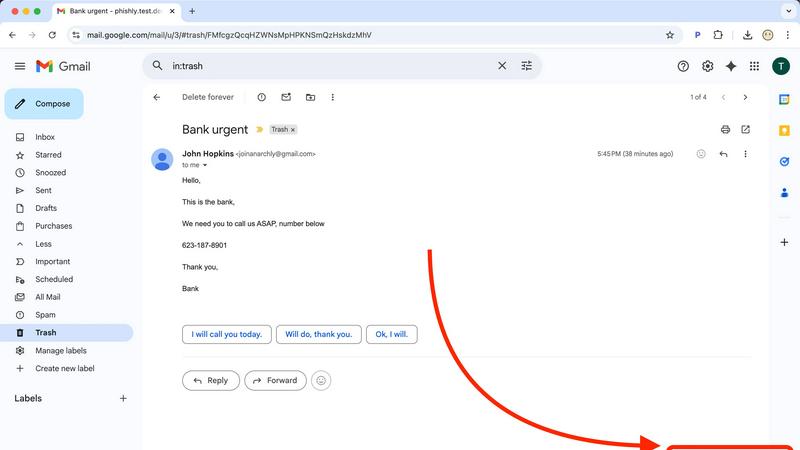
Integrate phishing defense directly into your inbox with the Phishly Chrome extension. Once installed, a "Scan with Phishly" button appears directly within your Gmail interface. Open any email that raises suspicion and click the button. The analysis happens instantly in the background, pulling the email content for scanning without you having to copy, paste, or navigate away. This seamless integration ensures maximum speed and efficiency, turning a complex security check into a single, effortless action right where you work.
AI-Powered Multi-Indicator Analysis
Our core AI engine doesn't rely on a single check; it conducts a rapid, comprehensive multi-point inspection of every email you submit. It scans for suspicious and newly registered domains, checks for sender spoofing and address mismatches, analyzes the writing for urgent language and emotional manipulation tactics, and looks for hidden threats in links and attachments. This holistic approach ensures even sophisticated phishing attempts that mimic legitimate communications are identified quickly and accurately, providing you with a thorough security snapshot in an instant.
Clear, Actionable Risk Assessment
Phishly cuts through the noise with straightforward, color-coded results. Every scan concludes with a definitive verdict: Safe (Green), Medium Risk (Yellow), or High Risk (Red). Each rating is paired with a detailed, plain-language breakdown that explains exactly why the AI reached its conclusion, listing the specific indicators found. This transforms complex technical data into an immediate understanding of the threat level, empowering you to delete, report, or proceed with confidence without needing to interpret cryptic warnings.
Privacy-First & Instant Web Tool
For emails outside of Gmail or for users who prefer a web-based approach, Phishly offers a blazing-fast web tool. Simply copy the text or headers of any suspicious email and paste them into the website's analyzer. The AI delivers the same comprehensive risk report within seconds. Crucially, Phishly is built on a privacy-first model. It only ever analyzes emails you explicitly and manually choose to submit. We do not scan your inbox, read your mail, or store your personal communications, ensuring your privacy remains completely protected.
Use Cases
Decode This Text
Decoding Dating & Relationship Messages
They said they had fun but then went silent. Are they genuinely busy or losing interest? Paste the conversation to decode mixed signals, ghosting, or vague plans. Get a clear read on their level of interest and intent, plus advice on how to respond—whether to reach out, wait, or move on—saving you from anxiety and regret-texts.
Navigating Professional Communication
Did your boss send a one-word email? Are they angry? Decode ambiguous professional messages, passive-aggressive feedback, or phrases like "we'll keep your resume on file." Understand the true meaning and power dynamics at play so you can craft a perfectly calibrated, professional response that protects your interests and reputation.
Clarifying Friends & Family Dynamics
Did the group chat go silent after your message? Is a family member being distant or sarcastic? Use the tool to analyze conversations with friends and family. Understand underlying tensions, tones, and intentions to navigate sensitive situations, avoid misunderstandings, and maintain healthier, more transparent relationships.
Analyzing Post-Date or Fading Interest
You haven't heard from them in days after a great date. Instead of spiraling, get a reality check. Upload the post-date texts. The analysis will assess the tone, effort, and likely intent behind the silence or short replies, giving you objective clarity on where you stand and the best next step to take without emotional guesswork.
Phishly
Verifying Urgent Account Alerts
You receive a panic-inducing email claiming your bank account is locked or your password has been compromised, complete with a "Click Here to Secure" link. Instead of rushing and risking a mistake, you instantly scan it with Phishly. Within seconds, the AI highlights the spoofed sender address, the suspicious link domain, and the high-pressure language, giving you a "High Risk" verdict. This allows you to safely ignore the scam and contact your bank directly through their official website or app.
Screening Client or Vendor Communications
Freelancers and small businesses often receive initial contact or invoices from new clients and vendors. A fraudulent invoice can lead to significant financial loss. Before clicking any links or downloading attachments from an unfamiliar sender, paste the email content into Phishly's web tool. The rapid analysis can reveal subtle signs of forgery, like a slightly altered company name in the email address or mismatched branding, helping you avoid business email compromise (BEC) scams efficiently.
Educating Family and Team Members
Phishing awareness is critical but difficult to teach. Use Phishly as a real-time educational tool. When a family member or employee is unsure about an email, walk them through the scanning process. The clear "Medium Risk" or "High Risk" rating alongside the detailed explanation of red flags (e.g., "The sender's domain does not match the claimed company's official domain") provides a concrete, memorable lesson that builds long-term security intuition faster than any generic training video.
Checking Promotional & Contest Emails
You get an exciting email saying you've won a contest you don't remember entering or offering an unbelievable discount from a major retailer. These are common phishing lures. Quickly scan the message with the Gmail extension. Phishly's AI can detect the use of URL shorteners that hide true destinations, analyze the too-good-to-be-true language, and identify fake tracking pixels, providing an instant reality check before you hand over any personal information or credentials.
Overview
About Decode This Text
Stop overthinking and start understanding. Decode This Text is your instant AI-powered communication analyst, designed to cut through the confusion of modern messaging in seconds. It deciphers the true meaning behind cryptic texts, vague emails, and confusing chats by analyzing underlying intentions, emotional tone, and hidden patterns. Simply paste the conversation, describe the context, or upload a screenshot. In 30 seconds, you get a comprehensive, human-like analysis that reveals what's really going on and provides smart, actionable advice on how to respond. Built for complete privacy—no human ever reads your texts. It's the ultimate tool for anyone navigating dating, work dynamics, friendships, or family communications. Eliminate misunderstandings, boost your confidence, and communicate with clarity without the endless second-guessing. Get the insight you need at the speed you demand.
About Phishly
Phishly is your lightning-fast AI sentinel against deceptive emails. It's an AI-powered phishing detection platform designed for speed and simplicity, delivering instant clarity on any suspicious message. Available as a seamless Chrome extension for Gmail and a straightforward web tool, Phishly puts powerful security analysis directly in your workflow. Simply open any email in Gmail and click "Scan with Phishly" or paste suspicious email content directly onto the website for an immediate, in-depth assessment. The advanced AI engine rapidly scans for a comprehensive range of phishing indicators, including suspicious domains, mismatched sender addresses, urgent or threatening language, and sophisticated social engineering tactics. It then provides a clear, actionable risk rating: Safe, Medium Risk, or High Risk, each accompanied by a detailed explanation of the red flags it found. Built for individuals, freelancers, and small businesses, Phishly offers enterprise-grade detection without the complexity or cost. It operates on a strict privacy-first principle, only analyzing emails you explicitly choose to scan. With no technical knowledge required and a free-to-use model, Phishly delivers the instant answers you need to make safe decisions in seconds, not minutes.
Frequently Asked Questions
Decode This Text FAQ
How does Decode This Text work?
It's fast and simple. You just paste the text conversation, describe what happened, or upload a screenshot. Our advanced AI analyzes the words, timing, tone, and context. In about 30 seconds, it provides a comprehensive breakdown of the other person's likely intentions, emotional state, and patterns, along with suggested responses.
Is my data and privacy protected?
Absolutely. Your privacy is our top priority. No human ever reads the texts or conversations you submit. All analysis is performed by AI in a secure, anonymous environment. We are 100% committed to anonymity, and your data is not used for training or shared with third parties.
What kind of messages can I analyze?
You can analyze any confusing text-based communication. This includes SMS texts, dating app messages, email excerpts, social media DMs, and even chat screenshots from platforms like WhatsApp or Instagram. It's built for personal, professional, and social conversations where the meaning isn't clear.
How accurate is the analysis?
The AI is trained on vast datasets of human communication to identify patterns in tone, intent, and behavior. While it provides highly insightful, data-driven analysis that feels like advice from a wise friend, it should be used as a tool for perspective and not an absolute truth. It's designed to give you clarity and confidence faster than overthinking.
Phishly FAQ
How does Phishly protect my privacy?
Phishly is built on a strict, privacy-by-design principle. We do not access, read, or store your emails automatically. The Chrome extension only activates when you explicitly click the "Scan with Phishly" button on a specific, open email. The web tool only analyzes text you manually paste into it. We do not scan your inbox, monitor your activity, or retain your email content after the analysis is complete. Your security check remains completely confidential.
Is Phishly really free to use?
Yes, Phishly is currently completely free to use. Our goal is to make essential phishing protection accessible to everyone, from individuals to small businesses. You can install the Chrome extension and use the web analysis tool without any subscription fees, account creation, or usage limits. This allows you to integrate powerful, AI-driven security into your daily routine instantly and without any financial barrier.
What makes Phishly different from my email provider's spam filter?
Your email provider's spam filter works passively in the background and often misses sophisticated phishing emails that look legitimate (spear phishing). Phishly is an active, on-demand tool you control. It uses more advanced AI to analyze content, context, and subtle social engineering cues that basic filters ignore. It's designed for those ambiguous emails that land in your inbox, not your spam folder, giving you a second opinion in seconds.
Do I need technical skills to use Phishly?
Absolutely not. Phishly is designed for simplicity and speed, requiring zero technical knowledge. The Chrome extension adds a single, obvious button to Gmail. The web tool is a simple paste-and-analyze box. The results are presented in clear, plain English with color-coded risk levels. You get enterprise-level security analysis without any configuration, complex settings, or cybersecurity expertise required.