
NanoImg vs RemoveTexts
Side-by-side comparison to help you choose the right product.
NanoImg creates stunning images and edits them instantly using AI, all through simple text prompts.
Last updated: March 1, 2026

RemoveTexts
RemoveTexts is an AI tool that instantly erases text from images, delivering professional results without any design skills needed.
Last updated: March 11, 2026
Visual Comparison
NanoImg
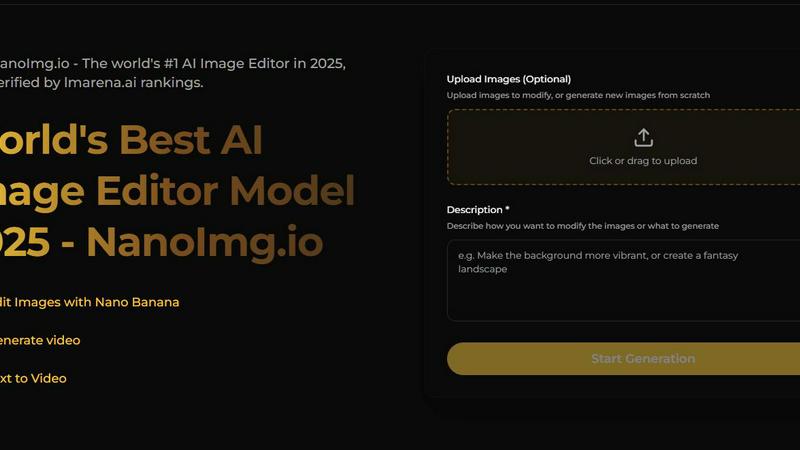
RemoveTexts

Feature Comparison
NanoImg
Instant Image Generation
NanoImg boasts lightning-fast image generation, allowing users to create stunning visuals in as little as 10 seconds. This speed is crucial for professionals who need to churn out content quickly without compromising quality.
Natural Language Editing
Editing images is as simple as giving verbal commands. Users can instruct the AI with phrases like "remove reflections" or "change the background to neon," making it incredibly intuitive and user-friendly.
Comprehensive AI Model Integration
The platform consolidates multiple advanced AI models, such as Nano Banana Pro and Flux Kontext, into one cohesive workspace. This integration allows users to choose the best model for their specific creative needs, enhancing versatility.
Enhanced Collaboration Tools
With features that streamline sharing and managing creations, NanoImg allows users to collaborate efficiently on projects. The history panel makes it easy to track changes and share high-quality results, ensuring a smooth workflow.
RemoveTexts
Paint to Remove
This feature allows users to manually brush over specific areas of text they wish to erase. It provides precise control, ensuring that only the intended text is removed while preserving the surrounding image quality.
Auto Remove All
With this powerful one-click option, the AI automatically detects and removes every text element in the image. This feature is perfect for those who want a quick clean-up without having to manually select each text area.
Edit & Replace Text
This innovative feature enables users to change existing text in images while matching the original style. Whether you need to update a product label or correct a subtitle, it offers a seamless editing experience.
Remove Objects
In addition to text, this feature allows users to erase unwanted objects, logos, or other visual elements from their images. It combines the power of AI to ensure the background is reconstructed flawlessly, giving a clean result without any traces of the removed items.
Use Cases
NanoImg
Social Media Content Creation
Social media managers can leverage NanoImg to create viral content in seconds. The platform's speed and quality help in maintaining a consistent online presence, crucial for engagement and brand loyalty.
E-Commerce Product Mockups
E-commerce entrepreneurs can utilize NanoImg to generate product images and lifestyle mockups without the need for expensive photoshoots. This capability allows for quick adaptation to market trends and visual storytelling.
Marketing Campaign Visuals
Marketers can harness NanoImg's capabilities to produce eye-catching visuals for campaigns and advertisements. The platform's fast turnaround time enables rapid testing and iteration, optimizing marketing strategies effectively.
Digital Art and Illustration
Artists can explore their creativity using NanoImg to craft unique digital illustrations and artworks. The ease of use and advanced editing features allow for endless possibilities, making it a valuable tool for artistic expression.
RemoveTexts
E-commerce Product Cleaning
Online sellers can use RemoveTexts to quickly eliminate watermarks and text overlays from product images, ensuring that their listings look professional and polished, ultimately boosting sales.
Social Media Content Creation
Content creators can efficiently remove unwanted captions, logos, or memes from images before posting them on their social media platforms. This helps maintain a clean aesthetic and enhances viewer engagement.
Document Redaction
Legal professionals and businesses can utilize RemoveTexts to redact sensitive information from documents and images, ensuring compliance with privacy laws while maintaining the integrity of the original content.
Creative Projects and Design
Artists and graphic designers can leverage RemoveTexts to edit images for various creative projects, allowing for the removal of distracting elements that could detract from the overall visual impact of their work.
Overview
About NanoImg
NanoImg is a revolutionary, browser-based platform designed to simplify the process of AI image generation and editing. It enables users—from social media managers to e-commerce entrepreneurs and even complete beginners—to create professional-grade images with remarkable speed and ease. Unlike traditional creative software that can be daunting and complex, NanoImg offers a user-friendly interface where you can start with a plug-and-play template or a blank canvas. Simply describe your vision in plain English, and within seconds, a stunning, stylistically consistent image is generated. The platform leverages state-of-the-art AI models, including Nano Banana, Sora 2, and GPT Image 1, to provide a seamless creative experience. Whether you want to produce viral content, captivating product mockups, or digital art, NanoImg empowers you to achieve your artistic goals without any steep learning curve or software downloads.
About RemoveTexts
RemoveTexts is a groundbreaking AI-powered online image editing tool designed to remove unwanted text, watermarks, and other visual distractions from images with just a single click. Ideal for creators, marketers, and designers alike, it streamlines the process of enhancing visuals by eliminating text elements such as captions, memes, and date stamps. With RemoveTexts, users can achieve professional-grade results in less than 30 seconds without needing any design skills or Photoshop expertise. The platform leverages advanced deep learning technology to reconstruct the original background seamlessly, ensuring that the final image looks clean and polished. Whether you are an e-commerce seller needing clean product photos or a content creator looking to remove unwanted overlays, RemoveTexts is your go-to solution for quick and effective image editing.
Frequently Asked Questions
NanoImg FAQ
How does NanoImg generate images so quickly?
NanoImg employs advanced AI algorithms that optimize the image generation process, allowing for high-quality outputs in as little as 10 seconds, streamlining creative workflows.
Can I edit images using my own descriptions?
Yes! NanoImg features natural language editing, which means you can modify images by simply describing the changes you want in plain English, making it very user-friendly.
What types of projects can I use NanoImg for?
NanoImg is versatile and can be used for a wide range of projects, including social media content, e-commerce product images, marketing visuals, and personal digital art.
Is there a learning curve to using NanoImg?
No, NanoImg is designed for simplicity and efficiency. Users can quickly get started without extensive training, thanks to its intuitive interface and natural language commands.
RemoveTexts FAQ
How does RemoveTexts work?
RemoveTexts uses advanced AI technology to analyze and reconstruct the background of an image after removing text or objects. It employs deep learning inpainting techniques, ensuring that the final result is seamless and professional.
What image formats does RemoveTexts support?
The tool supports popular image formats including JPG, PNG, and WebP, allowing users to upload a wide range of images for text removal without hassle.
Is there a limit to the image size I can upload?
Yes, users can upload images up to 10 MB in size. This ensures that images maintain their quality while being processed for text removal.
Can I use RemoveTexts for commercial purposes?
Absolutely! Many users, including e-commerce sellers and marketers, use RemoveTexts to prepare images for commercial use, ensuring that their visuals are clean and appealing without any unwanted text.
Alternatives
NanoImg Alternatives
NanoImg is a cutting-edge, browser-based platform that specializes in AI image generation and editing, enabling users to create studio-quality visuals in mere seconds. Perfect for a range of users from social media managers to artists, NanoImg simplifies the creative process, allowing anyone to generate impressive images using straightforward text prompts. However, many users seek alternatives due to various reasons such as pricing concerns, specific feature requirements, or compatibility with other tools and platforms. When searching for an alternative to NanoImg, it's essential to consider the features that best align with your needs, such as speed of image generation, ease of use, and the ability to edit images naturally. Additionally, evaluate the pricing models and the types of AI models available within the platform. An ideal alternative should provide a seamless user experience while offering the necessary functionality to enhance your creative projects.
RemoveTexts Alternatives
RemoveTexts is an AI-powered tool designed to effortlessly remove text from images in seconds, making it a valuable asset for anyone needing quick and clean image edits. As a part of the image and photo editing category, it simplifies tasks like eliminating watermarks, subtitles, or unwanted text without the need for complex software like Photoshop. Users often seek alternatives to RemoveTexts for various reasons, such as pricing, specific feature sets, or compatibility with different platforms and devices. When choosing an alternative, consider factors like ease of use, output quality, language support, and the ability to perform batch processing. A good alternative should offer reliable performance and meet your specific editing needs efficiently.