
Nano Banana Pro vs SVG to 3D
Side-by-side comparison to help you choose the right product.

Nano Banana Pro
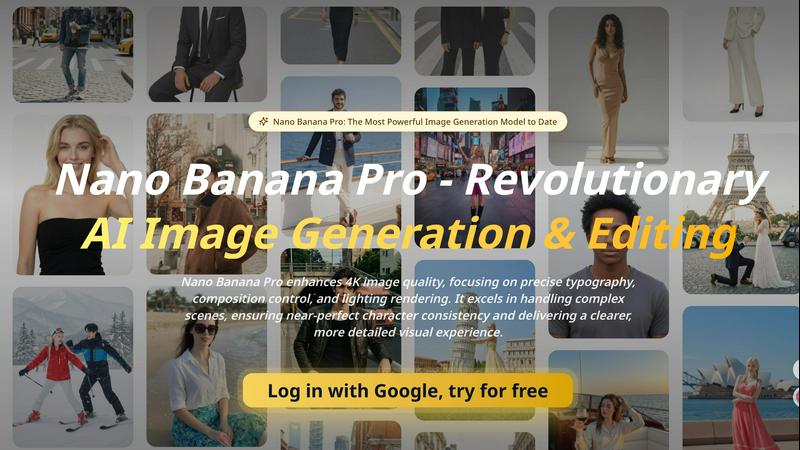
Nano Banana Pro is the ultimate AI image generator, delivering stunning 4K visuals with precise details, composition, and character consistency.
Last updated: April 13, 2026
SVG to 3D
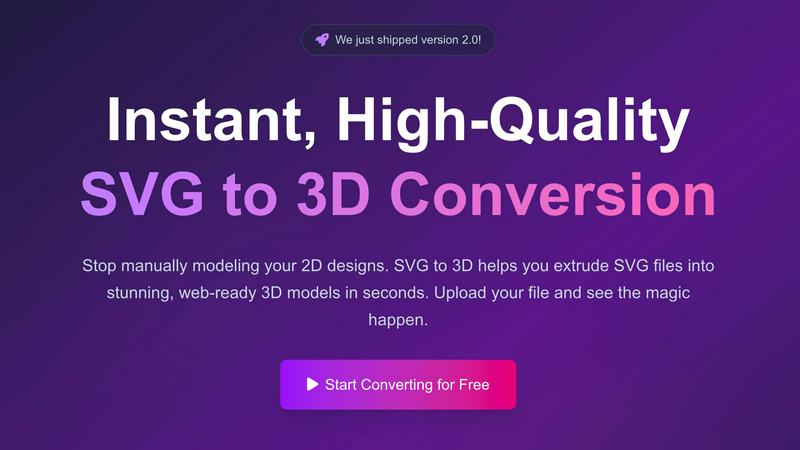
Instantly transform your SVG files into stunning, web-ready 3D models with fast, high-quality conversion tools.
Last updated: February 27, 2026
Visual Comparison
Nano Banana Pro
SVG to 3D
Feature Comparison
Nano Banana Pro
Enhanced Typography and Rendering
Nano Banana Pro leverages groundbreaking technology to address the challenges of AI-generated image typography. It produces flawless logos, signage, book covers, and brand content, ensuring that every typographic detail meets professional standards for clarity and visual appeal.
Native 2K Resolution with 4K Upscaling
The software supports native 2K resolution output with intelligent 4K upscaling capabilities. This feature enables users to generate images that are not only sharp and detailed but also suitable for high-quality presentations, print, and digital use.
Improved Prompt Interpretation
Nano Banana Pro boasts enhanced understanding of complex prompts, enabling it to craft images that align closely with user intent. This leads to more accurate and sophisticated compositions, allowing creators to effectively translate their ideas into visual forms.
Enhanced Lighting and Physical Effects
This powerful tool provides advanced rendering of lighting and physical effects, adding depth and realism to images. Users can achieve stunning visual results with dynamic shadows, highlights, and textures that elevate the overall quality of their creations.
SVG to 3D
One-Click GLB Export
With SVG to 3D, you can export your designs as lightweight GLB files with a single click. These files are perfectly optimized for web use, allowing developers to seamlessly integrate 3D models into frameworks like Three.js and React Three Fiber, enhancing the user experience of their websites.
3D Printing Ready STL Exports
The tool supports direct STL exports, making it incredibly easy to prepare your designs for 3D printing. You can take your logos, custom parts, or artwork straight from SVG to a 3D-printable format without needing any additional software, ensuring a smooth workflow from design to production.
Real-Time 3D Model Adjustments
SVG to 3D goes beyond basic extrusion by offering users the ability to fine-tune various aspects of their 3D models, including thickness, bevels, and PBR materials. The real-time preview feature allows you to visualize changes instantly, ensuring you achieve the perfect look for your project.
Privacy and Security Focus
Your design files are processed locally in your browser, ensuring your creations remain private and secure. Unlike many online tools that require file uploads to external servers, SVG to 3D prioritizes your privacy, making the conversion process both safe and efficient.
Use Cases
Nano Banana Pro
Storyboarding
With Nano Banana Pro, filmmakers and animators can create detailed storyboards that accurately represent scenes and character interactions. Its precise composition control and enhanced typography make it perfect for visual storytelling.
Product Visuals
Marketers can leverage the software to generate high-quality product visuals that stand out. Whether for online ads or promotional materials, Nano Banana Pro ensures that every detail of the product is highlighted effectively.
User-Generated Content (UGC) Pipelines
Content creators can streamline their workflows by using Nano Banana Pro for generating user-generated content. Its ability to produce consistent and high-quality images makes it ideal for brands looking to enhance their social media presence.
Localization Tools
For businesses expanding into new markets, Nano Banana Pro can assist in creating localized visuals that resonate with diverse audiences. The software's impeccable typography and detail ensure that the brand message remains clear and appealing across different cultures.
SVG to 3D
Create Interactive 3D Web Elements
Web developers can transform their SVG icons into stunning 3D models that enhance their websites. By utilizing the optimized GLB export, developers can create engaging and interactive user experiences that capture the attention of visitors.
Rapid Prototyping for 3D Printing
Designers can quickly turn their 2D designs into physical objects by exporting them as STL files ready for 3D printing. This capability is invaluable for creating prototypes, custom parts, or art pieces without the need for complex CAD software.
Elevate UI/UX Designs with Depth
UI/UX designers can add depth and realism to their mockups by converting SVG elements into 3D models. This feature allows for impressive presentations that stand out to clients and stakeholders, showcasing design concepts with a more tangible feel.
Streamlined Workflow for Developers
SVG to 3D integrates seamlessly into the workflows of developers using tools like Figma. This means they can quickly convert their designs into 3D models without leaving their design environment, saving time and improving productivity.
Overview
About Nano Banana Pro
Nano Banana Pro is the latest evolution in AI image generation and editing, designed to empower creators with unparalleled tools for crafting stunning visuals. This state-of-the-art software enhances 4K image quality, focusing on precise typography, composition control, and advanced lighting rendering. Whether you are a graphic designer, marketer, or content creator, Nano Banana Pro offers you the ability to produce high-quality images with incredible detail and clarity. Its intelligent algorithms excel in handling complex scenes, ensuring character consistency and delivering a visually engaging experience. By streamlining the creative process, Nano Banana Pro not only saves time but also elevates the quality of your work, making it an essential tool for anyone serious about visual design.
About SVG to 3D
SVG to 3D is a revolutionary online tool designed to streamline the process of converting 2D SVG vector graphics into stunning, high-quality 3D models. This tool specifically addresses the frustrations of designers and developers who require quick and efficient conversions without the overhead of complex software like Blender or Cinema 4D. With SVG to 3D, users can transform their logos, icons, and other graphic designs into interactive 3D assets with just a few clicks. It is perfect for web developers, graphic designers, and 3D printing enthusiasts looking for a fast, reliable solution to enhance their projects. The primary value proposition lies in its ability to deliver high-quality 3D models optimized for web use, ensuring that users can elevate their digital and physical designs in minutes, not hours.
Frequently Asked Questions
Nano Banana Pro FAQ
What types of images can I create with Nano Banana Pro?
You can create a wide range of images, from logos and promotional graphics to detailed storyboards and product visuals. The software is designed for versatility, catering to various creative needs.
Is Nano Banana Pro suitable for beginners?
Absolutely! Nano Banana Pro is user-friendly and offers intuitive controls, making it accessible for both beginners and experienced designers. The prompt library also provides inspiration and guidance.
Can I edit existing images with Nano Banana Pro?
Yes, Nano Banana Pro includes advanced editing features that allow you to modify existing images seamlessly. You can perform inpainting and outpainting, ensuring your edits are integrated smoothly into the original image.
What makes Nano Banana Pro different from other AI image generators?
Nano Banana Pro excels in detail accuracy, prompt interpretation, and typography stability. Its advanced capabilities in handling complex scenes and maintaining character consistency set it apart from other available tools.
SVG to 3D FAQ
How does SVG to 3D work?
SVG to 3D works by allowing users to upload their SVG files directly into the browser. The tool then uses optimized algorithms to convert the 2D graphics into 3D models, which can be adjusted in real-time before exporting.
What file formats can I export my 3D models in?
You can export your completed 3D models in multiple formats, including GLB, GLTF, OBJ, and STL. This flexibility ensures compatibility with various 3D applications and printing software.
Is there a limit to the file size I can upload?
Yes, you can upload SVG files with a maximum size of 5 MB. This limit helps ensure fast processing times and optimal performance when converting your designs.
Do I need to register or pay to use SVG to 3D?
No, SVG to 3D is completely free to use and does not require any registration. You can start converting your SVG files to 3D models instantly, with no hidden fees or subscriptions.
Alternatives
Nano Banana Pro Alternatives
Nano Banana Pro is a state-of-the-art image generation model that falls within the AI Assistants category. It is designed to significantly enhance 4K image quality by honing in on precise typography, composition control, and lighting rendering. Users flock to such powerful tools, but often seek alternatives due to factors like pricing, specific feature sets, or compatibility with their platforms. When searching for an alternative, it’s crucial to consider the features that matter most to you, such as image clarity, ease of use, and any specialized capabilities that align with your creative needs. Comparing pricing structures and potential limitations of various options will also help ensure you find the right fit for your project requirements.
SVG to 3D Alternatives
SVG to 3D is a powerful tool designed to transform 2D SVG vector graphics into stunning 3D models. This product falls under the category of AI Assistants, specifically tailored for designers, developers, and 3D printing enthusiasts looking to streamline their workflow. Users often seek alternatives due to various reasons such as pricing, specific feature requirements, or compatibility with their preferred platforms. When selecting an alternative, it's crucial to consider factors like ease of use, output quality, and integration capabilities with other software or development frameworks. Evaluating whether the tool aligns with your specific needs, such as support for web exports or 3D printing, will ensure you find the best fit for your projects.