
MindMap AI vs Zovo
Side-by-side comparison to help you choose the right product.

MindMap AI
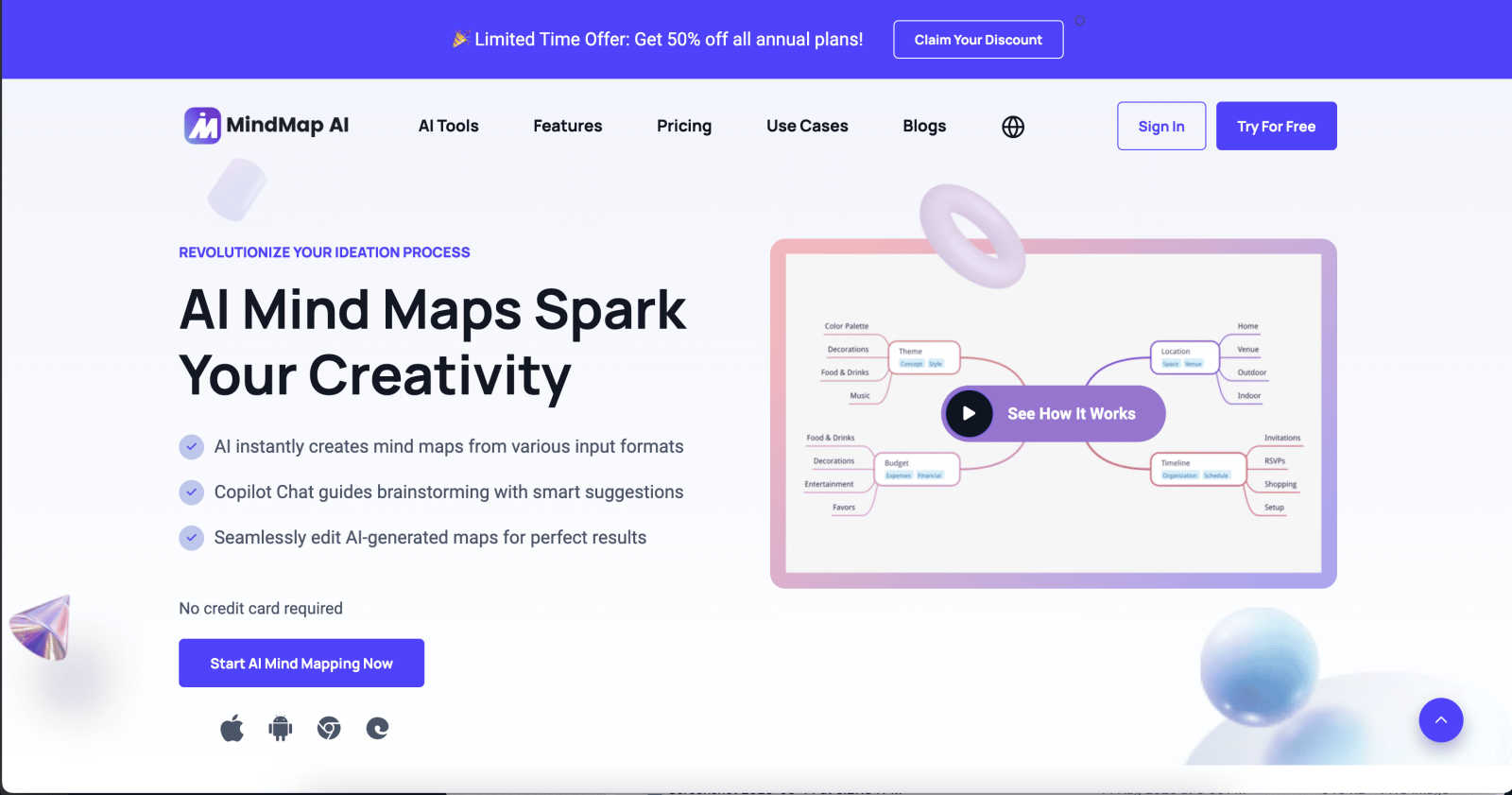
MindMap AI instantly transforms your ideas into structured, editable mind maps with reliable AI co-editing.
Last updated: March 1, 2026

Zovo offers 20 privacy-first Chrome extensions for developers and writers, all from a single solo developer.
Last updated: February 27, 2026
Visual Comparison
MindMap AI
Zovo

Feature Comparison
MindMap AI
AI Thinking Mode for Accuracy
This step-by-step reasoning engine ensures every mind map is structurally sound and meaningful on the first try. It analyzes context, hierarchy, and relationships before generating branches, eliminating random or noisy outputs. This guarantees accurate, logical maps instantly, so you can trust the AI's foundational work and dive straight into refinement.
File-to-Map Instant Conversion
Transform any content into a beautiful mind map in a flash. Upload text, PDFs, images, audio, video, Markdown, CSV, and more. Instead of wasting time manually building a structure from scratch, the AI parses your material and delivers a clean, visual map instantly, letting you jump immediately into deeper thinking and editing.
MindMark Stable Co-Editing
Experience reliable AI collaboration that never disrupts your work. Expand, summarize, add connections, or reorganize with AI assistance, while maintaining full manual control. Your custom layouts, edits, and personal structure remain completely untouched and stable, ensuring the AI enhances your ideas without breaking your design.
Multi-View Flexible Layouts
Switch effortlessly between Mind Map, Org Chart, and Logic Chart views with a single click. Your project's structure and content stay perfectly synchronized across all visual perspectives. This allows for rapid exploration and presentation of ideas from different angles without any rebuilding, maximizing understanding and flexibility.
Zovo
BeLikeNative
BeLikeNative enables users to write fluently in 80 languages with one keystroke. This flagship extension instantly rewrites your text, ensuring that you communicate like a native speaker. Ideal for writers, students, and professionals looking to enhance their language skills, this tool supports seamless integration across all writing platforms.
Tab Suspender Pro
Tab Suspender Pro intelligently manages your browser's memory usage by automatically suspending inactive tabs. This feature helps improve performance by reducing memory strain, making it perfect for users who tend to keep multiple tabs open while working or browsing. It offers memory tracking and smart detection for optimal efficiency.
Clipboard History Pro
Clipboard History Pro ensures that you never lose track of your copied text again. This extension stores up to 10,000 clips and features an instant search functionality for quick retrieval. Perfect for researchers, writers, and anyone who frequently copies and pastes, it simplifies the management of copied content.
Form Filler Pro
Form Filler Pro allows users to fill forms with a single click using saved profiles. This feature saves time and eliminates repetitive typing, making it ideal for users who frequently complete online forms. It supports multiple profiles and ensures that your data remains 100% local and secure.
Use Cases
MindMap AI
Strategic Business Planning
Quickly distill complex strategies and market analyses into clear, visual roadmaps. Teams can co-edit in real-time, using the AI to expand on ideas and uncover hidden insights. Instantly convert lengthy strategy documents into actionable mind maps to align stakeholders and accelerate decision-making processes with visual clarity.
Academic Research & Study
Students and researchers can rapidly synthesize information from papers, books, and lectures. Upload a PDF and get a structured summary map in seconds. Use different chart views to explore themes hierarchically or logically, making study sessions and literature reviews vastly more efficient and comprehensive.
Project Management & Sprint Planning
Turn project briefs and meeting recordings into visual project plans instantly. Map out tasks, dependencies, and timelines using the org chart view. The AI co-pilot helps break down epics into sub-tasks swiftly, while widgets like priority flags and due dates transform the map into a dynamic, actionable workspace.
Creative Brainstorming & Ideation
Fuel lightning-fast brainstorming sessions. Start with a core concept and use the AI to generate and expand branches instantly, overcoming creative blocks. Collaborate with team members in multiple languages, and restyle the map with one-click themes to create presentation-ready concepts in minutes, not hours.
Zovo
Academic Writing
Students and researchers can leverage BeLikeNative to enhance their academic writing. By utilizing its one-keystroke rewrite feature, they can improve clarity and fluency, ensuring their papers meet high standards of academic integrity and communication.
Web Development
Web developers can benefit from the JSON Formatter Pro and Regex Tester Pro extensions. These tools enable them to format, validate, and debug JSON data seamlessly, enhancing their productivity and helping them avoid common coding pitfalls.
Content Creation
Content creators can streamline their workflow with Clipboard History Pro and Form Filler Pro. These tools provide quick access to previously copied text and allow for rapid form completion, making it easier to focus on creativity without getting bogged down by repetitive tasks.
Data Analysis
Data analysts can utilize Web Scraper Lite and Tab Suspender Pro to efficiently gather and manage data from multiple sources. The visual selector in Web Scraper Lite allows for easy data extraction, while Tab Suspender Pro optimizes their browser's performance, ensuring smooth multitasking.
Overview
About MindMap AI
MindMap AI is the premier AI-powered mind mapping software engineered for speed and efficiency, transforming how professionals, teams, and individuals structure their thinking. It instantly converts chaos into clarity by turning any input—documents, PDFs, images, audio, video, and more—into dynamic, editable visual maps in seconds. Built for real thinking, it features an intelligent AI co-pilot that respects your work, offering suggestions without overwriting your manual edits. With support for over 25 languages and flexible views like Mind Map, Org Chart, and Logic Chart, it adapts to your workflow. Whether you're strategizing, planning projects, analyzing research, or capturing meeting notes, MindMap AI accelerates the journey from raw idea to actionable plan, empowering over a million thinkers to organize complex information visually and collaborate with unprecedented efficiency.
About Zovo
Zovo is a comprehensive suite of 20 powerful Chrome extensions developed by a solo developer with over a decade of experience and a proven track record of more than $400K earned on Upwork with a 100% success rate. Tailored for users who value efficiency, privacy, and customization, Zovo's flagship extension, BeLikeNative, revolutionizes writing by enabling over 3,300 users to express themselves like native speakers in 80 different languages with a simple keystroke. The suite includes essential tools like Tab Suspender Pro for memory management, JSON Formatter Pro for data handling, and Clipboard History Pro for seamless text management. Every extension prioritizes user privacy, ensuring that data never leaves your device, with no data harvesting or corporate interference. Users actively participate in shaping the development roadmap by voting on features, making Zovo a community-driven platform where your needs dictate the evolution of the tools you rely on. Experience monthly updates and the excitement of early access for members, while a selection of tools is available for free online at zovo.one.
Frequently Asked Questions
MindMap AI FAQ
What types of files can MindMap AI convert into a mind map?
MindMap AI supports a wide range of inputs for instant conversion. You can upload text documents, PDFs, images (with extractable text), audio recordings, video files, Markdown, CSV data, JSON, XML, and HTML. The AI quickly processes the content to generate a structured, editable visual map, saving you hours of manual work.
How does the AI ensure it doesn't ruin my manual edits?
The proprietary MindMark stability feature is designed for this. When you manually edit a node's text, move branches, or customize the layout, the AI locks those changes. Any subsequent AI-assisted expansions or summaries work around your edits, adding new branches without altering or overwriting your existing work, guaranteeing map stability.
Is there a free plan available?
Yes, MindMap AI offers a free tier that includes 50 AI credits every month with no credit card required. This allows you to test core features like file conversion and AI co-editing. For higher volume needs, there are paid plans that offer more credits and advanced functionality for teams and power users.
Can I use MindMap AI in languages other than English?
Absolutely. MindMap AI provides full multi-language support for creating and editing mind maps in over 25 languages. The AI's accuracy and ability to understand context, hierarchy, and relationships work consistently across all supported languages without breaking the layout or the meaning of your content.
Zovo FAQ
What is Zovo?
Zovo is a suite of 20 Chrome extensions designed to enhance productivity and efficiency while prioritizing user privacy. Built by a solo developer, it offers tools for writing, data management, and web scraping, with a focus on community-driven development.
How does Zovo ensure user privacy?
Zovo guarantees 100% privacy by ensuring that all data processed by its extensions remains on your device. There is no data harvesting, and users can trust that their information is secure and not shared with third parties.
Can I request new features?
Absolutely! Users are encouraged to submit feature requests directly to the developer. The most requested features are prioritized and built based on community feedback, ensuring that the tools evolve according to user needs.
Is there a community for Zovo users?
Yes, Zovo has an active Discord community where users can discuss features, share tips, and connect with the developer directly. This community aspect enhances the user experience and fosters collaboration among users.
Alternatives
MindMap AI Alternatives
MindMap AI is a leading AI-powered mind mapping tool in the productivity and management category. It transforms documents, images, and recordings into dynamic visual maps instantly, streamlining brainstorming and strategic planning for professionals and teams. Users often explore alternatives for various reasons. Common drivers include budget constraints, the need for specific platform compatibility, or a desire for different feature sets like advanced integrations or alternative collaboration styles. Finding the right fit is key. When evaluating other options, prioritize core needs. Consider the primary input methods you use, the level of AI assistance desired, and the collaboration features your team requires. Speed of generation and ease of editing are also critical for maintaining workflow efficiency.
Zovo Alternatives
Zovo is a robust suite of 20 privacy-first Chrome extensions designed specifically for developers and writers. Each tool focuses on enhancing productivity and management, offering features like JSON formatting, clipboard history, and tab suspension, all crafted by an experienced developer. As users seek out alternatives, they often look for better pricing, unique features, or compatibility with different platforms that might better suit their specific needs. When choosing an alternative, consider the range of features offered, the commitment to user privacy, and the flexibility of the tools available. It's also crucial to assess the developer's track record and community engagement, as user input can significantly shape the product's evolution. Finding a solution that meets your workflow demands while maintaining data security is essential in today's digital landscape.