
LinkedInPro vs Zovo
Side-by-side comparison to help you choose the right product.
LinkedInPro
Get a flawless professional headshot from any casual photo in seconds.
Last updated: February 28, 2026

Zovo offers 20 privacy-first Chrome extensions for developers and writers, all from a single solo developer.
Last updated: February 27, 2026
Visual Comparison
LinkedInPro
Zovo

Feature Comparison
LinkedInPro
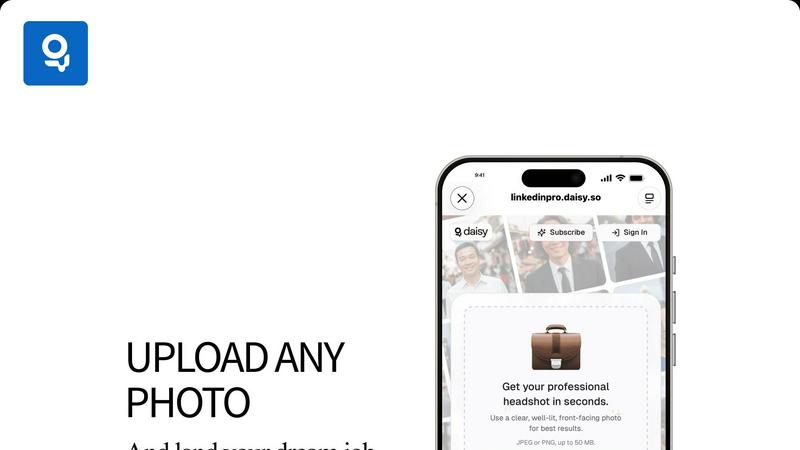
Lightning-Fast AI Transformation
Experience near-instant results. Our proprietary AI engine is optimized for speed, transforming your everyday photo into a professional-grade headshot in mere seconds. There's no waiting, no processing delays. Just upload your photo and get your polished results faster than you can schedule a traditional photographer.
Studio-Quality Enhancement Suite
Go beyond simple filters. LinkedInPro's AI intelligently analyzes your photo to perform complex, professional-grade enhancements. It automatically corrects lighting to eliminate shadows and create a balanced, flattering glow, refines skin texture and details for a natural look, and sharpens focus to ensure you look crisp and professional.
Multiple Style & Background Options
Get the perfect look for your brand. LinkedInPro doesn't give you just one result. Choose from a variety of professional styles, including different corporate backgrounds (like office or neutral backdrops) and attire options. This flexibility allows you to select the headshot that best fits your industry, role, and personal branding goals.
Secure & Simple User Process
Your privacy and ease are paramount. The platform features a streamlined, intuitive interface where you can upload a photo directly from your device or take one on the spot. All processing is done securely, with clear terms of use and a privacy policy. We ensure your data is handled responsibly so you can focus on your results with complete confidence.
Zovo
BeLikeNative
BeLikeNative enables users to write fluently in 80 languages with one keystroke. This flagship extension instantly rewrites your text, ensuring that you communicate like a native speaker. Ideal for writers, students, and professionals looking to enhance their language skills, this tool supports seamless integration across all writing platforms.
Tab Suspender Pro
Tab Suspender Pro intelligently manages your browser's memory usage by automatically suspending inactive tabs. This feature helps improve performance by reducing memory strain, making it perfect for users who tend to keep multiple tabs open while working or browsing. It offers memory tracking and smart detection for optimal efficiency.
Clipboard History Pro
Clipboard History Pro ensures that you never lose track of your copied text again. This extension stores up to 10,000 clips and features an instant search functionality for quick retrieval. Perfect for researchers, writers, and anyone who frequently copies and pastes, it simplifies the management of copied content.
Form Filler Pro
Form Filler Pro allows users to fill forms with a single click using saved profiles. This feature saves time and eliminates repetitive typing, making it ideal for users who frequently complete online forms. It supports multiple profiles and ensures that your data remains 100% local and secure.
Use Cases
LinkedInPro
The Active Job Seeker
You're applying to roles and need to stand out immediately. Instead of using an outdated or casual photo, get a professional headshot in seconds to update your LinkedIn profile, resume, and application portals. A polished image builds trust with recruiters and hiring managers, making a critical strong first impression before you even send a message.
The Busy Entrepreneur & Founder
Time is your most valuable asset, and your image is your brand. LinkedInPro allows founders and solopreneurs to quickly generate a consistent, professional look across all business platforms—LinkedIn, company website, investor decks, and speaker bios—without the downtime and cost of a photoshoot, keeping the focus on growing the business.
The Career Professional Upgrading Their Profile
You're not actively job hunting but want to maintain a competitive, modern presence. Refresh your LinkedIn profile, corporate directory photo, or professional association bio with an updated headshot that reflects your current role and seniority. It’s a quick win for personal branding and network perception.
The Remote Worker & Digital Nomad
Working from anywhere means you might not have access to a local photographer. LinkedInPro delivers a consistent, high-quality professional image regardless of your location. Ensure your virtual meeting avatars, client-facing profiles, and professional networks present you in the best possible light, instantly.
Zovo
Academic Writing
Students and researchers can leverage BeLikeNative to enhance their academic writing. By utilizing its one-keystroke rewrite feature, they can improve clarity and fluency, ensuring their papers meet high standards of academic integrity and communication.
Web Development
Web developers can benefit from the JSON Formatter Pro and Regex Tester Pro extensions. These tools enable them to format, validate, and debug JSON data seamlessly, enhancing their productivity and helping them avoid common coding pitfalls.
Content Creation
Content creators can streamline their workflow with Clipboard History Pro and Form Filler Pro. These tools provide quick access to previously copied text and allow for rapid form completion, making it easier to focus on creativity without getting bogged down by repetitive tasks.
Data Analysis
Data analysts can utilize Web Scraper Lite and Tab Suspender Pro to efficiently gather and manage data from multiple sources. The visual selector in Web Scraper Lite allows for easy data extraction, while Tab Suspender Pro optimizes their browser's performance, ensuring smooth multitasking.
Overview
About LinkedInPro
LinkedInPro is the AI-powered revolution for your professional image. It is designed to deliver studio-quality headshots in seconds, eliminating the traditional barriers of time, cost, and complexity. This lightning-fast platform is built for ambitious professionals, active job seekers, and savvy entrepreneurs who understand that a powerful digital presence is non-negotiable. Simply upload a clear photo, and LinkedInPro's advanced artificial intelligence takes over, performing intelligent enhancements to lighting, refining facial details, and applying professional styling to create a polished, authentic-looking headshot. The core value is unmatched speed, affordability, and accessibility: get a headshot that attracts recruiters, builds instant credibility, and strengthens your personal brand in under a minute. No more scheduling photoshoots or paying hundreds of dollars. LinkedInPro offers multiple style and background options, providing the flexibility to tailor your look to your specific industry and career goals. It is the ultimate tool for anyone serious about making a powerful, positive first impression online, redefining professional image creation with breathtaking efficiency.
About Zovo
Zovo is a comprehensive suite of 20 powerful Chrome extensions developed by a solo developer with over a decade of experience and a proven track record of more than $400K earned on Upwork with a 100% success rate. Tailored for users who value efficiency, privacy, and customization, Zovo's flagship extension, BeLikeNative, revolutionizes writing by enabling over 3,300 users to express themselves like native speakers in 80 different languages with a simple keystroke. The suite includes essential tools like Tab Suspender Pro for memory management, JSON Formatter Pro for data handling, and Clipboard History Pro for seamless text management. Every extension prioritizes user privacy, ensuring that data never leaves your device, with no data harvesting or corporate interference. Users actively participate in shaping the development roadmap by voting on features, making Zovo a community-driven platform where your needs dictate the evolution of the tools you rely on. Experience monthly updates and the excitement of early access for members, while a selection of tools is available for free online at zovo.one.
Frequently Asked Questions
LinkedInPro FAQ
What kind of photo should I upload for the best results?
For optimal AI enhancement, upload a clear, well-lit, front-facing photo. Ensure your face is fully visible without heavy shadows, hats, or sunglasses. A high-quality selfie or portrait taken against a relatively plain background works perfectly. The AI uses this input to intelligently build your professional headshot.
How does LinkedInPro ensure my headshot looks authentic and not fake?
Our advanced AI is specifically trained to enhance, not replace. It focuses on professional refinements like lighting correction, detail sharpening, and subtle styling while preserving your core likeness and features. The goal is a natural, polished version of you, not a generated or artificial-looking avatar.
Is my data and uploaded photo secure with LinkedInPro?
Absolutely. Security and privacy are fundamental. Your uploads are processed securely, and we adhere to a strict Privacy Policy. We do not claim ownership of your photos, and your data is handled with care. You can review our Terms of Use and Privacy Policy for complete details on our commitments.
How many different headshot styles can I get?
LinkedInPro provides multiple style options from a single upload. You will receive a selection of professionally styled headshots featuring different backgrounds (e.g., corporate office, neutral tones) and attire variations. This gives you the flexibility to choose the perfect look that aligns with your personal brand and professional needs.
Zovo FAQ
What is Zovo?
Zovo is a suite of 20 Chrome extensions designed to enhance productivity and efficiency while prioritizing user privacy. Built by a solo developer, it offers tools for writing, data management, and web scraping, with a focus on community-driven development.
How does Zovo ensure user privacy?
Zovo guarantees 100% privacy by ensuring that all data processed by its extensions remains on your device. There is no data harvesting, and users can trust that their information is secure and not shared with third parties.
Can I request new features?
Absolutely! Users are encouraged to submit feature requests directly to the developer. The most requested features are prioritized and built based on community feedback, ensuring that the tools evolve according to user needs.
Is there a community for Zovo users?
Yes, Zovo has an active Discord community where users can discuss features, share tips, and connect with the developer directly. This community aspect enhances the user experience and fosters collaboration among users.
Alternatives
LinkedInPro Alternatives
LinkedInPro is a lightning-fast AI tool in the productivity category that instantly transforms casual photos into polished professional headshots. It's built for speed, affordability, and accessibility, eliminating the traditional photoshoot. Users often seek alternatives for various reasons. Some may need different pricing models, specific feature sets like more style variations, or a platform that integrates with other professional tools. Others might simply want to compare options before committing. When evaluating alternatives, key factors include the speed of generation, the quality and authenticity of the AI output, the range of styles and backgrounds offered, and of course, the overall cost. The best choice will align with your specific professional needs and budget.
Zovo Alternatives
Zovo is a robust suite of 20 privacy-first Chrome extensions designed specifically for developers and writers. Each tool focuses on enhancing productivity and management, offering features like JSON formatting, clipboard history, and tab suspension, all crafted by an experienced developer. As users seek out alternatives, they often look for better pricing, unique features, or compatibility with different platforms that might better suit their specific needs. When choosing an alternative, consider the range of features offered, the commitment to user privacy, and the flexibility of the tools available. It's also crucial to assess the developer's track record and community engagement, as user input can significantly shape the product's evolution. Finding a solution that meets your workflow demands while maintaining data security is essential in today's digital landscape.