
Filator vs Prompt Builder
Side-by-side comparison to help you choose the right product.

Filator
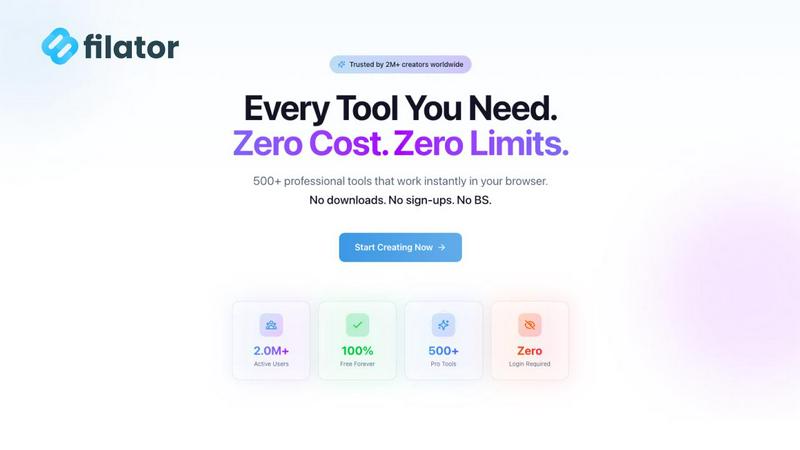
Filator is your ultimate platform to create, convert, and automate tasks with 500+ free tools, all without signing up.
Last updated: March 1, 2026

Prompt Builder
Craft, optimize, and manage AI prompts for any model in seconds, enhancing efficiency and consistency in your workflow.
Last updated: April 13, 2026
Visual Comparison
Filator
Prompt Builder
Feature Comparison
Filator
Instant Access to Tools
With Filator, you can access a vast range of professional-grade tools instantly. There's no waiting in queues or navigating through cumbersome registration processes. Simply open the tool you need and start working immediately, enhancing your productivity.
Zero Signup Required
Forget about creating accounts or remembering passwords. Filator allows you to use its extensive suite of tools without any signup requirements. This means you can focus on your tasks without the distraction of account management.
Professional Quality Outputs
Filator guarantees high-quality results for every task, whether you are merging PDFs, generating images, or crafting emails. Export your work in multiple formats with high resolution, ensuring that all outputs are production-ready and meet professional standards.
Powerful AI Integration
Leverage the power of AI with Filator's smart tools. From generating content to background removal, the AI features understand your context and deliver results in seconds. This intelligent processing helps streamline your workflow, saving you time and effort.
Prompt Builder
Prompt Generator
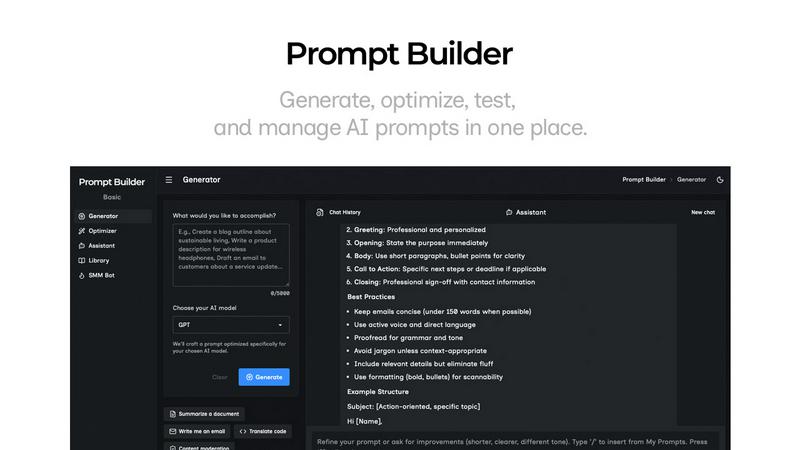
The Prompt Generator enables users to describe their ideas and select a target AI model. It automatically generates a professional-grade prompt optimized for that model, saving time and ensuring high-quality outputs tailored to specific requirements.
Chat Refinement
With the built-in chat refinement feature, users can iteratively improve their prompts. This chat environment allows real-time adjustments, making it easy to refine language, structure, and specificity, ultimately leading to more effective prompts.
Prompt Library
The Prompt Library is a centralized repository where users can save, organize, and reuse their best prompts. It includes features for searching, filtering by category and model, and managing prompts, making it easy to keep track of valuable resources across different projects.
Prompt Optimizer
The Prompt Optimizer takes existing prompts and enhances them in seconds. By providing structured improvements in clarity, constraints, and output formats, users can quickly turn mediocre prompts into high-performing ones that yield better results.
Use Cases
Filator
Quick Document Processing
Need to process a PDF or convert an image? Filator makes it easy to handle various document formats swiftly. Users can merge, split, or compress files in seconds without needing additional software.
Social Media Content Creation
Create engaging social media posts effortlessly. With tools like the Fake Instagram Post and Fake Tweet Generator, users can design eye-catching content that stands out, all while keeping their workflow smooth and efficient.
AI-Powered Writing Assistance
Whether you need to draft an email or compose an essay, Filator’s AI tools help generate structured and coherent content quickly. This functionality is perfect for professionals who need to produce written materials on tight deadlines.
Efficient Task Automation
Streamline repetitive tasks by chaining tools together. Filator enables users to automate workflows, significantly reducing the time spent on mundane tasks and allowing them to focus on more important aspects of their work.
Prompt Builder
Content Creation
Content creators can leverage Prompt Builder to generate engaging articles, social media posts, and marketing copy. By swiftly crafting and optimizing prompts, they can ensure their content resonates with target audiences and stands out in crowded markets.
Educational Resources
Educators and trainers can use Prompt Builder to create tailored prompts for lesson plans, quizzes, and instructional content. This tool allows for quick adjustments and refinements to meet specific learning outcomes and student needs.
Software Development
Developers can utilize Prompt Builder to generate prompts for interactive AI applications, ensuring that the AI responds accurately to user queries. With the ability to fine-tune prompts for different models, they can enhance user experience and functionality.
Market Research
Market researchers can create prompts for surveys and data collection, refining them based on feedback and results. This enables them to gather precise insights, leading to more informed decisions and strategies based on accurate data.
Overview
About Filator
Filator is the ultimate digital workspace designed for professionals who prioritize efficiency and privacy. This robust online platform offers over 500 utilities, enabling users to streamline tasks without sacrificing data security. With no signup required and no premium tiers, users can jump straight into their work, making it an attractive option for developers, designers, marketers, and everyday users across more than 150 countries. Whether you need to convert images, process PDFs, or leverage advanced AI tools like content generators and calculators, Filator simplifies your workflow. Each tool operates instantly in your browser, with many also available offline through Progressive Web App (PWA) technology. Filator's client-side processing ensures that your data remains secure, providing a frictionless user experience. Join over 2 million satisfied users who trust Filator for their professional needs and discover how easy it is to accomplish tasks without the hassle of signups or data collection.
About Prompt Builder
Prompt Builder is an innovative workspace designed for prompt engineering that empowers users to create, test, and save prompts tailored to various AI models. Its intuitive interface allows users to start with a draft and refine it through a chat feature, ensuring the final output aligns with the chosen model, whether it's GPT, Claude, Gemini, or others. This tool is especially beneficial for content creators, marketers, developers, and AI enthusiasts who demand efficiency in generating high-quality prompts. By eliminating the tedious process of rewriting prompts for different models, Prompt Builder streamlines the workflow, saving valuable time and effort. The platform also features an Optimizer that enhances existing prompts, a library for storing reusable prompts, and an Assistant for quick testing. With Prompt Builder, transforming an idea into a ready-to-use prompt is quick and seamless, allowing users to focus on results rather than the intricacies of prompt crafting.
Frequently Asked Questions
Filator FAQ
What types of tools does Filator offer?
Filator offers a diverse range of tools across various categories, including AI tools, PDF processing, image editing, and social media utilities. With over 500 tools available, users can find solutions for almost any task they encounter.
Do I need to create an account to use Filator?
No, you do not need to create an account to use Filator. The platform allows users to access all tools instantly without any signup requirements, making it incredibly user-friendly.
Is my data secure when using Filator?
Absolutely! Filator employs client-side processing, meaning that your data is processed directly in your browser. This ensures that your information remains private and secure, with no data collection involved.
Can I use Filator offline?
Yes, many of Filator's tools are available offline through Progressive Web App (PWA) technology. This means you can continue to work seamlessly, even without an internet connection.
Prompt Builder FAQ
How does Prompt Builder optimize prompts for different AI models?
Prompt Builder tailors prompts specifically for selected AI models by adjusting the structure, constraints, and output format. This ensures users receive optimized responses with fewer retries.
Can I save my prompts for future use?
Yes, Prompt Builder includes a comprehensive Prompt Library where you can save, organize, and reuse your best prompts. This feature allows for easy access to valuable resources across multiple projects.
Is there a limit on the number of prompts I can generate?
Users can start free with 25 assistant requests per month. This allows ample opportunity to explore and generate various prompts without any upfront payment or credit card requirement.
What types of prompts can I create with Prompt Builder?
You can create a wide range of prompts, including content for articles, social media posts, educational resources, and interactive applications. The tool is versatile and supports numerous AI models for diverse use cases.
Alternatives
Filator Alternatives
Filator is a powerful all-in-one digital workspace that provides over 500 free online tools aimed at enhancing efficiency and privacy for its users. It is designed for professionals from various fields, including developers, designers, and marketers, who require quick and reliable solutions for their tasks. Users often seek alternatives to Filator for various reasons, such as specific feature sets, compatibility with certain platforms, or pricing options that suit their budget. When choosing an alternative, it's essential to consider factors like the range of tools offered, ease of use without needing signups, and the level of data privacy provided. Additionally, look for platforms that deliver instant results and cater to your particular professional needs, ensuring that you can maintain high productivity levels without unnecessary delays.
Prompt Builder Alternatives
Prompt Builder is a cutting-edge prompt engineering workspace designed to generate, optimize, test, and manage AI prompts all in one centralized location. It caters specifically to users looking to streamline their AI interactions across various models such as GPT, Claude, and others. As AI technology evolves, users often seek alternatives for a multitude of reasons, including pricing structures, feature sets, platform compatibility, and ease of use. When searching for alternatives, it's essential to consider factors like the range of supported AI models, the intuitiveness of the user interface, and the availability of optimization tools. Additionally, reviewing community resources like libraries of reusable prompts can enhance the overall experience and productivity. Prioritizing these aspects will help you find a solution that best fits your specific needs.