
conceptviz vs Gomotion
Side-by-side comparison to help you choose the right product.

conceptviz
ConceptViz turns complex science and math topics into clear, customizable diagrams for effective teaching and research.
Last updated: February 28, 2026

Gomotion
Gomotion instantly creates AI motion graphics for creators and marketers to boost engagement.
Last updated: February 28, 2026
Visual Comparison
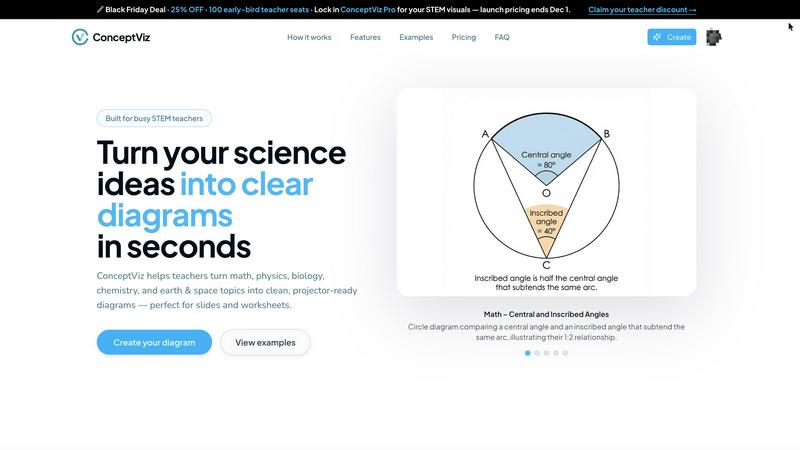
conceptviz
Gomotion

Feature Comparison
conceptviz
User-Friendly Interface
ConceptViz features an intuitive and straightforward interface that allows users to create diagrams without needing any design skills. This accessibility ensures that educators can focus on teaching rather than learning complex design software.
Fast Diagram Generation
The software streamlines the process of creating diagrams by allowing users to describe their needs in plain English. With just a few keystrokes, ConceptViz generates high-quality visuals that are ready for use in presentations and handouts.
Subject and Grade Presets
ConceptViz offers a variety of subject and grade presets tailored to real STEM classrooms. Users can easily select topics and grade levels, ensuring that the diagrams produced meet specific educational standards and requirements.
Projector-Ready Clarity
Diagrams created with ConceptViz are designed to maintain sharpness and clarity when displayed on projectors. Thick lines and legible labels ensure that visuals are easily seen and understood by students, enhancing the learning experience.
Gomotion
Transform Words Into Motion
Skip the complex keyframes and manual labor. Simply describe how you want your text to move using a simple prompt, and Gomotion instantly animates titles, captions, and logos with cinematic flair. This AI-powered feature delivers professional, dynamic results for product demos and content in seconds, eliminating the traditional hassle of animation software.
Narrative Mode for End-to-End Stories
Turn a simple script into a complete, ready-to-publish animated story in minutes. The Narrative Mode automatically syncs your narrative with images and video clips, enabling you to create full ads or short videos from start to finish with incredible speed. It's the ultimate tool for rapid video ad creation and cohesive digital storytelling.
Master Shape Dynamics & Complex Animations
Go beyond basic text and create sophisticated, complex animations effortlessly. Generate animated charts directly from your data for explainers and presentations, or design intricate simulations. This feature brings advanced motion graphics capabilities to your fingertips, allowing for impactful, data-driven visual content without manual design work.
Multi-Screen Design & Brand Import
Create once, publish everywhere. Gomotion is designed for every screen size, from mobile smartphones and tablets to desktop displays. Ensure your product teaser for Instagram or TikTok looks perfectly aligned. Plus, import your entire brand kit in one click to instantly apply logos, colors, and fonts, ensuring rapid, consistent brand animation across all content.
Use Cases
conceptviz
Classroom Instruction
Teachers can use ConceptViz to create diagrams that illustrate complex scientific concepts in their lesson plans. This capability allows educators to provide clear visual explanations, making complex ideas more accessible to students.
Student Presentations
Students can leverage ConceptViz to generate professional-looking diagrams for their projects and presentations. This tool enables them to illustrate their ideas effectively, enhancing their overall presentation quality.
Research Projects
Researchers can utilize ConceptViz to create accurate and detailed diagrams for their scientific papers or presentations. This feature is essential for clearly communicating intricate concepts to peers and audiences.
STEM Workshops
In workshops focused on STEM education, ConceptViz serves as a valuable resource for trainers who need to create instructional materials quickly. It allows for the rapid generation of visuals that aid in teaching complex subjects.
Gomotion
Rapid Social Media Ad Creation
Marketers and social media managers can create stunning, scroll-stopping video ads for platforms like Instagram, TikTok, and YouTube in minutes. Use the Narrative Mode with a script or animate brand assets instantly to launch campaigns faster than ever, keeping content fresh and engagement high without waiting for design teams.
Elevating Brand Presentations & Explainer Videos
Business professionals and educators can transform dry data and concepts into engaging animated explainer videos. Quickly generate animated charts and shape dynamics to make presentations impactful and simulations clear, perfect for investor pitches, internal training, or product launch explanations that captivate any audience.
Streamlining Content Creation for Creators
Digital creators, influencers, and video editors can bypass lengthy editing processes. Generate professional intros, outros, lower-thirds, and animated captions directly from text prompts. This speeds up production timelines dramatically, allowing creators to focus on storytelling and publishing more high-quality content consistently.
Agile Product Marketing & Launches
Product teams and startups can create teasers, demo videos, and launch announcements with incredible agility. Animate logos, showcase features with dynamic text, and build hype with polished motion graphics in a fraction of the time, enabling quick iteration and faster time-to-market for all promotional visual assets.
Overview
About conceptviz
ConceptViz is an innovative tool tailored for educators, students, and researchers who are in need of high-quality visual representations of intricate scientific concepts. This cutting-edge software allows users to create classroom-ready diagrams in seconds, making it an indispensable resource for STEM teachers. ConceptViz serves a broad spectrum of subjects, including physics, biology, chemistry, earth science, and mathematics, suitable for all educational levels from K-12 to university research. The primary value proposition of ConceptViz lies in its capability to transform plain descriptions into clear, projector-ready visuals that significantly enhance lesson plans, labs, and assessments. With a user-friendly interface that requires no design skills, ConceptViz empowers educators to dedicate more time to teaching rather than scouring the internet for appropriate images.
About Gomotion
Gomotion is the world's most advanced AI motion designer, a game-changing platform that delivers professional-grade animations at lightning speed. It seamlessly blends the sophisticated power of software like After Effects with the intuitive, user-friendly charm of tools anyone can master. Designed for creators, marketers, and businesses of all sizes, Gomotion empowers users to generate stunning, brand-aligned animations in mere moments, not days. The core value proposition is unmatched speed and efficiency: transform a simple text prompt or an uploaded image into a visually captivating motion graphic with just a few clicks. Whether you're starting from scratch or enhancing existing assets, Gomotion makes high-end motion design accessible to everyone, regardless of skill level. It's the essential tool for anyone looking to dramatically elevate their brand presence, supercharge social media engagement, and enhance digital storytelling without the traditional complexity or time investment.
Frequently Asked Questions
conceptviz FAQ
What subjects does ConceptViz cover?
ConceptViz covers a wide array of subjects including physics, biology, chemistry, earth science, and mathematics, making it suitable for various educational levels.
Do I need design skills to use ConceptViz?
No, ConceptViz is designed for users without any design skills. Its user-friendly interface allows anyone to create high-quality diagrams effortlessly.
How quickly can I generate a diagram?
You can generate a diagram in mere seconds. Simply describe the diagram you need in plain English, and ConceptViz will create it for you almost instantly.
Can I use ConceptViz for higher education research?
Absolutely. ConceptViz is suitable for all educational levels, including university-level research, making it a versatile tool for educators and researchers alike.
Gomotion FAQ
Who is Gomotion designed for?
Gomotion is built for a wide range of users including marketers, social media managers, content creators, business professionals, and startups. It's perfect for anyone who needs to create professional motion graphics quickly, regardless of their prior animation or design experience. It democratizes high-end motion design.
How does the AI animation process work?
The process is incredibly fast and simple. You can start with a text prompt describing the movement you want (e.g., "logo spins in dramatically") or upload an image. Gomotion's AI then interprets your input and generates a complete animation in seconds, handling all the complex keyframing and timing for you automatically.
Can I use Gomotion for my business branding?
Absolutely. Gomotion allows you to import your brand assets (logos, color palettes, fonts) with one click. This ensures every animation you create is instantly on-brand, perfect for maintaining visual consistency across social media videos, ads, product launches, and internal presentations at scale and speed.
What kind of animations can I create?
You can create a vast range of animations from simple animated text and logos to complex, multi-scene narrative videos. This includes social media ads, explainer videos with animated charts, product demos, title sequences, and data visualizations. The platform is designed for versatility across different formats and purposes.
Alternatives
conceptviz Alternatives
ConceptViz is a cutting-edge tool designed for educators, students, and researchers, transforming complex scientific and mathematical concepts into clear, customizable diagrams. As a part of the AI Assistants and Content Creation categories, it streamlines the process of creating classroom-ready visuals, enhancing presentations and lesson plans. Users often seek alternatives for various reasons, including pricing, specific feature sets, or platform compatibility. When choosing an alternative, consider factors such as user-friendliness, the quality of visuals produced, subject-specific presets, and the speed of diagram generation to ensure you find a solution that meets your educational needs.
Gomotion Alternatives
Gomotion is a leading AI-powered design tool that specializes in generating motion graphics with incredible speed. It belongs to the category of AI-driven design and animation software, helping creators and marketers produce engaging brand animations in moments. Users often explore alternatives for various reasons. These can include budget constraints, the need for different feature sets like more granular manual controls, or specific platform compatibility requirements. Every project and team has unique demands that a single tool may not perfectly fulfill. When evaluating other options, key factors to consider are the core AI capabilities, export flexibility, ease of use, and the overall value for the investment. The ideal alternative should match your need for rapid, high-quality output without sacrificing the creative vision or workflow efficiency.