
Coloring Book Engine vs conceptviz
Side-by-side comparison to help you choose the right product.

Coloring Book Engine
Create professional coloring books and videos fast with an all-in-one AI and local production toolkit.
Last updated: February 28, 2026

conceptviz
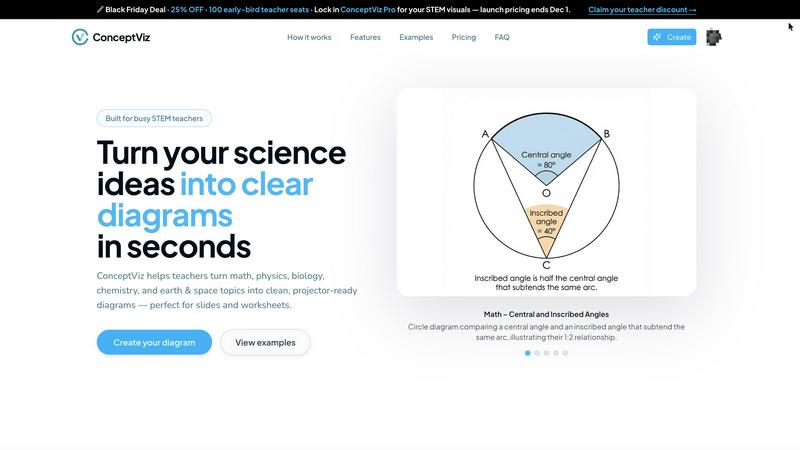
ConceptViz turns complex science and math topics into clear, customizable diagrams for effective teaching and research.
Last updated: February 28, 2026
Visual Comparison
Coloring Book Engine

conceptviz
Feature Comparison
Coloring Book Engine
BYOK AI Integration & Local Processing
Maintain full control over your AI costs and data privacy with the Bring Your Own Key (BYOK) model. Plug in your preferred AI API keys for ideation and sketching, then let CBE's local GPU acceleration take over for the heavy lifting. The majority of tasks—from line art refinement to video generation—run directly on your computer, not in the cloud. This means faster processing, no subscription locks, and your creative assets never leave your machine.
Batch Production & Unified Workspace
Scale your catalog at lightning speed with highly optimized batch workflows. Generate multiple pages from a single concept, organize entire projects and series, and manage all your assets from one centralized workspace. This eliminates the frustrating back-and-forth between disparate tools, allowing you to efficiently transform one brilliant idea into a complete, cohesive book or even an entire product line without losing momentum.
KDP-Ready Export & Print Perfection
Export with absolute confidence. Coloring Book Engine automatically packages your work with all technical specifications handled, including proper trim sizes, margins, bleed, and single-sided pagination required by major platforms like Amazon KDP. It also features advanced tools to clean up fuzzy AI-generated lines, ensuring your final pages export with crisp, print-sharp line art that looks stunning and professional on physical paper.
Social-Ready Coloring Video Creator
Instantly create engaging promotional content to drive sales. Directly from your book files, generate captivating coloring videos and short-form clips perfectly tailored for YouTube Shorts, TikTok, and other social platforms. This built-in tool rapidly visualizes the coloring process using real-world color palettes, providing authentic previews that resonate with your audience and maximize your book's market reach without needing extra software.
conceptviz
User-Friendly Interface
ConceptViz features an intuitive and straightforward interface that allows users to create diagrams without needing any design skills. This accessibility ensures that educators can focus on teaching rather than learning complex design software.
Fast Diagram Generation
The software streamlines the process of creating diagrams by allowing users to describe their needs in plain English. With just a few keystrokes, ConceptViz generates high-quality visuals that are ready for use in presentations and handouts.
Subject and Grade Presets
ConceptViz offers a variety of subject and grade presets tailored to real STEM classrooms. Users can easily select topics and grade levels, ensuring that the diagrams produced meet specific educational standards and requirements.
Projector-Ready Clarity
Diagrams created with ConceptViz are designed to maintain sharpness and clarity when displayed on projectors. Thick lines and legible labels ensure that visuals are easily seen and understood by students, enhancing the learning experience.
Use Cases
Coloring Book Engine
The Solo Creator & Side Hustler
For individual artists and solopreneurs launching their first coloring book, CBE is the ultimate force multiplier. It rapidly bridges the gap from a personal sketch or AI-generated concept to a polished, commercially viable product. You can manage the entire process—planning, sketching, layout, and creating marketing videos—solo and efficiently, turning a passion project into a profitable side business without a steep learning curve or ongoing fees.
The Publishing Studio & Small Team
Small studios and publishing teams can standardize and accelerate their entire production pipeline. The Organization license allows multiple users to collaborate, while the batch workflow enables the rapid creation of series and themed collections. The tool ensures consistent, print-ready quality across all projects and empowers teams to quickly produce supplemental video assets for coordinated marketing campaigns across social media.
The Educator & Content Developer
Teachers, homeschool coordinators, and educational content developers can use CBE to swiftly create custom coloring books for classrooms, events, or digital marketplaces. The ability to work without AI allows for the integration of hand-drawn educational diagrams, while the efficient layout tools make it simple to compile themed activity books. The local processing also keeps sensitive or proprietary educational material secure.
The AI-Assisted Artist & Digital Creator
Digital artists and creators who leverage AI as part of their toolkit will find CBE indispensable. It provides a structured, fast environment to refine and enhance AI-generated sketches, clean up lines, batch-process variations, and professionally package the output. This use case perfectly combines the speed of AI ideation with the precision and control of a dedicated production engine for high-volume, high-quality output.
conceptviz
Classroom Instruction
Teachers can use ConceptViz to create diagrams that illustrate complex scientific concepts in their lesson plans. This capability allows educators to provide clear visual explanations, making complex ideas more accessible to students.
Student Presentations
Students can leverage ConceptViz to generate professional-looking diagrams for their projects and presentations. This tool enables them to illustrate their ideas effectively, enhancing their overall presentation quality.
Research Projects
Researchers can utilize ConceptViz to create accurate and detailed diagrams for their scientific papers or presentations. This feature is essential for clearly communicating intricate concepts to peers and audiences.
STEM Workshops
In workshops focused on STEM education, ConceptViz serves as a valuable resource for trainers who need to create instructional materials quickly. It allows for the rapid generation of visuals that aid in teaching complex subjects.
Overview
About Coloring Book Engine
Coloring Book Engine (CBE) is the ultimate desktop accelerator for coloring book creators. It's a powerful, standalone design tool that slashes production time from a vague idea to a publish-ready product. This engine is built for speed, catering to individual artists, ambitious solopreneurs, publishing teams, and educators who want to build and scale a coloring book business without getting bogged down in technical hassles. Its core value is an end-to-end, locally-run workflow that puts you in full control. Forget juggling multiple subscriptions and cloud services. CBE combines AI-assisted ideation (using your own API keys to control costs) with GPU-accelerated production for coloring, layout, and video creation—all in one focused workspace. It handles the tedious specs like KDP-ready margins, bleed, and pagination, while empowering you to create marketing assets like social media coloring videos in minutes. For purists, it also supports a complete AI-free workflow. Simply put, Coloring Book Engine is your fast track to producing professional, commercial-quality books and assets, with your privacy and budget firmly intact.
About conceptviz
ConceptViz is an innovative tool tailored for educators, students, and researchers who are in need of high-quality visual representations of intricate scientific concepts. This cutting-edge software allows users to create classroom-ready diagrams in seconds, making it an indispensable resource for STEM teachers. ConceptViz serves a broad spectrum of subjects, including physics, biology, chemistry, earth science, and mathematics, suitable for all educational levels from K-12 to university research. The primary value proposition of ConceptViz lies in its capability to transform plain descriptions into clear, projector-ready visuals that significantly enhance lesson plans, labs, and assessments. With a user-friendly interface that requires no design skills, ConceptViz empowers educators to dedicate more time to teaching rather than scouring the internet for appropriate images.
Frequently Asked Questions
Coloring Book Engine FAQ
Is Coloring Book Engine a subscription?
No. Coloring Book Engine is a one-time purchase for lifetime access. There is no monthly or annual subscription fee. The only potential ongoing cost is for AI API usage if you choose to use the BYOK (Bring Your Own Key) integration, which operates on a pay-as-you-go basis through your own accounts, giving you complete cost control.
Can I use this tool without AI?
Absolutely. CBE fully supports an AI-free workflow. You can import your own hand-crafted art, sketches, or any other line art, and the engine will handle all subsequent steps: organizing pages, applying print-ready formatting, creating coloring previews, and generating promotional videos. The AI features are entirely optional.
Can I use it commercially, and who owns what I create?
Yes, both the Personal and Organization licenses include commercial use rights for your own books, brands, and projects. You retain 100% ownership of all the content you create using Coloring Book Engine. The software is a tool; the intellectual property of the output belongs entirely to you.
Do I need a powerful GPU?
A modern GPU with at least 4GB of VRAM is recommended for optimal performance, especially for features like the interface rendering and previews. For the fastest local processing, particularly the experimental Local GPU Colorization, a more powerful DirectML-compatible GPU with 8GB+ VRAM (like an NVIDIA RTX 3060 or AMD Radeon RX 6600) is suggested but optional.
conceptviz FAQ
What subjects does ConceptViz cover?
ConceptViz covers a wide array of subjects including physics, biology, chemistry, earth science, and mathematics, making it suitable for various educational levels.
Do I need design skills to use ConceptViz?
No, ConceptViz is designed for users without any design skills. Its user-friendly interface allows anyone to create high-quality diagrams effortlessly.
How quickly can I generate a diagram?
You can generate a diagram in mere seconds. Simply describe the diagram you need in plain English, and ConceptViz will create it for you almost instantly.
Can I use ConceptViz for higher education research?
Absolutely. ConceptViz is suitable for all educational levels, including university-level research, making it a versatile tool for educators and researchers alike.
Alternatives
Coloring Book Engine Alternatives
Coloring Book Engine is a powerful desktop design tool that streamlines the entire process of creating and marketing commercial coloring books. It falls into the category of specialized design software, offering a complete end-to-end workflow from initial concept to print-ready PDFs and promotional videos. Users often explore alternatives for various reasons. Some may seek different pricing models, like subscriptions versus one-time purchases. Others might need specific features, such as advanced illustration tools or different AI integrations. Platform compatibility is also a key factor, as some creators prefer cloud-based solutions over standalone desktop software. When evaluating alternatives, focus on your core needs. Consider the required output quality, the efficiency of the workflow, and the total cost of ownership. Look for tools that offer the right balance of automation for speed and control for customization, ensuring they align with your business goals and technical comfort level.
conceptviz Alternatives
ConceptViz is a cutting-edge tool designed for educators, students, and researchers, transforming complex scientific and mathematical concepts into clear, customizable diagrams. As a part of the AI Assistants and Content Creation categories, it streamlines the process of creating classroom-ready visuals, enhancing presentations and lesson plans. Users often seek alternatives for various reasons, including pricing, specific feature sets, or platform compatibility. When choosing an alternative, consider factors such as user-friendliness, the quality of visuals produced, subject-specific presets, and the speed of diagram generation to ensure you find a solution that meets your educational needs.