
AI Photo Assistant vs SparkPix
Side-by-side comparison to help you choose the right product.

AI Photo Assistant
Transform ordinary photos into professional images instantly with one click AI.
Last updated: February 28, 2026

SparkPix
Edit photos effortlessly by typing commands to remove backgrounds, enhance quality, restore old images, and transform styles with SparkPix.
Last updated: March 11, 2026
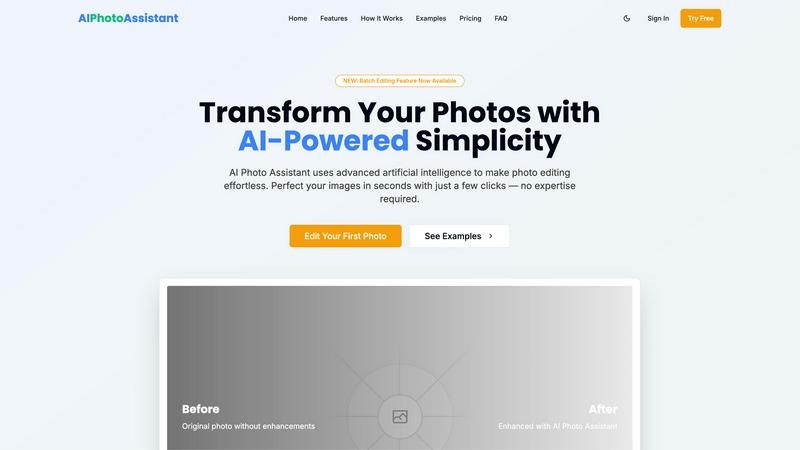
Visual Comparison
AI Photo Assistant
SparkPix

Feature Comparison
AI Photo Assistant
One-Click Smart Auto-Enhancement
This is the cornerstone of speed. With a single click, our powerful AI comprehensively analyzes your entire photo and applies the ideal, balanced adjustments automatically. It intelligently corrects lighting, optimizes contrast, boosts saturation where needed, refines sharpness, and perfects the overall composition, delivering a professionally enhanced image in seconds without any manual slider adjustments.
Professional Portrait Enhancement
Get flawless portraits and selfies instantly. The AI specifically detects faces and applies a suite of subtle yet impactful enhancements. It can smooth skin, brighten eyes, whiten teeth, and adjust facial lighting for a naturally polished look. This feature delivers studio-quality portrait retouching that used to require expensive software and skilled manual labor, now accomplished in a flash.
AI-Powered Background Editing
Transform or refine your photo's background with intelligent AI tools. Quickly remove unwanted objects or clutter from a scene, or completely replace a bland background with something more professional or artistic. The AI precisely identifies the subject and separates it from the background, making complex edits like this remarkably fast and simple for any user.
New: Batch Processing Feature
Maximize efficiency by editing multiple photos at once. This powerful new feature allows you to upload dozens of images and apply consistent, AI-powered enhancements to all of them simultaneously. It's the ultimate tool for quickly processing product galleries, event photos, or social media content batches, saving hours of repetitive work.
SparkPix
AI Photo Editor
With SparkPix's AI Photo Editor, editing photos is as simple as typing instructions. Just describe what you want, like "remove background" or "enhance colors," and watch as the AI delivers stunning edits in under 30 seconds. This feature is designed for speed and efficiency, ensuring that even the most complex edits can be performed swiftly without any manual skill.
Background Remover
The one-click Background Remover feature allows users to instantly eliminate backgrounds from portraits, product images, or intricate scenes. This tool is perfect for creating professional-looking photos for e-commerce or social media, making it easier to focus on your subject without distractions.
Unblur Image
Say goodbye to blurry photos with SparkPix's Unblur Image feature. This AI-driven tool fixes motion blur, out-of-focus shots, and compression artifacts, transforming your images into clear, sharp visuals. It's perfect for those critical moments that weren't captured perfectly the first time.
Photo Restoration
Restore cherished memories with SparkPix’s Photo Restoration feature. This tool repairs old, faded, scratched, or damaged photos, making it an ideal choice for preserving family archives and historical images. Breathe new life into your vintage pictures and keep memories alive for future generations.
Use Cases
AI Photo Assistant
Social Media Content Creation
Ideal for influencers, marketers, and avid posters who need a constant stream of high-quality visuals. Quickly polish selfies, lifestyle shots, and landscape photos to maintain a cohesive and professional-looking feed. Enhance multiple images for a campaign or post in minutes, not hours, keeping your content calendar on schedule without sacrificing quality.
E-commerce & Small Business Product Photos
Perfect for entrepreneurs and small business owners who need to present products professionally without hiring a photographer. Instantly enhance product shots by correcting lighting, making colors pop, and ensuring a clean, consistent look across your entire online store catalog. This elevates brand perception and can directly boost sales.
Busy Professionals & Personal Use
For professionals needing to quickly enhance images for presentations, reports, or real estate listings, and for individuals wanting perfect photos of life events. Fix poorly lit vacation photos, brighten family portraits, or polish images for a personal blog in seconds, achieving great results without investing time in learning complex software.
Rapid Batch Editing for Events
After a wedding, conference, or any event with hundreds of photos, our batch processing feature is a lifesaver. Apply uniform color correction, lighting fixes, and enhancements to the entire collection with one command. This delivers a consistent, professional set of images to clients or guests faster than ever before.
SparkPix
Social Media Content Creation
SparkPix is a game-changer for influencers and content creators. Users can quickly enhance their photos and create eye-catching visuals that stand out on platforms like Instagram and TikTok. With features like background removal and style transfer, your posts will attract more engagement and followers.
Family Photo Restoration
For families looking to restore old photographs, SparkPix provides the perfect solution. Users can repair and revitalize faded or damaged images, bringing treasured memories back to life. This is especially useful for preserving family history and sharing it with loved ones.
E-commerce Product Photography
Online sellers can utilize SparkPix to create professional product images effortlessly. The Background Remover and AI Photo Editor features help ensure product photos are clear and visually appealing, enhancing the shopping experience and driving sales.
Artistic Transformations
Artists and hobbyists can explore their creativity by using the Style Transfer feature. Transform ordinary photos into stunning works of art, mimicking styles like oil painting or watercolor. This feature is ideal for those looking to create unique pieces for personal use or to share with their audience.
Overview
About AI Photo Assistant
AI Photo Assistant is the definitive lightning-fast, AI-powered photo editing platform engineered to deliver professional-quality results in mere seconds. It completely eliminates the complexity, time drain, and steep learning curve of traditional editing software. By leveraging advanced artificial intelligence, neural networks, and machine learning, the platform intelligently analyzes your images to automatically perfect them. With just one click, it applies optimal, studio-grade adjustments to critical elements like brightness, contrast, saturation, color balance, and composition, transforming dull or amateur shots into stunning, polished visuals. Designed with speed and efficiency as its core principles, it caters specifically to social media content creators who need to polish their feed rapidly, small business owners requiring high-quality product photos without a photography budget, busy professionals editing multiple images for reports or presentations, and anyone without technical skills who desires expert-level results. Its core value proposition is uncompromising: achieve professional, visually captivating edits faster than ever thought possible, with zero manual effort and no prior experience required.
About SparkPix
SparkPix is a revolutionary AI-powered photo editing tool designed for everyone, regardless of their skill level. This web-based platform allows users to edit photos simply by typing what they want, eliminating the need for complex software like Photoshop. With SparkPix, you can effortlessly enhance your images, restore memories, or create stunning artistic transformations in just seconds. Ideal for photographers, social media enthusiasts, and anyone looking to improve their images, SparkPix provides a user-friendly interface that makes editing as easy as sending a text message. Whether you want to remove backgrounds, restore old photographs, or apply artistic styles, SparkPix offers a suite of powerful features that deliver professional-grade results in no time. Start for free and unleash your creativity without any prior experience.
Frequently Asked Questions
AI Photo Assistant FAQ
How does AI Photo Assistant work so fast?
Our platform leverages optimized cloud computing and advanced neural networks specifically trained for image processing. The AI algorithms are designed for instantaneous analysis and application of edits, processing images on powerful servers to deliver results in seconds, far quicker than manual editing or software running on a local computer.
Do I need any photo editing skills to use it?
Absolutely not. AI Photo Assistant is built for complete beginners. The entire process is automated and guided. You simply upload your photo and click "Enhance." The AI handles all the technical adjustments, requiring no knowledge of terms like exposure, curves, or layers. Professional results are truly just one click away.
What image formats do you support?
We support all popular image formats, including JPG, PNG, HEIC, and WebP. You can upload photos directly from your device, whether it's a smartphone, tablet, or computer. The enhanced photos can be downloaded in high-quality formats suitable for both web use and printing.
Is there a limit to how many photos I can edit?
Limits depend on your chosen plan. The Free plan allows for 5 photos per month. The Pro plan increases this to 100 photos per month, while the Unlimited plan offers complete freedom with no caps. The new Batch Processing feature is available to significantly multiply your editing efficiency within these limits.
SparkPix FAQ
How does SparkPix work?
SparkPix uses advanced AI algorithms to analyze and edit photos based on the user’s text instructions. Simply type what you want to change, and the AI processes the request to deliver the desired results quickly.
Is SparkPix free to use?
Yes, SparkPix offers a free plan that provides users with 5 credits to start editing. No credit card is required, making it easy to try out the tool before committing to a paid plan.
What platforms does SparkPix support?
SparkPix is a web-based application, meaning it can be accessed from any device with an internet connection. It works seamlessly on desktops, iPhones, and Android devices, ensuring you can edit photos on the go.
Can I generate images from text prompts?
Absolutely! SparkPix includes an AI Image Generator that allows you to create images from text prompts in various resolutions. This feature is perfect for generating unique visuals based on your specific ideas or concepts.
Alternatives
AI Photo Assistant Alternatives
AI Photo Assistant is a one-click AI photo editing platform that transforms ordinary images into professional-grade visuals instantly. It belongs to the category of AI-powered creative assistants, designed for speed and automated perfection. Users often seek alternatives for various reasons, including budget constraints, the need for more specialized editing tools, compatibility with different operating systems, or a preference for more hands-on control over the editing process. When evaluating other options, key factors to consider are the core value proposition. Prioritize tools that match your primary need, whether that's raw speed, a specific feature like advanced retouching, a particular pricing model, or seamless integration with your existing workflow. The goal is to find a solution that delivers the quality and efficiency you require without unnecessary complexity or cost.
SparkPix Alternatives
SparkPix is an innovative AI-powered online photo editor that allows users to edit images effortlessly by simply typing their desired commands. This platform falls under the image and photo editing category, providing features such as background removal, photo restoration, and style transfer, all designed for quick and user-friendly editing without any prior Photoshop experience. Users often seek alternatives to SparkPix due to various factors, including pricing structures, specific feature sets, or compatibility with different platforms. When evaluating alternatives, it’s essential to consider factors such as the ease of use, the range of available features, pricing plans, and the flexibility of the platform across devices. By doing so, users can find an editing tool that best fits their unique needs and preferences.