
AdaptlyPost vs Qwen Image Generator
Side-by-side comparison to help you choose the right product.

AdaptlyPost
Effortlessly create, schedule, and publish tailored social media content across all platforms from one powerful dashboard.
Last updated: March 11, 2026

Qwen Image Generator
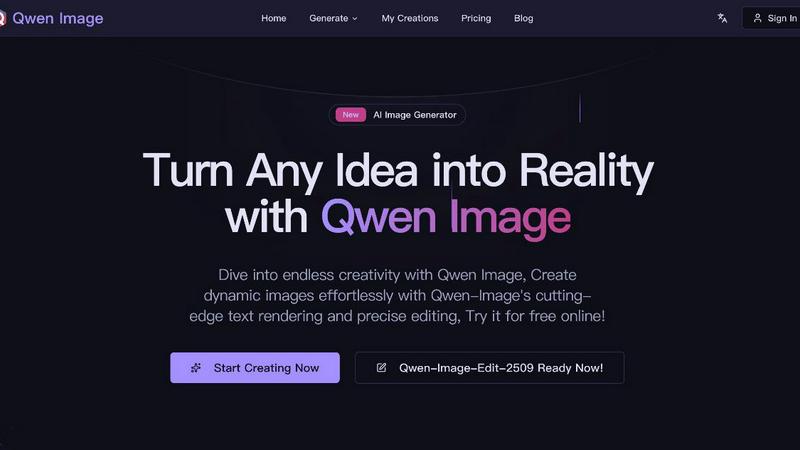
Qwen Image Generator instantly creates stunning, text-rich images from your ideas.
Last updated: March 1, 2026
Visual Comparison
AdaptlyPost

Qwen Image Generator
Feature Comparison
AdaptlyPost
Smart Scheduling
AdaptlyPost features an intuitive smart scheduling system that allows users to plan and manage their content effortlessly. This feature provides a visual content calendar, enabling users to see their posting schedule at a glance and never miss their optimal posting times. With just one click, users can schedule posts across all connected platforms, ensuring a seamless content distribution process.
Multi-Platform Posting
Say goodbye to the chaos of managing multiple apps. AdaptlyPost simplifies content sharing by allowing users to post to all their social channels simultaneously. Each post is automatically tailored to fit the nuances of each platform, guaranteeing that your content is optimized for engagement, no matter where it appears.
AI Caption Co-pilot
The AI Caption Co-pilot is a game-changer for content creators. This feature enables users to generate captivating captions for their posts that resonate with their audience. Users can request captions tailored to specific platforms, and the AI will suggest trending hashtags to boost reach and engagement, making every post a hit.
AI Image Studio
Create stunning visuals in a matter of seconds with the AI Image Studio. Users simply describe their vision, and the AI brings it to life by generating scroll-stopping images that capture attention. This feature saves time and enhances creativity, allowing users to focus on strategy rather than design.
Qwen Image Generator
Superior Multilingual Text Rendering
Experience unmatched text generation within images. Qwen Image doesn't just scribble letters; it accurately renders readable, layout-correct text in complex scenarios. Create images featuring Chinese poems, English slogans, PowerPoint slide text, or poster headlines with perfect typography and fine detail, all generated at lightning speed.
Advanced Dual Generation Modes
Switch effortlessly between Text-to-Image and Image-to-Image modes for maximum creative control. Start from a text prompt to generate entirely new scenes or upload an existing image to edit, modify, and enhance it with precise AI-driven edits, all within the same streamlined, fast-paced workflow.
Consistent & Precise Image Editing
Go beyond basic filters. Qwen Image's enhanced multi-task training allows for high-quality editing that preserves the original image's semantic meaning and visual realism. Make precise alterations, add elements, or change styles while maintaining consistency and quality, enabling rapid iteration and refinement.
Commercial-Ready Output Quality
Every image generated meets high professional standards, suitable for immediate commercial use. Download high-resolution, watermark-free visuals perfect for marketing materials, publications, social media campaigns, or product designs. Get professional results instantly without compromising on speed or quality.
Use Cases
AdaptlyPost
For Social Media Managers
Social media managers can leverage AdaptlyPost to efficiently handle multiple client accounts. The platform’s multi-platform posting and smart scheduling features allow them to manage a diverse content pipeline effortlessly, ensuring that all client needs are met with precision.
For Content Creators
Content creators can utilize AdaptlyPost to streamline their content creation process. The AI tools provide innovative caption ideas and visuals, enabling them to produce high-quality content that resonates with their audience while saving valuable time.
For Businesses
Businesses looking to enhance their online presence can benefit from AdaptlyPost’s comprehensive features. By using the platform to schedule and manage posts across various platforms, they can maintain a consistent brand voice and engage with their audience strategically.
For Marketing Teams
Marketing teams can take advantage of AdaptlyPost to collaborate effectively on content strategies. With the ability to manage multiple workspaces and team members, they can create cohesive marketing campaigns that drive results across all social media channels.
Qwen Image Generator
Marketing & Advertising Content Creation
Generate eye-catching marketing assets at breakneck speed. Create perfect social media posts, digital ads, email banners, and product posters with integrated, flawlessly rendered text. Rapidly produce multiple visual variants for A/B testing, accelerating campaign deployment and boosting engagement.
UI/UX & Presentation Design
Quickly prototype and visualize design concepts. Generate detailed UI mockups, website layouts, app screens, and professional PowerPoint slides complete with accurate text placeholders and graphical elements. Streamline the design process and present ideas visually in a fraction of the usual time.
Creative Artwork & Illustration
Unleash rapid artistic exploration. Generate unique illustrations, concept art, and digital paintings from descriptive text prompts. Experiment with different artistic styles, compositions, and themes effortlessly, turning creative ideas into finished pieces faster than ever before.
E-commerce & Product Visualization
Enhance online stores with speed. Create compelling product visuals, lifestyle context images, and promotional graphics without costly photoshoots. Quickly edit existing product photos to highlight features or place items in new settings, enabling fast catalog updates and more dynamic product displays.
Overview
About AdaptlyPost
AdaptlyPost is a revolutionary all-in-one social media management dashboard designed to streamline the process of creating, scheduling, and publishing content across multiple platforms including X, Instagram, TikTok, and YouTube. Perfect for individuals, solopreneurs, and growing teams, AdaptlyPost empowers users to effectively manage their social media presence without the hassle of juggling multiple applications. The platform’s AI Co-pilot generates captions that automatically adapt to the tone of each social media platform, while the AI Image Studio allows users to create eye-catching visuals in seconds. With a unified pipeline for drafts and scheduled posts, users can maximize their efficiency and focus on what matters most: engaging their audience. AdaptlyPost saves hours every week, making it an essential tool for anyone looking to enhance their social media strategy.
About Qwen Image Generator
Qwen Image Generator is a lightning-fast, cutting-edge AI platform designed to transform your ideas into stunning, professional-grade visuals in seconds. It leverages the powerful Qwen Image foundation model to deliver superior text-to-image and image-to-image generation, making it the ultimate tool for creators, marketers, businesses, and AI enthusiasts who demand both speed and quality. The platform excels where others falter, with an unparalleled ability to render complex, readable text in multiple languages, including intricate English and Chinese layouts. This means you can generate everything from social media posts with perfect slogans to detailed UI mockups and posters with flawless typography instantly. With its state-of-the-art technology and user-friendly interface, Qwen Image Generator provides the flexibility and commercial-ready output quality needed to bring any creative vision to life at unprecedented speed, empowering you to create without limits.
Frequently Asked Questions
AdaptlyPost FAQ
Which social media platforms do you support?
AdaptlyPost supports a wide range of social media platforms including X, Instagram, TikTok, YouTube, and more. This enables users to manage their content across various channels from one centralized dashboard.
Will my posts get less reach than posting manually?
No, AdaptlyPost ensures that your posts are optimized for each platform, maintaining or even enhancing reach compared to manual posting. Each post is auto-adapted to fit the unique characteristics of the platform it is shared on.
Can I schedule posts in advance?
Absolutely! AdaptlyPost allows you to schedule posts in advance, giving you the flexibility to plan your content strategy ahead of time and ensuring that your audience receives updates at the best times.
How does the AI caption writer work?
The AI caption writer generates tailored caption ideas based on user prompts. It can adapt captions for different platforms and suggest trending hashtags to increase visibility, making it an essential tool for effective content creation.
Qwen Image Generator FAQ
What makes Qwen Image's text rendering special?
Qwen Image sets a new standard by actually generating readable, correctly laid-out text within images, supporting complex formats and multiple languages like English and Chinese. Unlike many AI generators that produce garbled characters, it can accurately render posters, UI text, and even poems, making it incredibly fast for creating content-ready graphics.
Is Qwen Image Generator free to use?
Yes, you can start creating immediately. The platform offers a free tier with credits to generate images. Simply sign in to unlock free generations and begin exploring its capabilities. For higher volume, private generations, and advanced features, premium subscription plans are available.
Can I use the generated images for commercial projects?
Absolutely. All images created with Qwen Image Generator are commercial-ready. You own the outputs and can use them for professional purposes including marketing, advertising, publications, and product designs without watermarks or restrictions, enabling fast and legal commercial deployment.
What is the difference between Text-to-Image and Image-to-Image modes?
Text-to-Image generates completely new visuals from a written prompt. Image-to-Image allows you to upload an existing photo and use AI to edit, modify, or transform it based on a new text instruction. Both modes are designed for rapid, high-quality results, giving you flexible and fast creative workflows.
Alternatives
AdaptlyPost Alternatives
AdaptlyPost is an innovative content creation tool designed to streamline the process of creating, scheduling, and publishing posts across various social media platforms, including Instagram, TikTok, and YouTube. As an all-in-one dashboard, it enables users to harness the power of AI for generating platform-specific captions and visually captivating graphics effortlessly. This functionality places AdaptlyPost squarely in the content creation category, catering to individuals and businesses seeking efficiency in their social media strategy. Users often seek alternatives to AdaptlyPost for reasons such as pricing, specific feature sets, or compatibility with unique platform requirements. When exploring alternatives, it's essential to consider factors like user interface simplicity, integration capabilities with other tools, and the flexibility of features to accommodate different content types. The right alternative should enhance your workflow and meet your specific social media needs without sacrificing quality or efficiency.
Qwen Image Generator Alternatives
Qwen Image Generator is a top-tier AI image creation tool in the AI Assistants and Image & Photo category. It uses advanced text-to-image and image-to-image technology to produce commercial-ready visuals with exceptional text rendering and editing consistency. It's a powerful solution for turning ideas into stunning artwork and marketing materials at speed. Users often explore alternatives for various reasons. This includes seeking different pricing models, needing specific features not available, or requiring compatibility with a different platform or workflow. The search for the right tool is driven by the need to match unique project demands and budget constraints. When evaluating an alternative, focus on core needs. Key factors include the quality and resolution of generated images, the accuracy of text rendering within images, the flexibility of editing features, and the overall cost-effectiveness for your volume of use. The goal is to find a tool that delivers professional results with maximum efficiency.