
Greatooly
Discover useful apps for everyday life. Start with our iPhone picks and explore features, pricing notes, and official sources.

Discover useful apps for everyday life. Start with our iPhone picks and explore features, pricing notes, and official sources.

Turn photos into AI videos for free with Goshortsai. Sign in daily for free credits, upload an image, describe the motion, and generate.
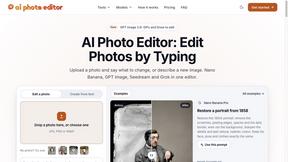
An online AI photo editor where you type what you want. Remove objects, swap backgrounds, restore old photos and restyle portraits.

Shoot 3-4 frame photo strips in your browser. Frames, filters and print-ready 300 DPI downloads with no watermark. No app, no sign-up.

Turn your pet's photos into a private virtual room, daily care, albums and dated memories.
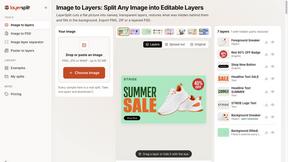
Split a flat image into named, transparent layers with the background filled in. Export PNG files, a ZIP or a layered PSD. Your first split is free.
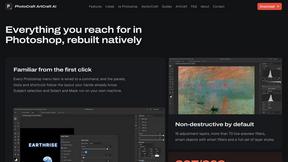
Independent guide to PhotoCraft, a free, open-source Photoshop-style image editor with PSD/PSB support for macOS, Windows and Linux.
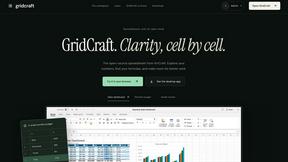
Free open-source spreadsheet app for exploring, editing, and analyzing XLSX workbooks in browser or on desktop.

Free, open-source presentation editor for creating and presenting slides online or on desktop.

Discover the best free online tools with ToolSuite Pro. Explore AI, productivity, marketing, SEO, writing, business, and software tools in one place.
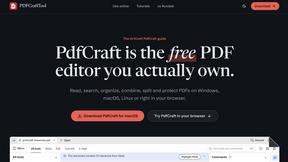
Free, open-source PDF editor for Windows, macOS, Linux, FreeBSD, and modern browsers with local privacy-focused tools.

Workplace and food safety software for daily checks on phones, with photo evidence and inspection records across every site.

Create bold, dimensional metal lettering with adjustable finishes, depth, lighting, angle, spacing, and transparent PNG export.


Upload one photo for a free PSL score and face rating. 47 tools cover face shape, symmetry, color season and more. No signup needed.


GigUp helps freelancers discover relevant Upwork jobs through AI matching, automated monitoring, and instant alerts.

Convert any FlipHTML5 flipbook into a high-quality PDF online - free, open source, no signup.

Cardify turns Markdown into beautiful knowledge cards with 30+ themes, live preview and easy export.

AI-powered platform that evaluates the safety of LinkedIn automation tools and helps reduce the risk of account restrictions.
TinyFast is a powerful file compression tool specifically designed for macOS users. It enables lightning-fast shrinking of images, videos, PDFs, and more, all processed locally to ensure maximum privacy and efficiency. Users often seek alternatives to TinyFast for various reasons, including pricing, specific features that may better suit their needs, or compatibility with different operating systems. When choosing an alternative, it’s essential to consider factors such as speed, security, the variety of supported file formats, and the ease of integration into your existing workflow. --- [{"question": "What is TinyFast?", "answer": "TinyFast is a file compression tool for macOS that quickly reduces the size of images, videos, PDFs, and more, all processed locally on your Mac."},{"question": "Who is TinyFast for?", "answer": "TinyFast is ideal for developers, designers, and creators who need efficient and secure file compression without compromising their workflow."},{"question": "Is TinyFast free?", "answer": "TinyFast is a premium tool, and users should check the official website for pricing details and any available trial options."},{"question": "What are the main features of TinyFast?", "answer": "TinyFast features blazing-fast local compression, 100% private and secure processing, and supports a wide range of file formats including images, videos, documents, and audio files."}]