
3D AI Maker
Create stunning 3D models from text or images instantly and for free with seamless Blender integration and no signup.
Visit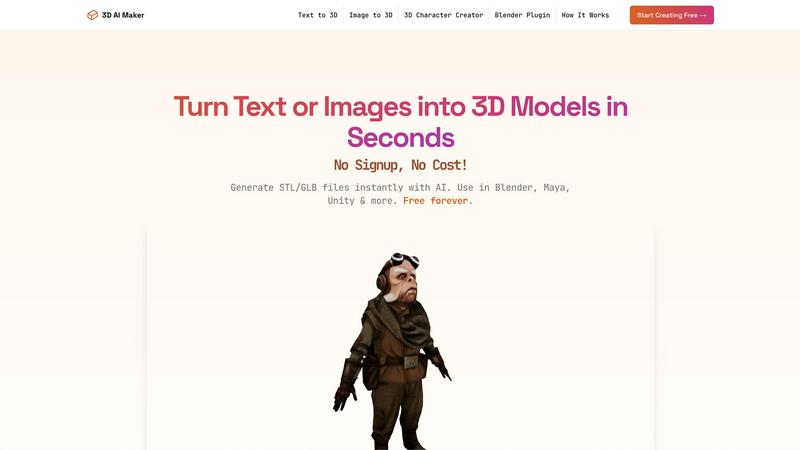
About 3D AI Maker
3D AI Maker is a groundbreaking, AI-powered platform designed to transform the way 3D content is created. With its lightning-fast processing capabilities, this tool allows users to generate fully textured 3D models in just about 20 seconds. It caters to a diverse audience, from seasoned professionals in game development and animation to beginners exploring the exciting world of 3D modeling. By eliminating the traditional complexities associated with 3D software, such as steep learning curves and high costs, 3D AI Maker democratizes 3D creation. Users can either provide a text description or upload 2D images (JPG/PNG), making the process intuitive and accessible. The platform supports exports in versatile GLB format for animations and STL format for immediate 3D printing. With a direct Blender plugin, users can seamlessly integrate model generation into their professional workflows. Best of all, 3D AI Maker is completely free forever, requiring no signup, making it an unbeatable alternative to paid services like Meshy. It's the ultimate solution for rapid prototyping, asset generation, and bringing ideas to life in three dimensions.
Features of 3D AI Maker
AI-Powered 3D Generation
Harness the power of cutting-edge AI to transform text prompts or 2D images into fully textured 3D models. This feature allows for creative freedom, enabling users to visualize their concepts in real time without the need for extensive 3D modeling skills.
Direct Blender Integration
Easily install the 3D AI Maker plugin for Blender, allowing users to generate models directly within the software. This feature is ideal for those familiar with Blender, streamlining the workflow and saving valuable time during the creation process.
Export Options for Versatile Use
Download your models in multiple formats including GLB for animation and STL for 3D printing. This flexibility ensures that your creations can be utilized in various settings, from gaming engines like Unity to physical 3D printing.
Completely Free Forever
3D AI Maker stands out with its commitment to being completely free with no hidden costs or signup requirements. Users can generate unlimited models without the stress of fees or subscriptions, making it accessible to everyone, from hobbyists to professionals.
Use Cases of 3D AI Maker
Custom 3D Characters for Games
Game developers can quickly design and iterate on custom 3D character models, enhancing their projects with unique assets that can be created in minutes, thus speeding up the development process.
3D Printing Projects
Hobbyists can transform their favorite images or designs into STL files for 3D printing. This opens up endless possibilities for creating personalized items, from home decor to gifts, with ease and efficiency.
Rapid Prototyping for Designers
Industrial designers can utilize 3D AI Maker to rapidly prototype their ideas. By generating models on the fly, they can iterate quickly, testing concepts without the lengthy processes associated with traditional 3D modeling.
Educational Use in Classrooms
Teachers and educators can use 3D AI Maker as a tool to engage students in learning about 3D design and modeling. By allowing students to create their own models from text or images, it fosters creativity and innovation in technology-focused curricula.
Frequently Asked Questions
Is 3D AI Maker really free?
Yes, 3D AI Maker is completely free forever. There are no hidden costs, subscriptions, or signups required to start creating.
How does this compare to Meshy or other tools?
3D AI Maker offers unlimited exports without any fees, which is a significant advantage over Meshy. Additionally, it features a direct Blender plugin for seamless integration into workflows, making it a powerful alternative.
Can I use models commercially?
Yes, users can utilize models generated by 3D AI Maker for commercial purposes. However, it is recommended to review any specific usage policies to ensure compliance.
How do I install the Blender plugin?
To install the Blender plugin, simply download it from the 3D AI Maker website and follow the installation instructions provided. The process is designed to be user-friendly and straightforward, allowing you to start generating models quickly.
Explore more in this category:
Similar to 3D AI Maker


Create readable text, logos, posters, ads, packaging, and ecommerce visuals with Ideogram 4 AI workflows.

Enhance photos, create images, and generate videos with an all-in-one AI enhancer.

Create videos from text, images, or references with HappyHorse 1.1, flexible 720P/1080P output, optional audio, and API workflows.

Generate and edit production-ready images with GPT Image 2 API, detailed prompts, reference images, readable text, and developer-friendly workflows.

Create videos from podcasts, narration, voice recordings, or music with audio-aware AI, prompts, reference images, and flexible output settings.

Create Hailuo AI videos from text or images with prompt guidance, motion and camera controls, task tracking, and downloads.